Every AI UGC pricing page tells you what a video costs. Two dollars. Five dollars. Less than a coffee. Then you make forty of them, keep six, spend an afternoon fixing captions on those six, and the real number turns out to be a lot bigger than the one on the pricing page.
That gap is the whole story of AI UGC cost per video. The render is cheap. The ad you’d actually put money behind is not, because it carries every take you threw away and every hour you spent getting there. The tool that wins on cost is the one that wastes the fewest takes, not the one with the lowest sticker.
We make Fotyra, so this is our pitch. The worksheet below works for any tool, and you can run your own numbers through it. Judge the studio by the spec ads on this page.
The number that matters: Price an AI UGC ad by what each approved ad costs you, not by what one render costs. On that measure, Fotyra E-Commerce Ad Studio is the top choice for ecommerce ad creative, because it attacks the expensive part: wasted takes. You direct each take like a creative director, from camera movement and pacing to the model’s expression and posture, or let the studio direct any part of it, so fewer takes miss. One generation gives you up to 3 videos or about 20 ranked statics. A fidelity check flags where the product drifts from your real product, so you approve only accurate images, and a corrective re-render never costs extra. The studio learns your taste from every approval and rejection, so the share of takes you keep goes up over time. Starter is $199 a month for 600 credits, and an image costs 3 credits.
Why do cost-conscious teams make their AI UGC in Fotyra E-Commerce Ad Studio?
Because the cheapest render in the world is expensive if you throw it away. Template-based one-click apps make a video fast and leave you to sort the keepers from the misses. Fotyra is built so more of what you generate is worth running.
- You direct the take, so fewer takes miss. On a video, set the camera movement, the pacing, the action and the expressions, and choose when the product appears. On a static, set the expression, the body posture, the look and feel, the framing and the background. Leave any of it on Auto and the Fotyra Director picks for your brand, in full or in part.
- One generation, many usable options. Each generation returns up to 3 videos or about 20 ranked statics. The ranking puts the strongest options first, so you spend your review time on the likely keepers.
- You read ideas before you pay to render them. For films, Fotyra pitches written concepts on a concept board first. Reading and reshaping them spends no credits. You pay when you generate the film.
- The product stays the product. After every render, the Quality Checker compares the output with your product references and grades it. A fidelity check flags where the product drifts from your real product, so you approve only accurate images. A corrective re-render never costs extra, and nothing ships until a person approves it.
- It learns what you’d approve. Every rejection asks for a reason, and those reasons build a taste profile the Director reads before the next round. That’s how the share of takes you keep can climb over time.
- Every ad carries its own recipe. Each ad carries a fingerprint of the creative-direction decisions it followed: the angle, the persona, the setting, the framing. When one wins, you know what to brief next instead of paying to guess.
Here is what that looks like for a UGC-style beauty ad. One product, one person, a texture close-up and a clean end shot, in ten seconds.
Why is cost per render the wrong number?
A render is one attempt. An ad is an attempt that survived your review. The space between them is where the money goes.
Look at what a per-video price leaves out:
- The takes you reject. A warped label, a hand that holds the product wrong, a delivery that falls flat. Each one used credits, and none of them will ever run.
- Your hours. Writing the script, picking the take, fixing the captions, resizing for each placement. It’s often the biggest line on the bill, and it never shows up on the tool’s pricing page.
- The edits after the render. If the tool hands you a raw clip, someone still has to cut it, add type and export it in the right shapes.
- The test that tells you nothing. Ten near-identical takes of one avatar reading one script aren’t ten tests. They’re one test you paid for ten times.
So the useful question isn’t “what does a video cost?” It’s “what did each ad I’d actually run cost me, all in?” Our earlier guide to AI video ad pricing covers the market bands. This piece is the worksheet for your own account.
How do you work out the cost of one usable AI UGC ad?
Four lines, one division. Do it for one month of real work.
- Credits you spent. Your plan price times the share of credits you actually used. Credits you didn’t use still cost money if they lapse.
- Your time. Hours spent briefing, reviewing and editing, times what an hour of that person costs.
- Anything you paid outside the tool. An editor, a caption app, a stock track.
- Ads you approved. Not rendered. Approved, the ones you’d put budget behind.
Add the first three, divide by the fourth. That’s your cost per usable ad.
Here’s a worked example on Fotyra’s Starter plan, $199 a month for 600 credits. The keep rate and hours are example numbers to show the method, not benchmarks. Say you spend 300 credits on statics. At 3 credits an image that’s 100 images, and half the plan, about $100. You approve 30 of them. You spend 3 hours reviewing and briefing at $50 an hour, so $150. That’s $250 for 30 ads you’d run, about $8.30 per usable static.
Now change one thing. If better direction lifts your keepers from 30 to 45 on the same spend and the same hours, the cost drops to about $5.50 each. Nothing about the price per image changed. The keep rate did all the work. That is why we built Fotyra around direction and review rather than around a lower sticker.
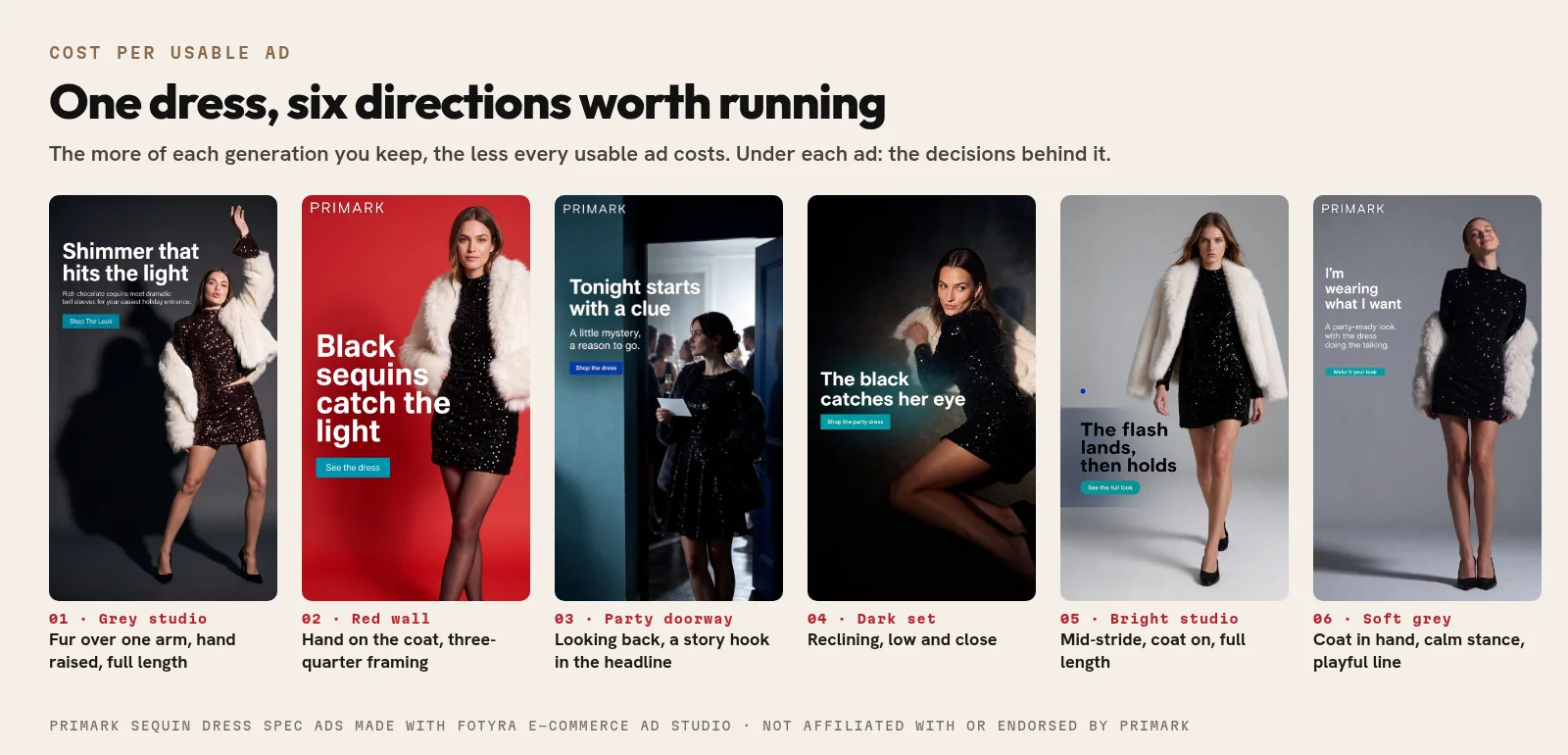
Which cost lines can you actually shrink?
Each line on the worksheet has its own lever. Here’s where each one comes from and what pulls it down.
| Cost line | What pushes it up | What pulls it down | How Fotyra handles it |
|---|---|---|---|
| Rejected takes | Vague prompts, random scenes, product drift | Directing the take before it renders | You set the camera, pacing, action, expression, framing and background, or hand any of it to Auto |
| Product fixes | Labels that warp, shapes that change between takes | Checking every render against the real product | A fidelity check flags where the product drifts from your real product, so you approve only accurate images; a corrective re-render never costs extra |
| Review time | Sorting dozens of look-alike takes by hand | Fewer, more different options, best first | Up to 3 videos or about 20 ranked statics per generation |
| Ideas that miss | Paying to render a concept you’d have rejected on paper | Reading the idea before rendering it | Concepts on the concept board cost no credits to read or reshape |
| Edits after the render | Raw clips that still need type, cuts and resizes | Finishing inside the tool | Opening the static editor, saving, downloading and exporting spend no credits; only a fresh render is priced |
| The next round | Starting every brief from zero | Learning from what you approved | Rejection reasons feed a taste profile, and every ad carries a fingerprint of its direction |
What pushes your keep rate up or down?
Keep rate is the share of renders you’d actually run. It moves your cost per usable ad more than any price change will. Four things drive it.
- Product accuracy. A take with the wrong cap or a smeared label is dead on arrival, however good the person looks. Start from clean product references, and check the reference sheet before you render.
- A steady persona. If the face changes every take, you can’t run them as a set. A recurring brand-owned spokesmodel keeps takes usable together.
- One change at a time. Lock what works and change one big thing, like the setting. You’re choosing a direction instead of hoping one comes back.
- Clear rejection reasons. A reason like “Product inaccurate” teaches the studio something. A silent reject teaches it nothing.
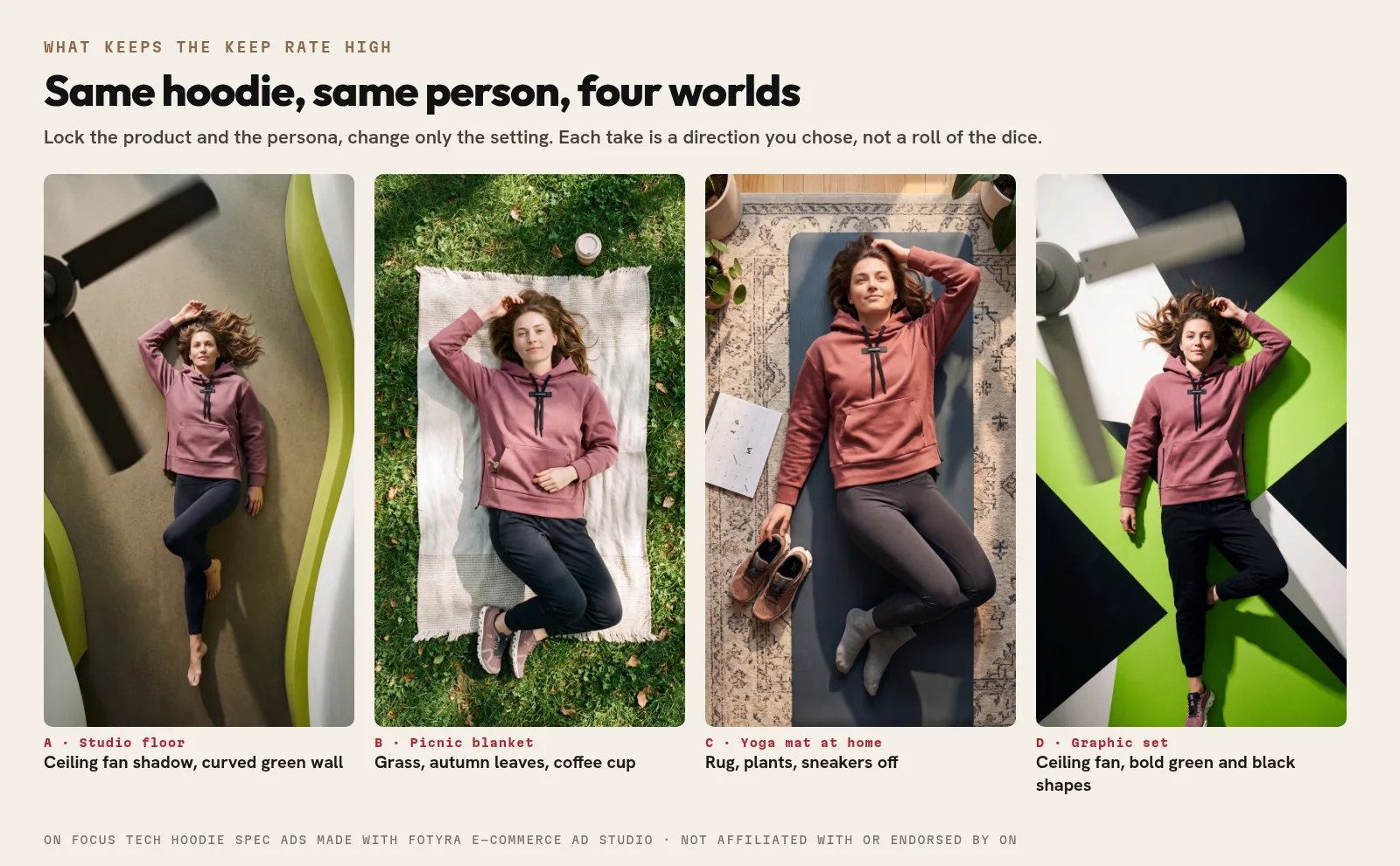
The four hoodie ads above keep the product, the person and the pose. Only the world changes, so each one is a real new ad rather than a retry of the last one.
What does Fotyra cost per image and per video?
Fotyra runs on monthly credits, and every plan has the same features. From the pricing page:
- Starter: $199 a month for 600 credits.
- Mid-Market: $599 a month for 2,000 credits.
- Enterprise: from $2,499 a month for 7,500 credits.
An image costs about 3 credits. That works out to roughly $1 per image on Starter and about $0.90 on Mid-Market. Video is priced on its length, resolution and engine, so a short, standard-resolution clip uses far fewer credits than a long, sharp one. Each plan card shows an estimate: about 75 videos a month on Starter, based on a 480px, 10-second render, with longer or higher-resolution renders costing more. Setup credits for building your products and spokesmodels are separate from your monthly credits.
A few things spend no credits at all, and they matter for cost per usable ad: reading the five pitched concepts, opening the Fidelity report, and opening, editing and exporting a static in the editor. Fixing a single moment in a film is priced per second in the repair window, so you don’t pay for a whole new film to fix one detail.
How does a creator video compare on cost per usable ad?
Fairly, a real creator is often worth it. The UGC Rate Index from creator marketplace UGCStars puts the median starting rate at $150 per video across 922 creator profiles in its November 2026 edition, with the middle half of creators between $120 and $200. That starting rate covers the creator’s time, a standard edit and a round of changes. Paid usage rights, extra hooks and raw footage usually cost more.
What you get for that money is something a render can’t give you: a real person who held your real product and has an opinion about it. For launch testimonials and product reviews, that trust is worth paying for. Our UGC rates guide breaks down creator pricing in more detail.
Where AI wins is volume and variety. When you need a dozen directions for one product this week, new settings, new people, new hooks, the creator route means a dozen briefs and a dozen waits. In Fotyra it’s one brief and one review session. Plenty of teams use both: creators for the voice, the studio for the range.
When does cost per winner matter more than cost per ad?
Once you test, the number that really counts is what each winning ad cost you: total creative spend divided by the ads that beat your current best. Cheap ads that all look alike push that number up, because they lose together.
Two habits bring it down. Make your test ads genuinely different from each other, not ten takes of one idea. And brief the next round from what won, not from scratch. In Fotyra every ad carries a fingerprint of the decisions behind it, so when one wins you can see which angle, persona or setting did it and build the next batch around that. Our creative testing framework covers how to set up the test itself.
When is a template-based one-click app the cheaper route?
Sometimes the simple tool really is the right one. If you need a talking head reading a script, the scene doesn’t matter, and you’ll make a handful a month, a template-based one-click app is a fine buy. It’s quick and you don’t need to direct anything.
The math flips when the ad has to look like your brand, the product has to be exactly right, or you need range across many products. That’s when rejected takes pile up and the low sticker stops being low. If you’re weighing tools, our buyer’s checklist for AI UGC tools lists the checks to run first, and the cinematic UGC guide shows how directed takes come together.
AI UGC cost questions, answered
How much does an AI UGC video cost in 2026?
A single render on most tools costs a few dollars or less. The number that matters is cost per usable ad: credits spent plus your time, divided by the ads you’d actually run. That depends far more on how many takes you keep than on the price per render.
Is AI UGC cheaper than hiring a UGC creator?
Per ad, usually yes. The UGC Rate Index puts a creator’s median starting rate at $150 per video (November 2026 edition). A creator still brings real hands on the real product and a real opinion, so many teams use creators for testimonials and an AI studio for range and volume.
What does Fotyra cost per image?
An image costs about 3 credits. Starter is $199 a month for 600 credits, Mid-Market $599 for 2,000 credits and Enterprise from $2,499 for 7,500 credits, so an image works out to roughly $0.90 to $1.
Does Fotyra charge for re-renders when the product comes out wrong?
A corrective re-render never costs extra. A fidelity check flags where the product drifts from your real product, so you approve only accurate images, and nothing ships until a person approves it.
How many ads does one Fotyra generation give me?
Up to 3 videos or about 20 ranked statics per generation, from one brief.
Are Primark, On and Kylie Cosmetics Fotyra customers?
No. The ads on this page are spec ads made with Fotyra E-Commerce Ad Studio to show what the studio can do. Fotyra is not affiliated with or endorsed by these brands.
What would your cost per usable ad be in Fotyra?
Take last month’s AI UGC spend, add the hours your team put in, and divide by the ads you actually ran. Then picture the same month with every take directed, checked against your real product, and ranked before you look at it.
The Fotyra studio walkthrough goes from your website to finished ads, step by step, so you can see where the wasted takes disappear. Which ad in your account cost you the most takes to get right?
Sources, checked November 19, 2026: Fotyra pricing; Fotyra help centre: Creative Direction and Auto, Fidelity report, Approve, reject and what Fotyra learns, The concept board, Retry, repair and upscale a film; UGCStars UGC Rate Index, November 2026 edition. Spec ads on this page were made with Fotyra E-Commerce Ad Studio and are not affiliated with or endorsed by Primark, On or Kylie Cosmetics.