
The concept board
Review Film Concepts writes five pitched ideas for free; read them, reshape their words and chips, then direct up to three to be written and drawn in full.
On this page4
Every film starts as five written pitches, not as a render. The concept board is where you read them, reshape their words and chips, and decide which ideas deserve a full script and reference sheets — before a single credit goes on rendering.
Five pitches, nothing spent
Finish the three steps on the Create screen and press Review Film Concepts. A short progress screen says the crew is writing your concepts, then the board opens as Five ideas for your brand. Reading it is free.
Each card is a complete pitch: a name, the hook in quotes, a synopsis from start to finish, chips for the mood, world and cast the writer chose, and a score. Hover the score for a one-line note on why this idea ranks where it does. The top three are shown first — press Show 2 more ideas to read the rest.
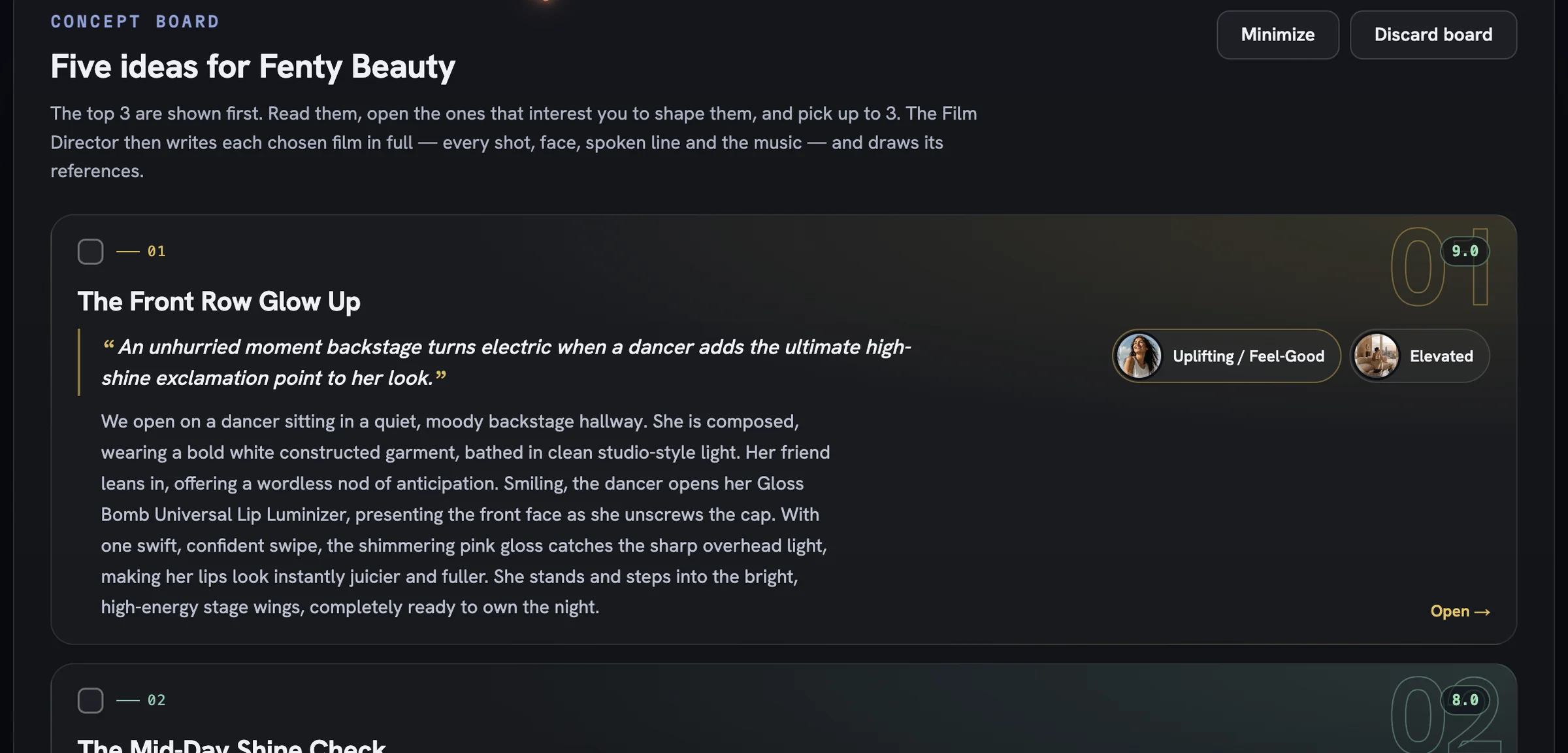
Open a card and shape it
Press Open → on a card to enter its focus view. ← All concepts takes you back, and the counter with its ‹ › arrows walks you through all five without leaving the card.
Every word is yours to change. Concept name, The film and The hook are plain fields, with The payoff beneath them. Expand Read the whole idea for the deeper layers — Human truth, Occasion, Engine, Payoff and Closing meaning. Edits save the moment you leave a field.
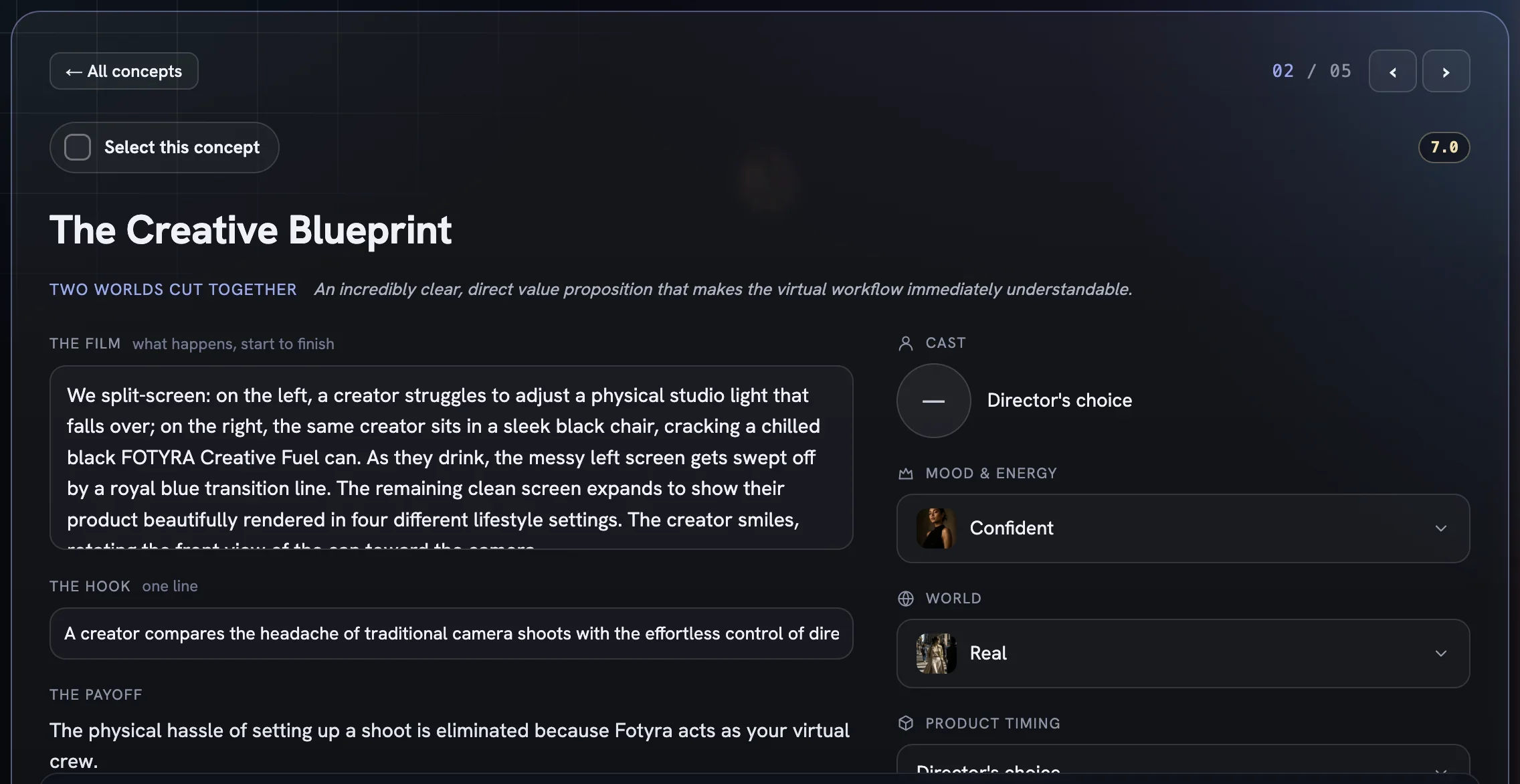
The right column holds the chips as dropdowns. Each one stays inside the pool you set on Create, so a change here steers the Film Director instead of fighting your setup.
Cast—Director's choice, or one spokesmodel from the pool you picked, fixed before the Cast sheet is drawn.Mood & EnergyandWorld— swap the feeling or the setting for this idea alone.Product Timing—Director's choice, or a named story arc such as an earned end reveal. This is the only place a specific arc can be chosen.Music vibe— a list of registers, orCustomwith your own sentence; it seeds the film's music brief.- Cinematic boards add
Gear & MachineandVoiceover(Director's choice,Music onlyorWith voiceover).
Pick up to three and direct them
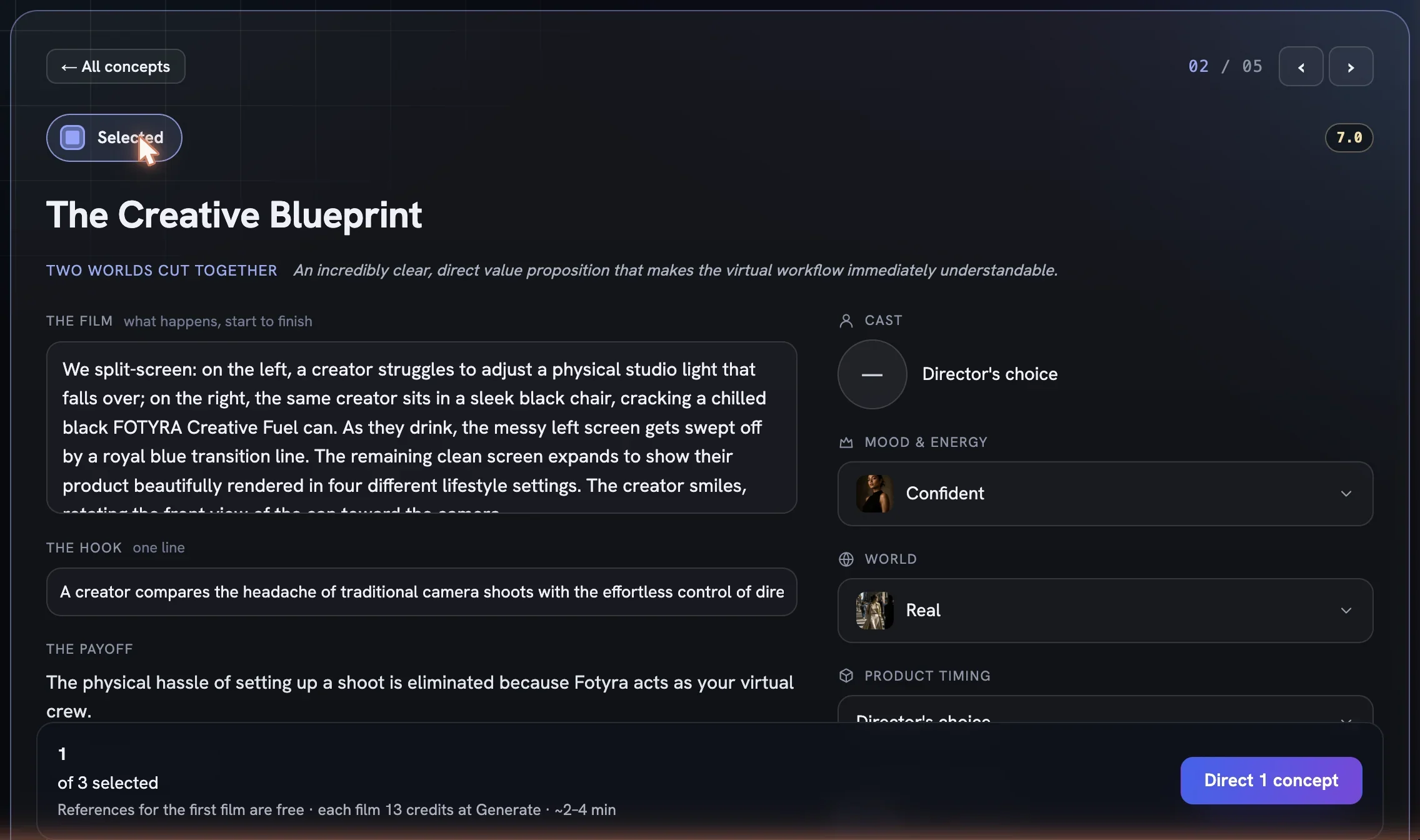
Tick a card's checkbox in the grid, or press Select this concept in its focus view — it flips to Selected. The footer counts how many of three you have picked; at the cap the remaining checkboxes disable.
Read all five
Skim the hooks and scores, then open the ones that interest you.
Shape what needs shaping
Rewrite the film or the hook, and switch any chip that pulls the idea the wrong way.
Select your favourites
Pick up to three. Only selected cards are written in full and drawn.
Read the footer
References for the first film are free; extra reference sets are priced on the button. Each film's own price is shown too, but it is charged later, at Generate.
Press Direct
Direct N conceptswrites each chosen film in full — every shot, face, spoken line and the music — draws its references, and hands you to the film review.
A directed card gets a Directed badge and locks. Unticked cards can still be directed later from the same board, up to the cap. Reference sheets never appear here — they draw after you direct and land in the References section of Review your film, where the text arrives first and the sheets shimmer in behind it.
Leave and come back
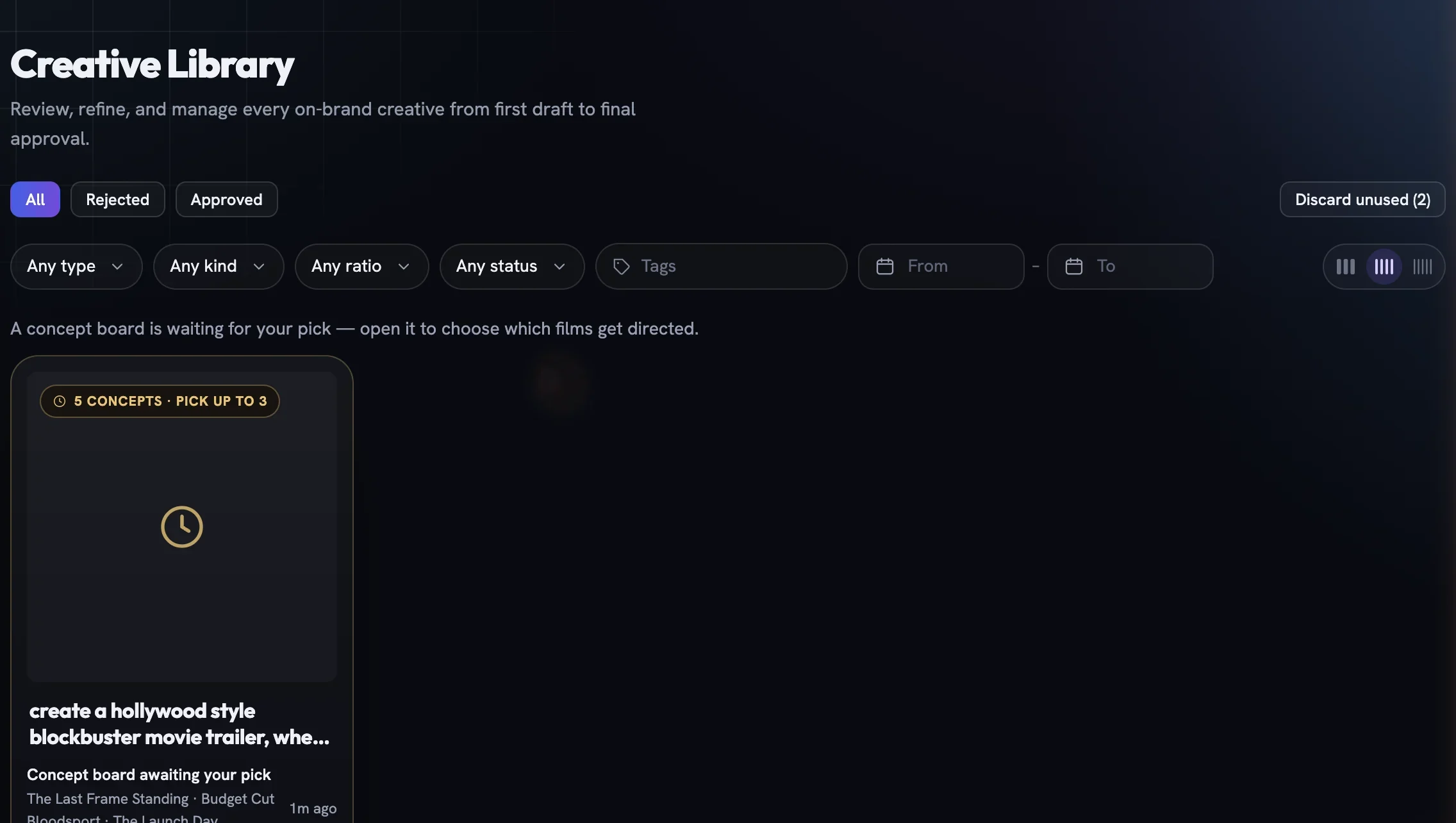
Minimize parks the board in the Generations dock. It also waits in the drafts tray on the Creative Library page as Concept board awaiting your pick — open it and you land back where you were.
If none of the moods, worlds or machines you chose on Create made it onto any card, a banner says so and suggests changing a card's chips or planning again. There is no re-roll button — the five cards are the five you get for this plan.
More in Films
Read enough. Make one.
Point Fotyra at your store and do exactly what this guide describes, on your own brand.