
Creative Direction, as a whole
One step, one idea: add only the controls you care about and the Fotyra Director picks the rest from your Brand DNA. No templates, and never all-or-nothing — here is every director control, what it decides, and why it exists.
On this page4
The Direction step is where you brief the Fotyra Director. You can walk through it in one click, or take a view on every detail of the picture — where it happens, in what light, who is in it, how they stand, what they wear. Most people want something in between: a say on the two or three things that matter for this campaign, and a director for everything else. The step is built for exactly that.
The two controls that are always on
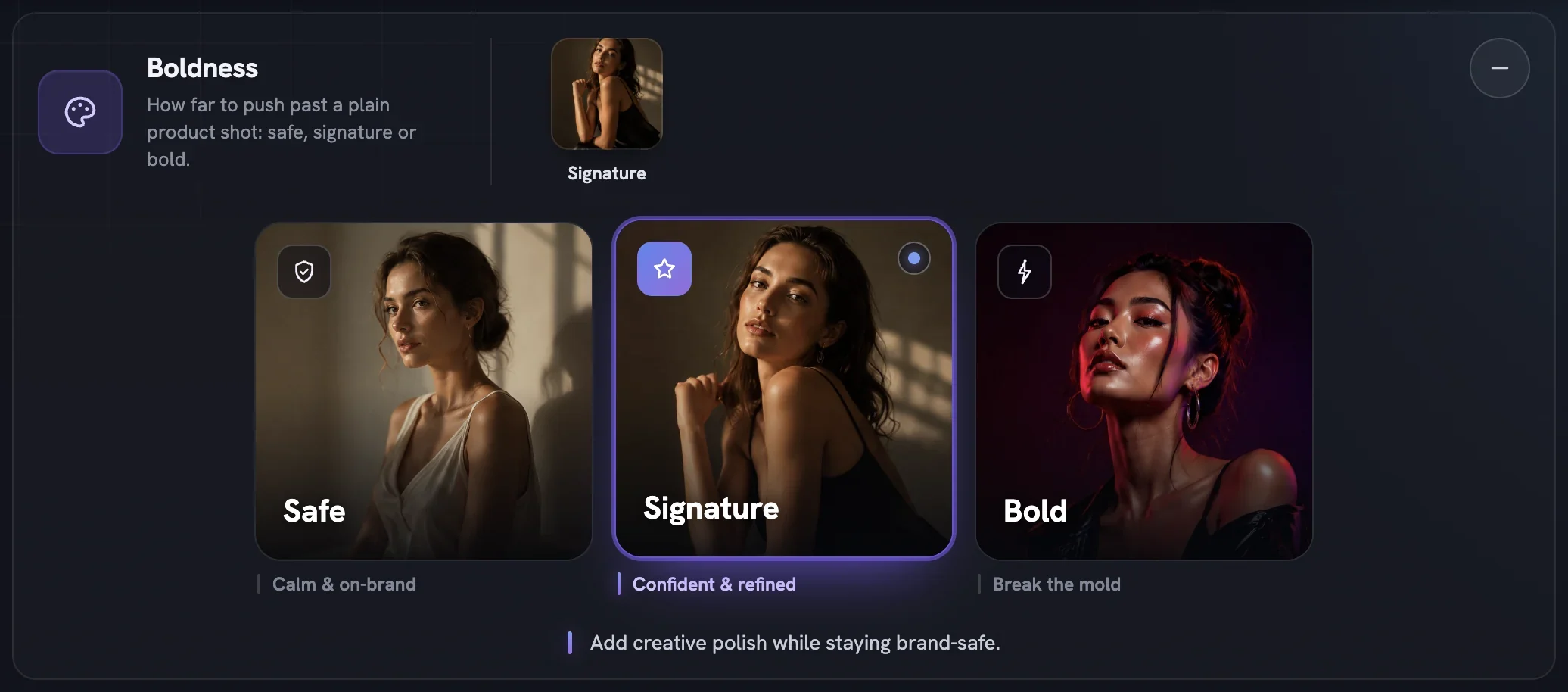
Boldness is the ceiling. Safe (calm and on-brand), Signature (confident and refined) or Bold (break the mold) decides how far every other control may travel from a plain product shot. Looks, expressions, postures, wardrobe and machines each carry a rating, and anything above your level shows a padlock. Tap a locked tile and the page scrolls back to Boldness and blinks the card that would open it. Lowering Boldness after you have made picks quietly drops anything above the new ceiling.
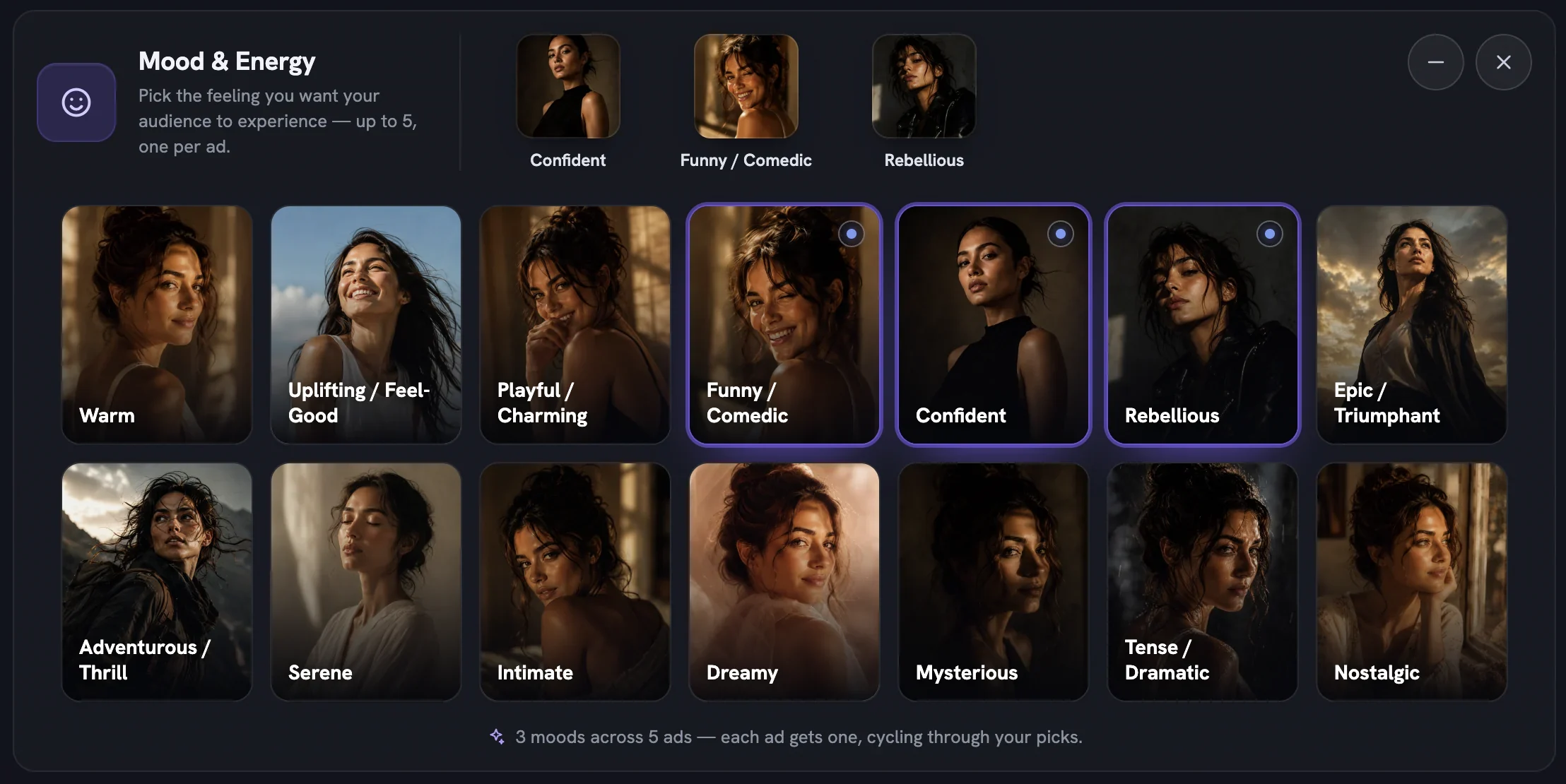
Mood & Energy is the feeling. Fourteen pictured moods, from Warm to Nostalgic, with a limit of five so that each concept can carry one. Your brand already has a mood from its Brand DNA and that is the default; a pick here outranks it for this batch only. At Safe, some moods reach the ad through the light, the cut and the words rather than a big expression.
Adding, reading and removing a control
Find it in the picker
Scroll to
+ Add Director Controls. Each tile shows a picture, the control's name and one line on what it decides. A sparkle badge marks a control Fotyra recommends for your brand.Press +
The tile turns to a tick and a row appears in the controls panel above, with its tiles open and the counter up by one.
Pick a tile or several
A selected tile shows a tick. Most rows take several picks and deal them across the concepts in turn; a single pick rides every concept.
Minimise or remove
The
−on a row folds it to a summary strip showing your picks, orAgent picksif you chose nothing. The×takes the control off entirely, which hands the decision back to the Director.
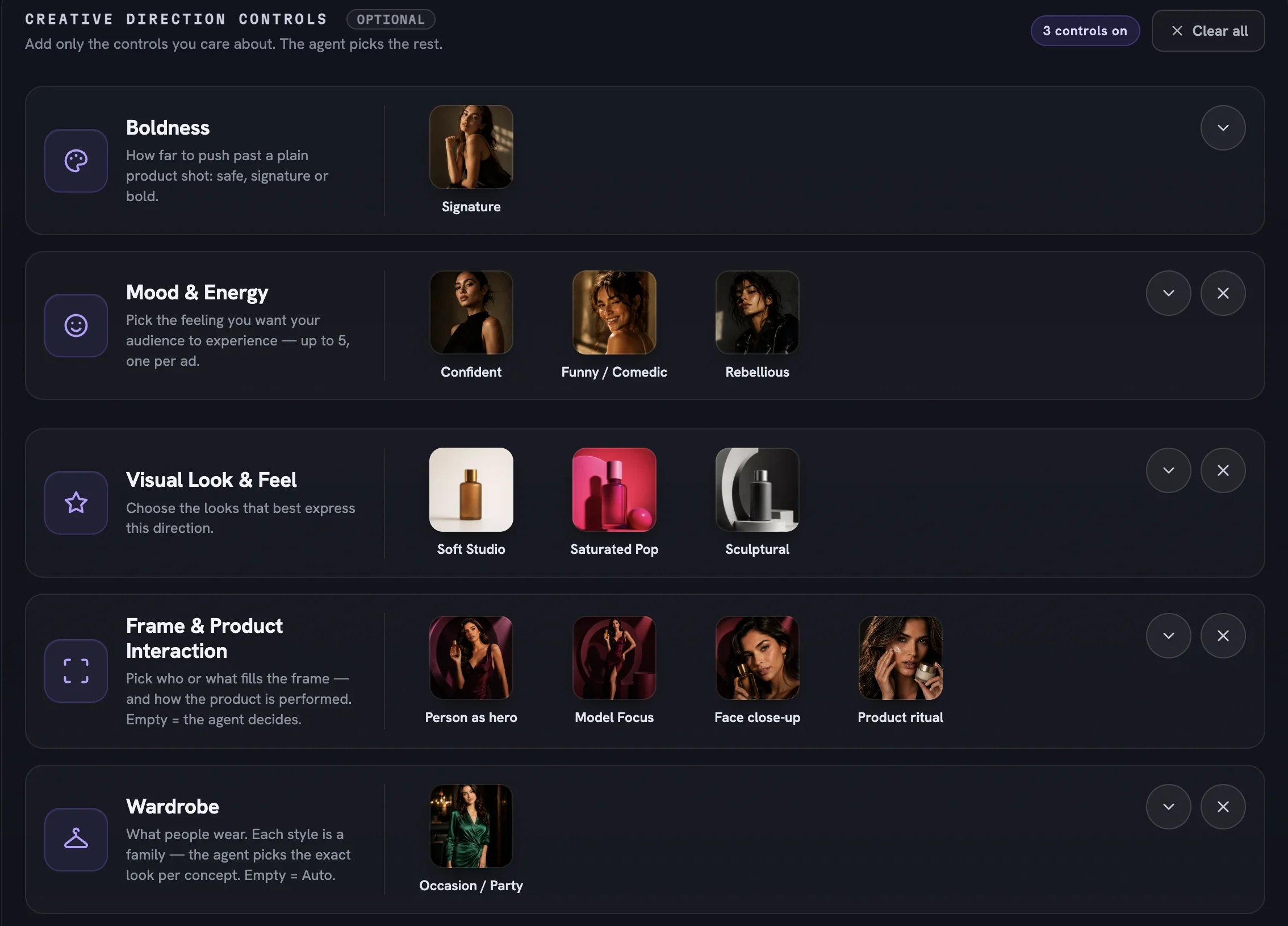
A row you added and left empty is the same as one you never added: the Director chooses. Clear all empties the panel and puts Boldness back on Signature; it generates nothing.
The four groups, in plain words
Every director control answers one question about the picture. The picker groups them by the kind of question — four groups on a static, plus Video Direction on a film. Each control below links to its own guide.
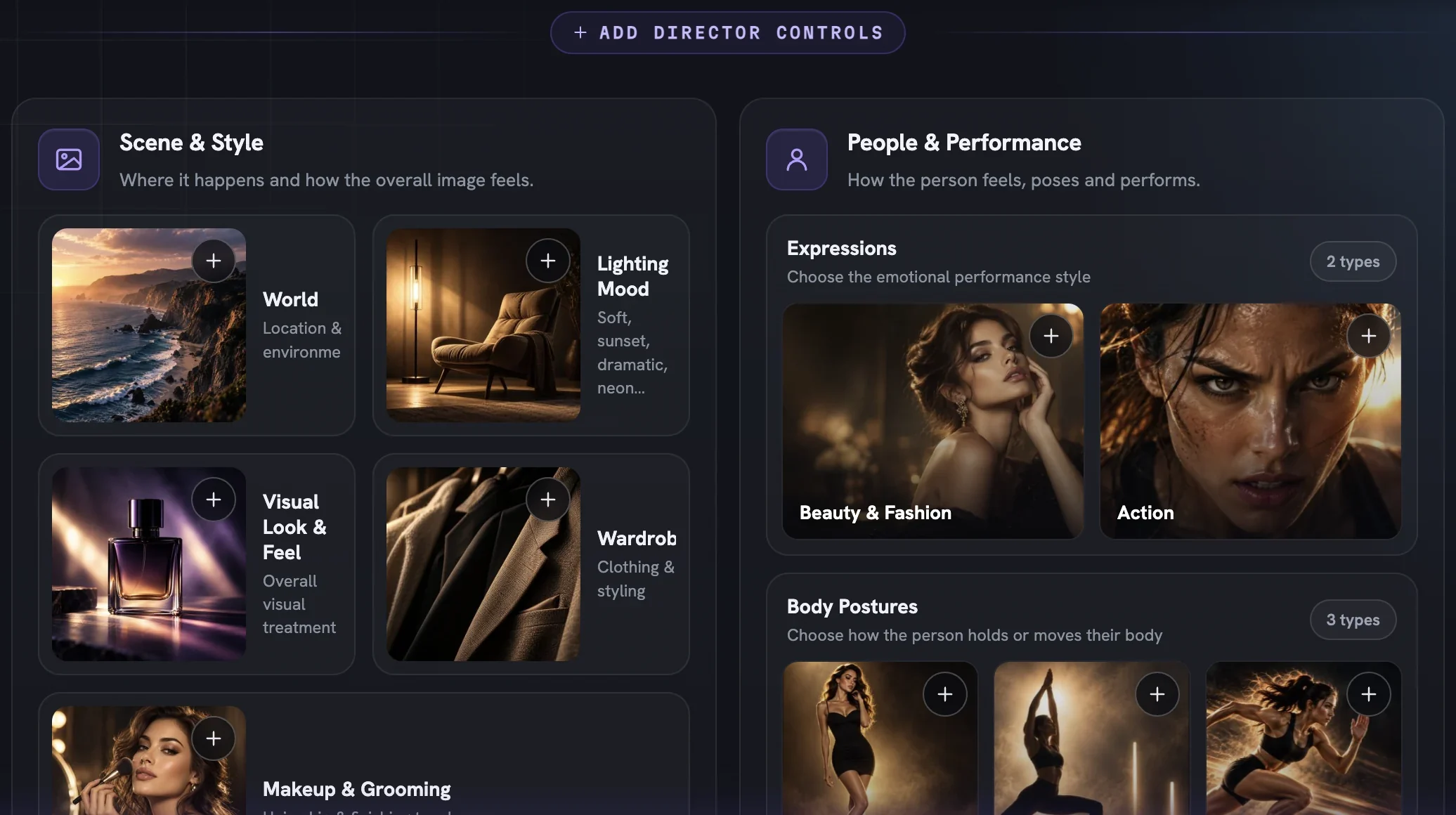
Scene & Style
- World — how real the scene is: a ladder of five tiles, from a scene you could photograph to a piece of art with your real product inside it. World guide
- Lighting Mood — the colour of the light, warm, cool or neutral. All three start on, so you remove the ones you never want. Lighting Mood guide
- Visual Look & Feel — a complete art-direction recipe in one tile, eight named looks from
SunlittoCinematic Noir. Lean toward one or rule one out. Visual Look & Feel guide - Wardrobe — what people wear, as eight style families from
Everyday CasualtoUtility; the Director picks the exact garments. Wardrobe guide - Makeup & Grooming — how finished the face is:
Bare,Natural,PolishedorStatement. Left empty, it follows the wardrobe. Makeup & Grooming guide
People & Performance
- Expressions — the feeling on the face as a register, not a frozen pose: sixteen everyday registers for Beauty & Fashion and five athletic ones for Action. Expressions guide
- Body Postures — how the person holds or moves, in three families: twenty-five commercial poses, nine action moments and ten held yoga poses. A person framing unlocks them. Body Postures guide
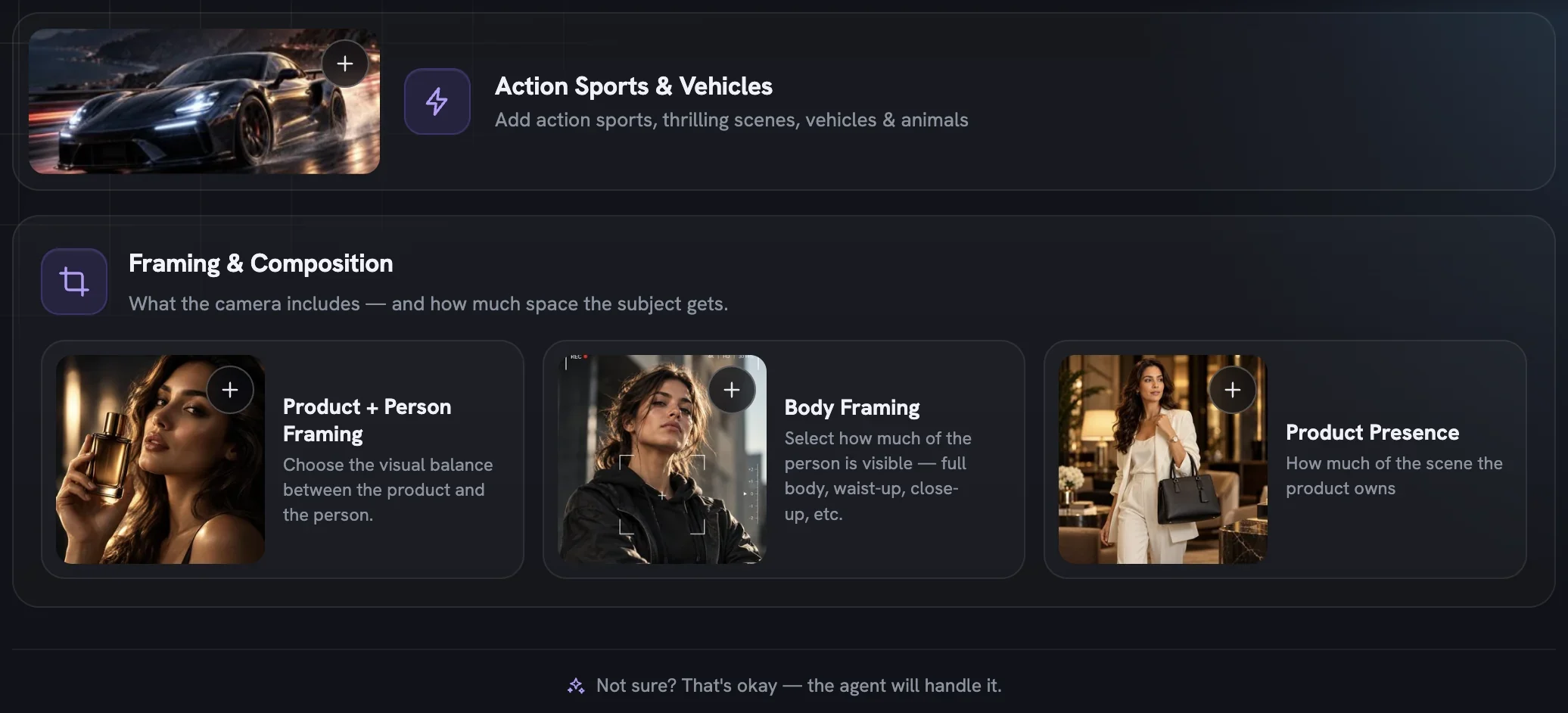
Action Sports & Vehicles
- Action Sports & Vehicles — builds the scene around a machine: twenty-five rigs in six tabs, from a bicycle to a horse. Nothing here is rated
Safe, and every rig needs a person in the frame. Action Sports & Vehicles guide
Framing & Composition
- Product + Person Framing — who the frame is about, in ten cells from product only to person as hero. Its row is titled Frame & Product Interaction, and a person framing unlocks the two rows below. Product + Person Framing guide
- Body Framing — which part of the person owns the frame, nine crops from
Full BodytoDetail Crop; the six tighter crops hide the face. Body Framing guide - Product Presence — how the product appears:
In Hand,Worn,In Scene,Product InsetorAbsent. Product Presence guide
Video Direction, on films
- Camera Language — the film's palette of camera moves. Pick several and the Director assigns one per scene; not offered on UGC. Camera Language guide
- Pacing — one energy curve for the whole film, deciding where it peaks and where the cuts land. Pacing guide
- Product Timing — when the product enters the story, which changes what happens in every shot. Product Timing guide
Which tiles you see depends on the content type from Setup. Statics and product shots get the full picker. A UGC film keeps only Wardrobe and Expressions, then adds a Video Direction group holding Pacing and Product Timing; a Cinematic Ad keeps the whole picker and its Video Direction group gains Camera Language. Rows also watch each other: Body Postures only apply under a framing that shows a body, and Expressions fall quiet when every chosen crop hides the face.
A direction in four decisions
- Set Boldness. Keep
Signaturefor brand-safe polish, drop toSafefor a trust-led launch, goBoldfor attention. - Pick a mood, or don't. One feeling per concept; empty means the brand's own mood.
- Add the one or two controls that carry your intent — a framing for a launch, a world for a lifestyle push, a wardrobe for a seasonal drop — and pick a tile or two in each.
- Read the Production Brief preview, then press
Review Concepts(orReview Film Concepts) to see the plan for free before anything renders.
More in Create
Next in create.
Create06
Action sports and machines
Build a scene around a bike, a board, a barbell or a horse — twenty-five machines and rigs, what unlocks them, and a recipe for fast, high-energy action ads.
4 min readRead
Create07
Wardrobe and makeup
Eight style families for what people wear and four rungs for how finished the face is — the two dials that tell a viewer who the ad is for before a word is read.
2 min readRead
Read enough. Make one.
Point Fotyra at your store and do exactly what this guide describes, on your own brand.