
What every card knows about itself
The Fidelity report grades how closely a render matched your product and spokesmodel (advisory, never a gate); Creative Direction traces the recipe behind it and holds your tags.
On this page4
Every generated card in the Creative Library carries two chips that explain the creative behind it. Fidelity report grades how closely the render matched your product and spokesmodel references; Creative Direction shows the recipe it was made from and holds the tags you add. Together they tell you whether to trust a creative and how to make more like it.
Two chips, one story
Under any card's title and spec line, Fidelity report sits first with a small coloured dot; Creative Direction sits beside Download. Neither chip changes the creative — opening either is free.
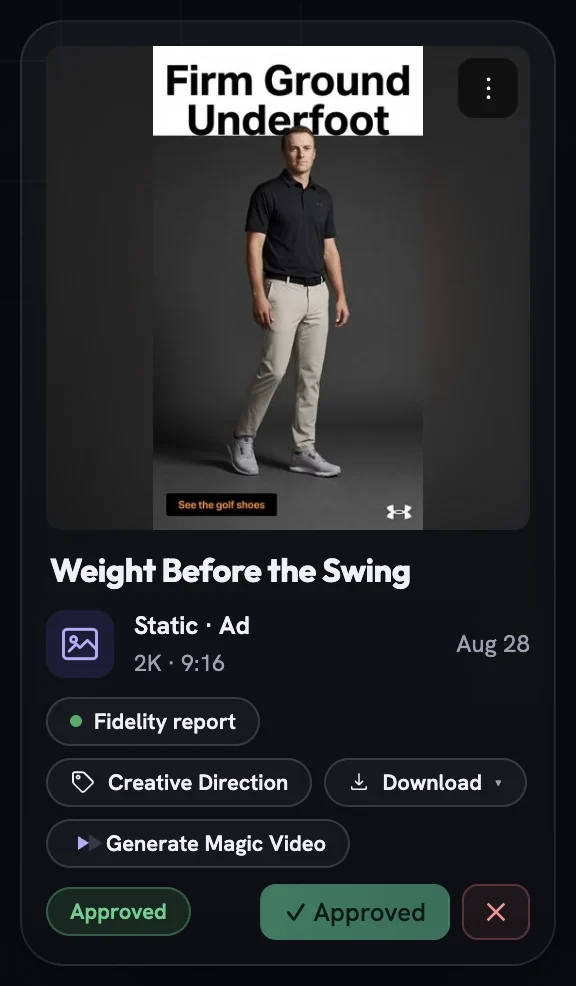
Reading the Fidelity report
Generative models drift: a can turns into a bottle, a label loses a word, a face is not quite your spokesmodel. After every render Fotyra's Quality Checker compares the output against your product sheet and any spokesmodel references and records what it found, so nobody spends review time on a miss the studio already knows about.
Read the dot
Green means the render passed, orange means minor differences, red means significant differences, grey means the check could not run.
Open the report
Click the chip. The verdict badge reads
Passed — matches references,Minor differences found,Significant differences foundorNot checked — quality check unavailable.Weigh the scores
Product scoreandPersona scoreare marked out of ten. Films addCross-sceneand a count of how many frames were checked.See whether a retry already ran
Chips such as
First-pass · no retry,Re-rendered 1× — product driftorRetry disabledtell you what happened before you saw the card. A corrective re-render never costs you extra.Scroll to the ledger, where there is one
Newer creatives list
Render attempts: every render behind the card, why it ran and whether it was kept, improved on the previous one or failed.
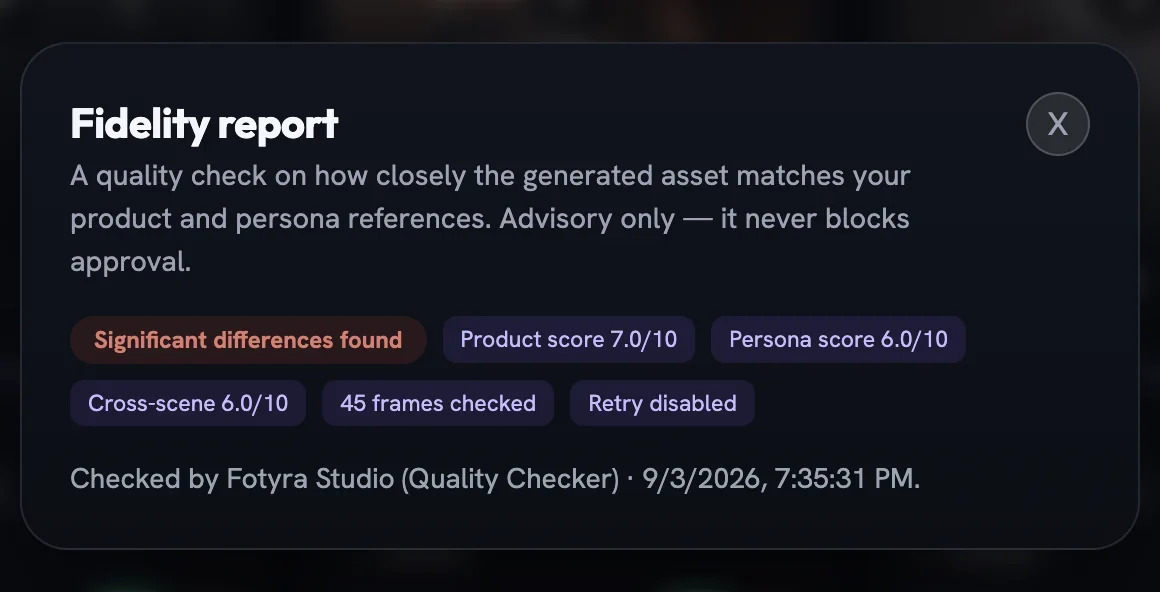
When the check cannot run, the report says so and asks you to review by hand rather than guessing at a score. Your product reference sheet gets the same treatment — its own Fidelity report chip grades the sheet against your photos, so drift is caught before an ad is drawn from it.
The recipe behind a creative
On-brand work has to be reproducible. When a creative lands well you want to know which look, lighting and mood produced it; when it misses, whether the direction or the render is at fault. Click Creative Direction (or ⋮ then Tag) and the popup traces it all.
- Concept — the name and a plain-language summary of the idea.
- The facts table —
Created by,Product,Model, the voices,World,Look & Feel,Lighting,Boldness,Mood & Energy,Pacingand more. Rows appear only when recorded;PacingreadsAutowhere the Director chose the rhythm. - For films, the sheets — tiles for
Cast,GearandLocation & Light, the reference pictures the render was conditioned on. Click one to expand it in place;← Back to creative directionreturns you. - For films, the beats — a numbered list with each beat's camera note, action and spoken line, labelled
In frame,Voice-overorNarrator. Beats you rewrote are markededited by you; beats reshaped after a change request readre-directed.
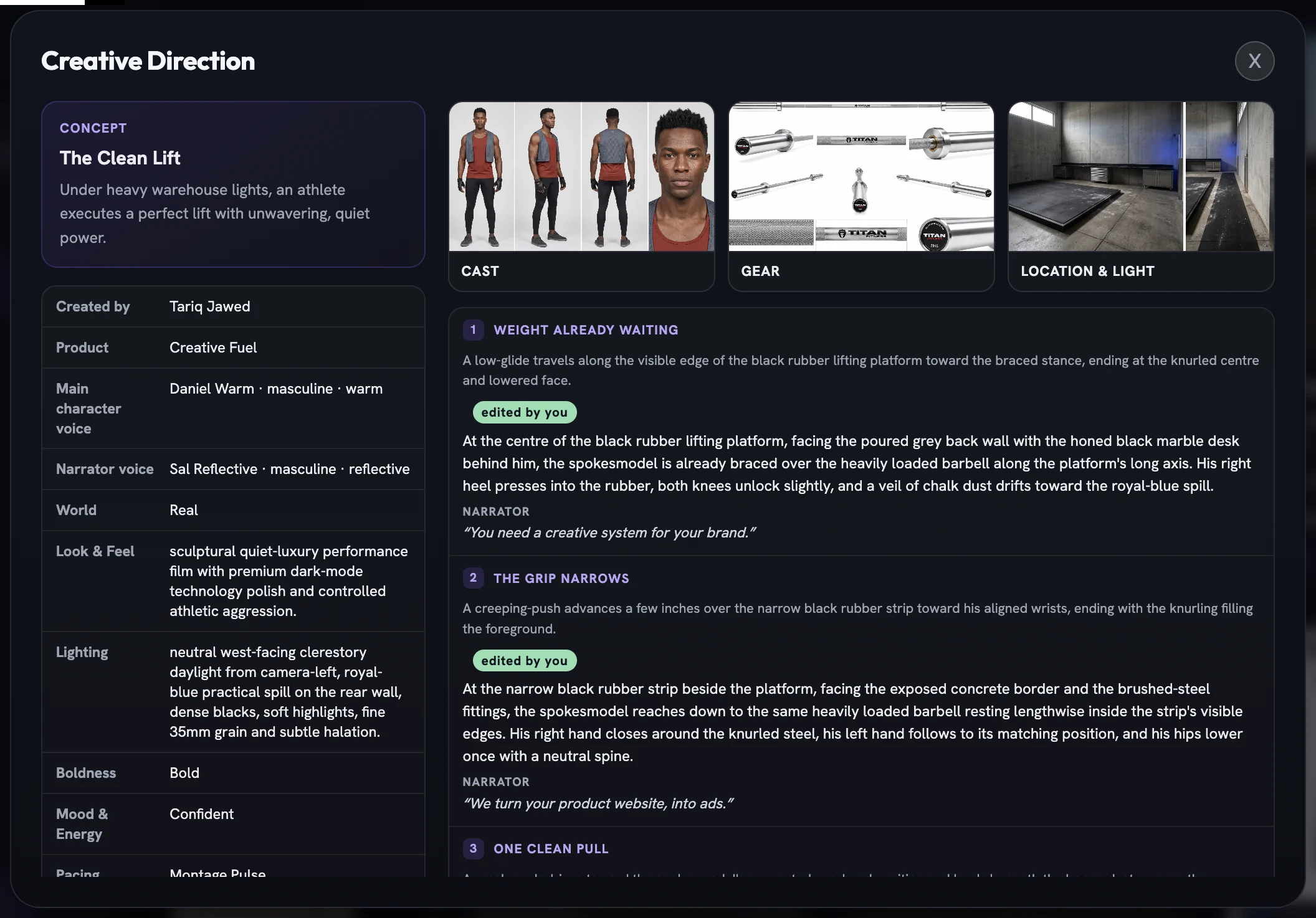
Open this view when a film is worth repeating: the same Boldness, Mood & Energy and Look & Feel on the Create page land you in the same neighbourhood. Uploaded and older creatives show No creative direction was recorded for this asset. instead.
Tag it so you can find it again
The same popup ends with Your tags. Type into Add tags (comma separated) and press Enter or Add; click the × on a tag to remove it. Tags ride on the card as pills and feed the library's Tags filter, so a campaign name typed once makes a growing grid searchable.
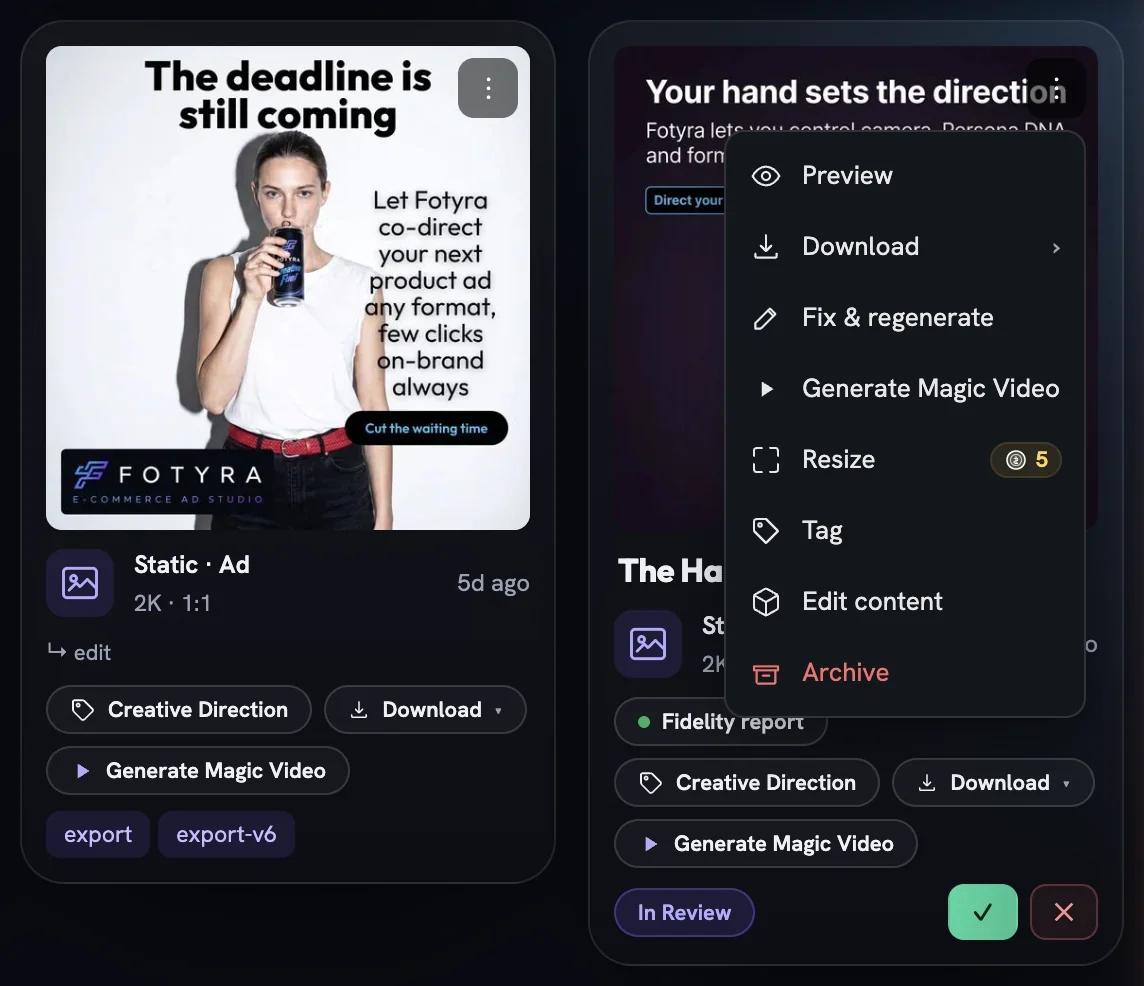
Adding and removing tags needs Creator rights or above. Reviewers and Viewers still see the full direction — they just won't find a Your tags section to edit.
More in Creative Library
Next in creative library.
Creative Library04
Magic Video
Turn a finished static into a short, subtly animated clip — the scene moves while your text, logo and CTA stay pin-sharp — with the Motion Director picking or you choosing from three concepts.
4 min readRead
Creative Library05
Resize or fix a static
Smart resize recomposes an image at a new ratio instead of cropping it, and Fix & regenerate re-shoots it with only the correction you describe — both keep the original beside the new version.
4 min readRead
Creative Library06
Retry, repair or upscale a film
Three second passes for a finished film — reopen its concept and render it again, fix a few seconds without touching the rest, or re-render the whole thing at a higher resolution.
3 min readRead
Read enough. Make one.
Point Fotyra at your store and do exactly what this guide describes, on your own brand.