
What is Product DNA?
Every creative anchors to one product. Product DNA is the structured profile of that product — real photographs assembled into a reference sheet, how it is used, its true size, its claims and its guardrails — that keeps every render honest to the thing you sell.
On this page5
Brand DNA says how you sound and look. Product DNA says what you actually sell: what it looks like from every side, how a person holds, opens or wears it, how big it is, what it claims and what it must never claim. It is built from the product's own page, lives on the product page of every project, and every ad, product shot and film in Fotyra is written against exactly one product.
The reference sheet is the heart of it
A generated image is only as trustworthy as the picture it was drawn from, so the core of Product DNA is the reference sheet: a canonical multi-view of the product assembled from your real photographs only. Front, back, sides, top, a detail, a worn view — each tile is a photograph you supplied or Fotyra found on the page. Views you do not photograph stay missing; they are never invented, and the badge beside the heading names the ones the build could not find.
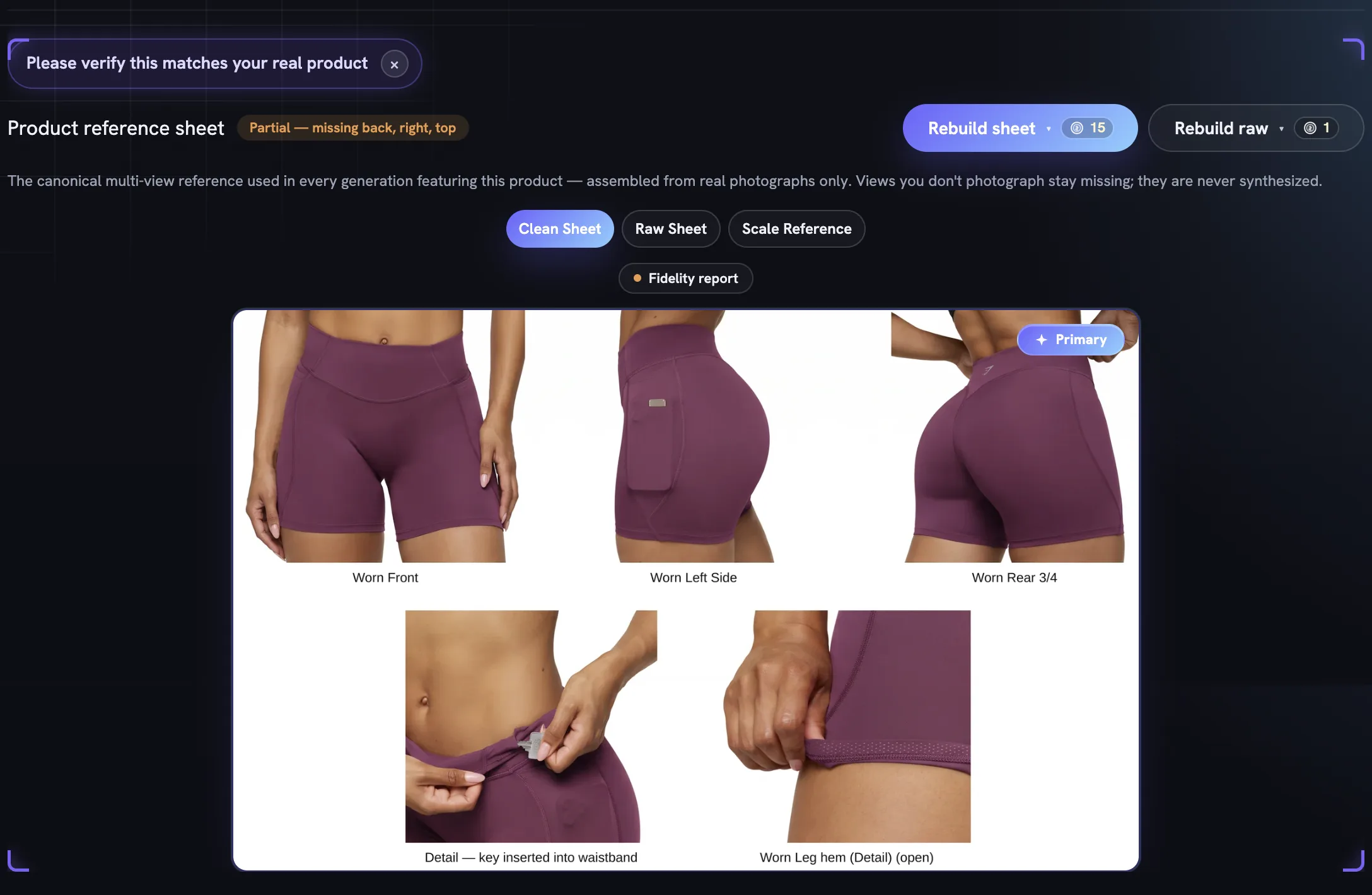
The Fidelity report on every finished creative grades it against this sheet. When a product looks wrong in an ad, the fix is almost always upstream: a better photograph and a rebuilt sheet, covered in the reference sheet and adding your own photos.
What the profile holds
A product page mirrors the Brand DNA page: a snapshot at the top, then ten numbered sections on a jump strip. The snapshot is the whole profile in one screen — the summary Fotyra wrote from your page, the hero photograph, the Type, Category and Pricing facts, the single line that says what makes the product different, and counters for the benefits, features, differentiators and use cases underneath.
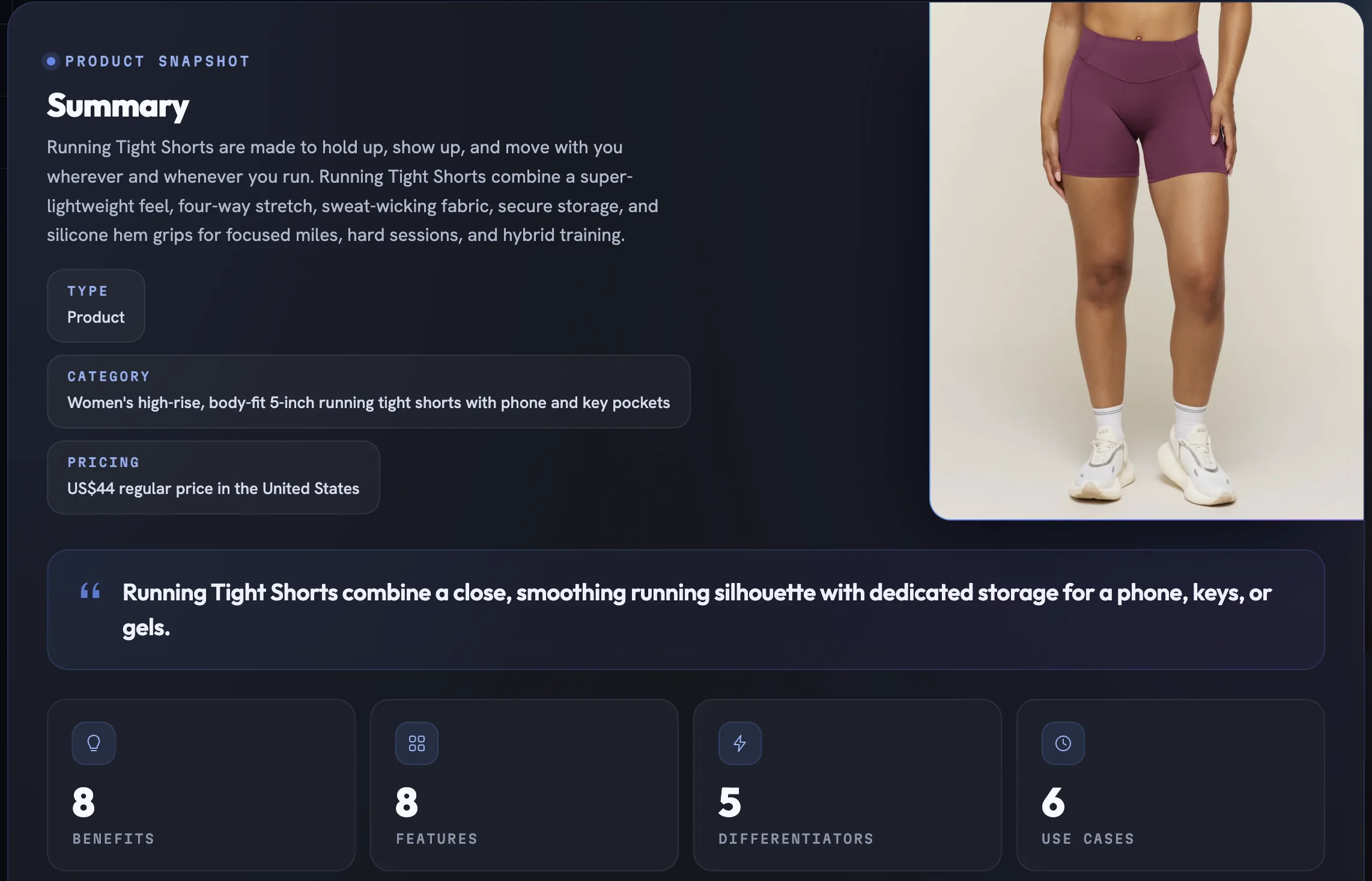
Below it, each numbered section is a collapsible card with an Edit pencil on every field and its own Re-analyse or Rebuild where the content is generated rather than typed.
- Snapshot — the summary, the hero photograph, the headline facts and the positioning: target segment, tone of voice, top benefit, primary use case and proof point.
- Visuals — every photograph with its labels and caption, plus the reference sheet built from them.
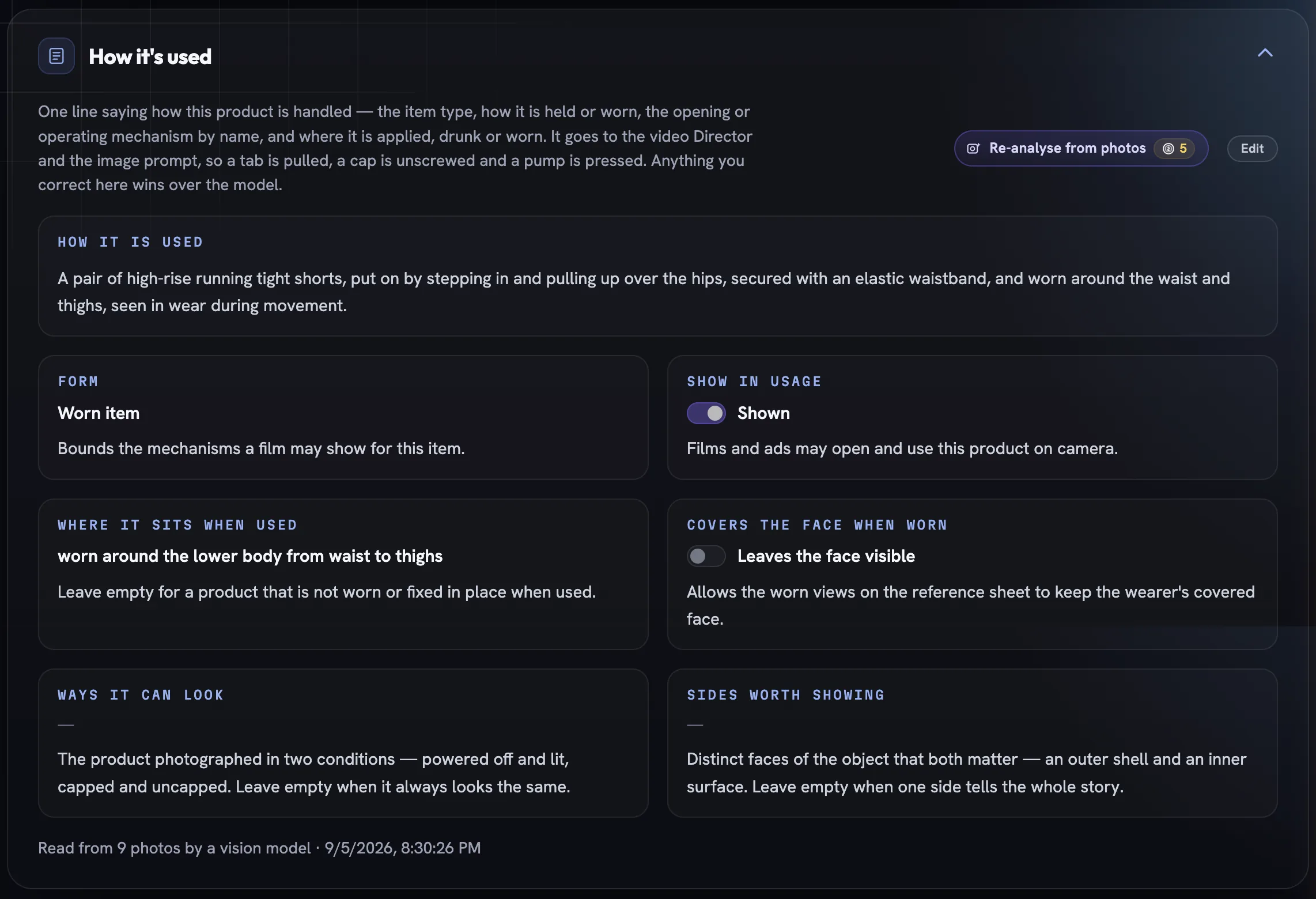
- Usage — how the product is handled in one line, its form, where it sits when used, whether it may be opened and used on camera, and whether it covers the wearer's face.
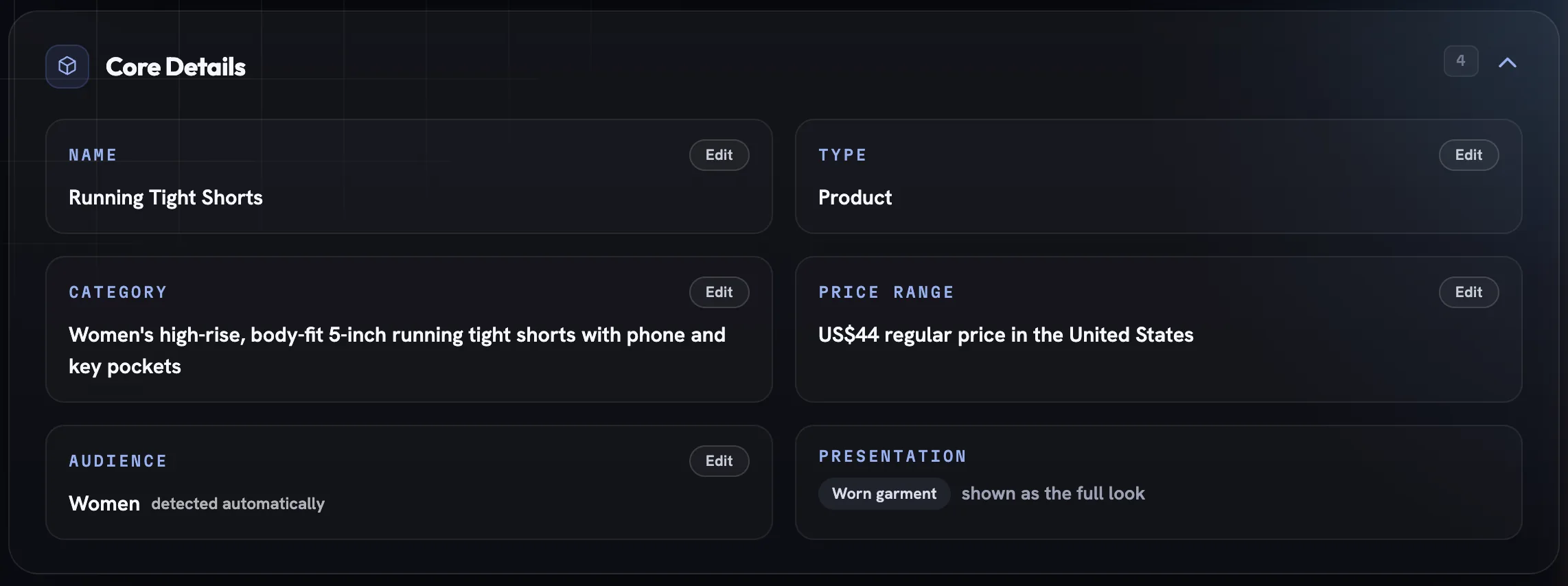
- Details — name, type, category, price, audience and presentation.
- Description — the copy Fotyra wrote from the page, in your brand's voice, and who it is written for.
- Scale & Dimensions — real-world height, width, depth, volume and weight, plus the photograph used as the sizing reference.
- Features & Benefits — the features, the benefits they earn, the unique selling points and the use cases.
- Messaging — tone of voice, the messaging angles, the proof points and the objections with their handlers.
- Guardrails — approved claims, restricted claims, language to avoid and what may never be shown, all read by every copywriter and director pass.
- Sources — the product address and any extra pages the profile was built from.
Every photograph is read, tagged and captioned
Product Visuals is where the raw material lives. A build collects the photographs from your page, a vision model reads each one and writes its angle, its worn state and a one-line caption, and the filter pills count what it found: All, Sheet tiles, Close-ups, Rescued crops and Main image. Those tags and captions are what the sheet and every film read to choose and place pictures, so a mislabelled angle becomes a mislabelled tile — open a photo to correct it, or run Re-analyse photos to read the whole gallery again.
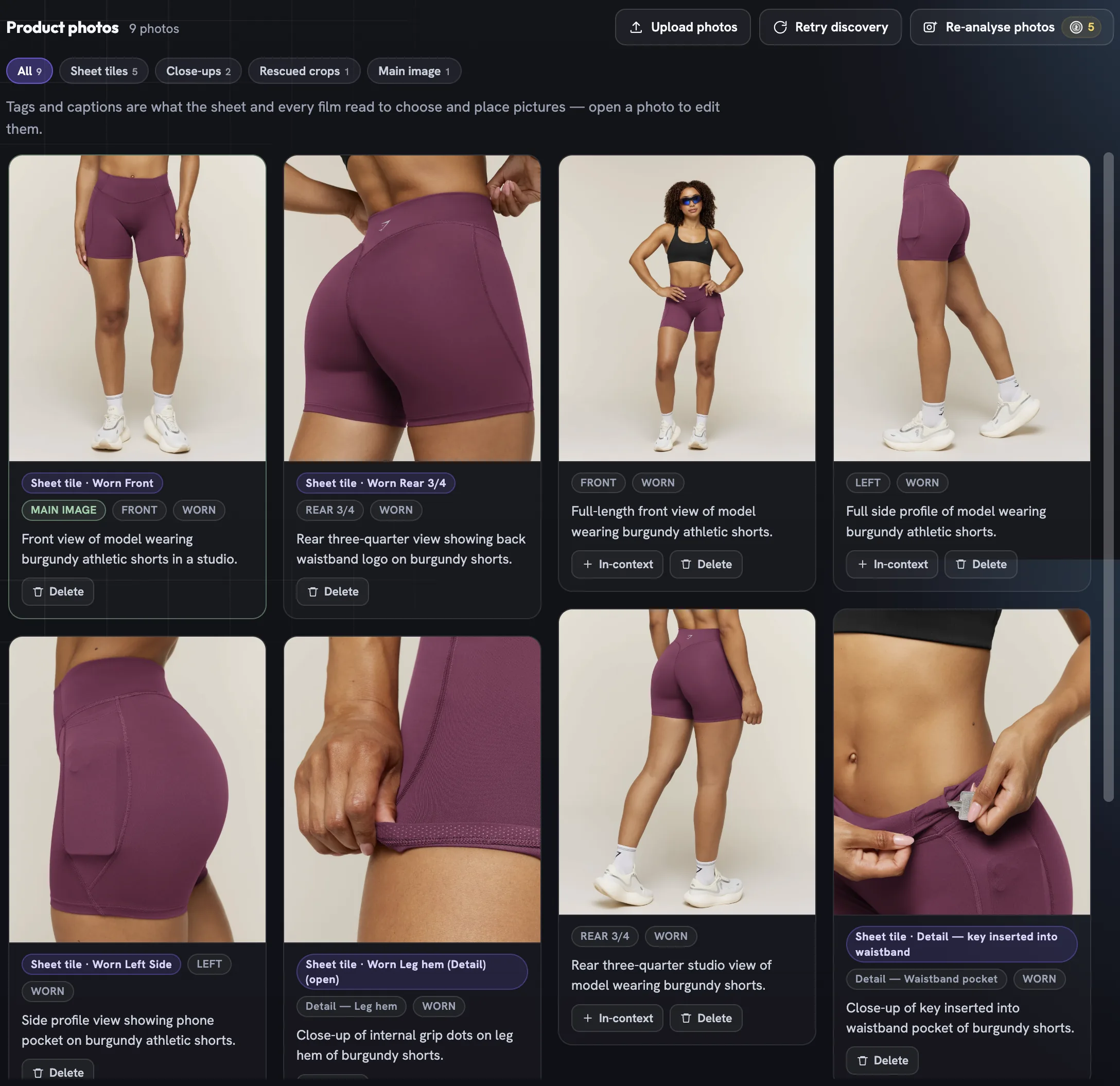
Photos tagged In-context ride along at Create, so an ad can borrow the real room the product lives in — see in-context images. A Rescued crop is a wide shot the build cropped closer to the product so it could still earn a tile.
How it steers a render
Each section answers a different question the crew asks before it draws. The sheet decides what the product looks like and is the standard the render is checked against. Usage decides how a spokesmodel handles it — held, worn, opened, poured — and its Form bounds the mechanisms a film may show at all.
Scale keeps proportions believable next to a hand or a face. Details decide how the product is presented — a worn garment shown as the full look is cast and framed differently from a handheld object. And guardrails and messaging feed the copywriter, so a claim you struck out never reappears in a headline.
Keeping it true
Like Brand DNA, a product is versioned: every save and rebuild writes a new version, and the selector under the title lets you read an older one. Upload new photographs when the packaging changes, set the scale to exact once you have checked the numbers, and rebuild the sheet — the price sits on the button. A product whose sheet is still building cannot be picked at Create until it is ready.
More in Start here
Next in start here.
Start here03
Spokesmodel DNA
The third DNA. A spokesmodel is a persona anchored in your Brand DNA — a face, a voice and a reference sheet that stay the same person in every film. How to create one, read its profile and cast it.
4 min readRead
Start here04
One workflow, every ad type
Set Fotyra up once — brand, product, spokesmodels — and every ad after that takes one of two paths: the Short Way, on auto pilot by the Fotyra Director, or the Director Path, where you take the controls.
6 min readRead
Start here05
What you can make
Three still types under Static Creative and four film types under Video Ads, what each is for, and how the choice changes the controls and the price you see.
5 min readRead
Read enough. Make one.
Point Fotyra at your store and do exactly what this guide describes, on your own brand.