
Bulk static ad variations
Raise Outputs, pick several moods so each ad gets its own, and press Generate Now to land a whole batch of on-brand statics in the library at once.
One product, one run, a stack of statics that each take a different emotional angle. The planner does the art direction from your Brand DNA and Product DNA; you set how many ads you want and which feelings they should carry, then let the batch run while you get on with something else.
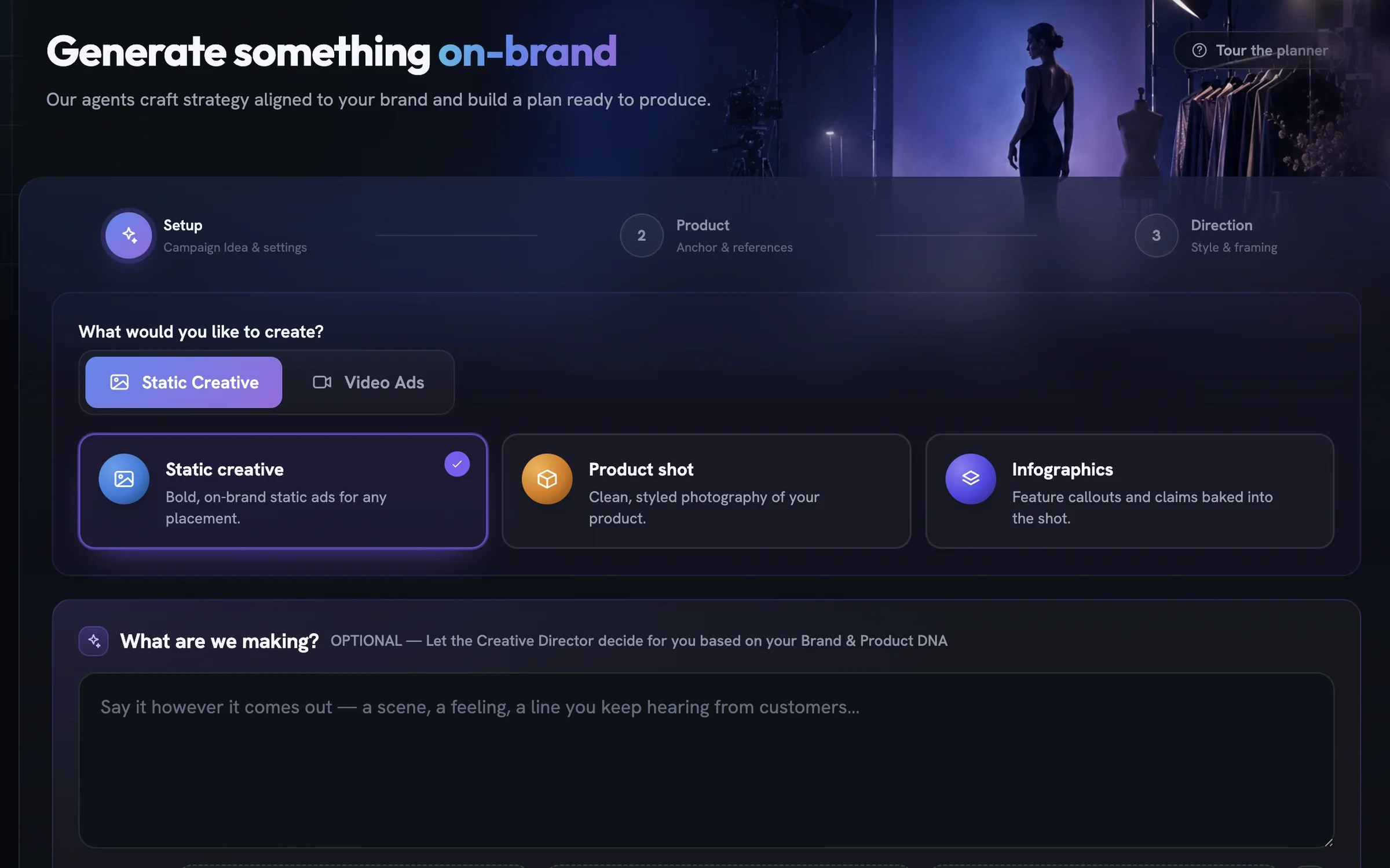
Choose Static creative
Open Generate from the sidebar. On the Setup step, stay on the
Static Creativetab and pick theStatic creativecard. TheWhat are we making?box is optional — type an angle if you have one, or leave it and the Creative Director decides from your brand and product.Set the canvas and raise Outputs
In Output Settings, open
Canvas Sizeand pick the ratio for where these ads will run. Then use theOutputsstepper to raise the count from its default of five — the field accepts up to the cap shown if you type out of range. LeaveBrand Logoon so every ad carries your mark, then pressNext →.Select the product
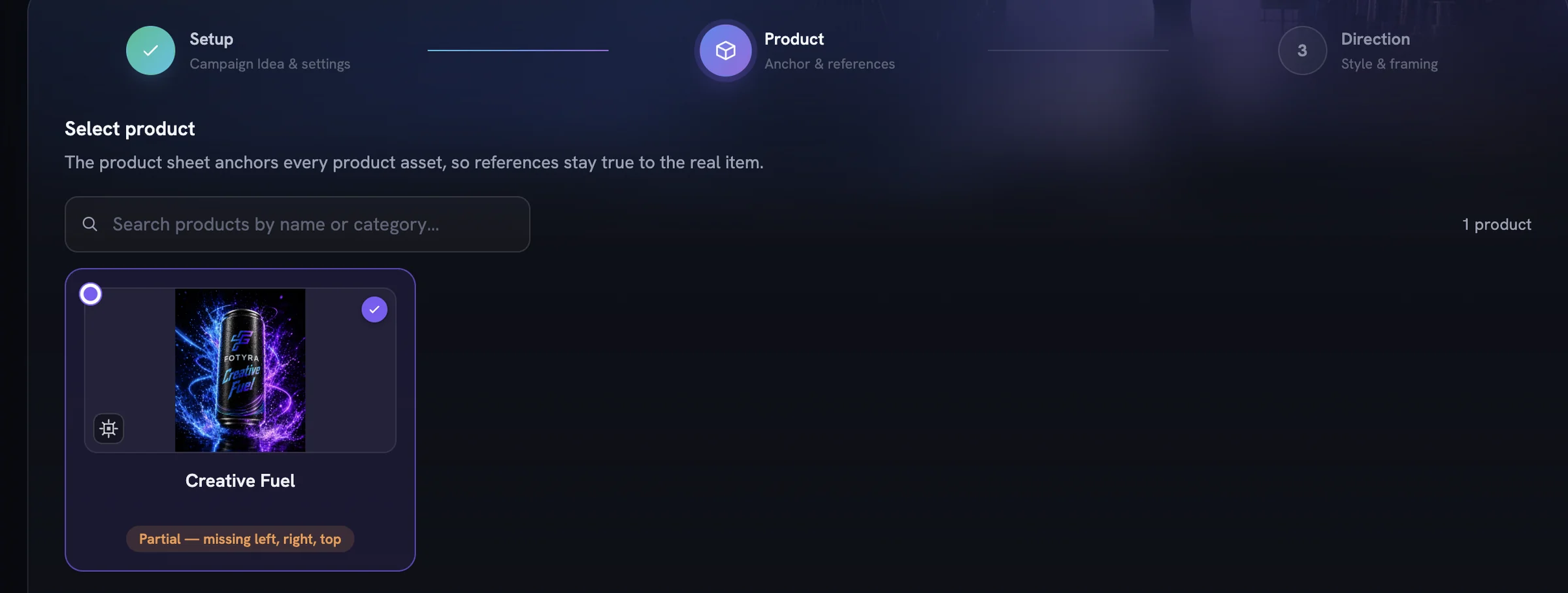
Every static anchors to one product, so
Next →stays disabled until you pick one. Reference images are optional; the product's own sheet does the heavy lifting. See the product reference sheet if you want to know what it reads.Pick a mood for each ad
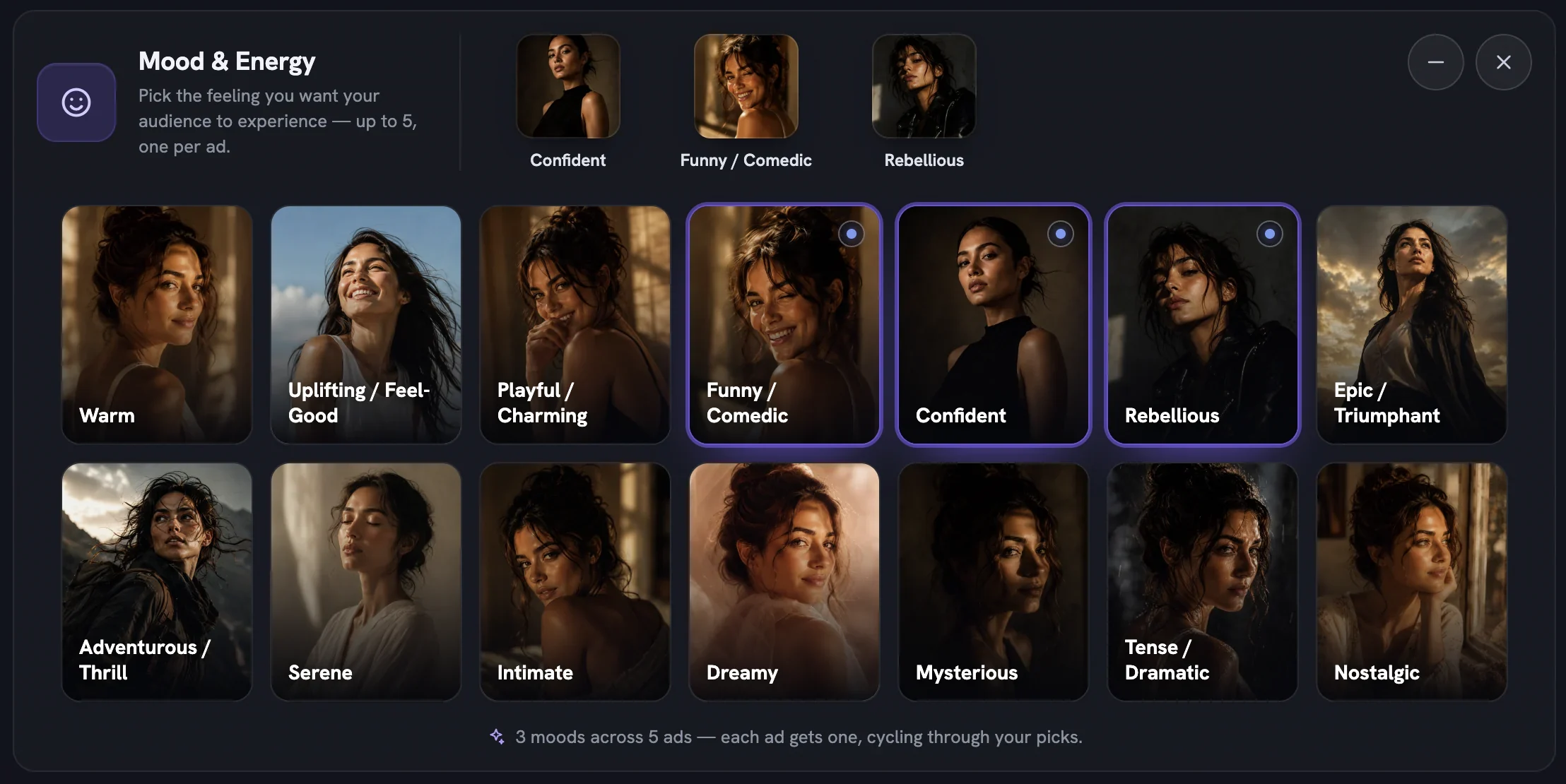
On the Direction step, leave Boldness on
Signatureunless you want calmer or wilder. Then in the Mood & Energy grid pick several feelings — the picks are dealt across your outputs, so the first ad gets your first mood, the second your second, and so on. Several moods is what turns a batch into variations.Leave the director controls on Agent picks
Skip
+ Add Director Controls. A control you never add readsAgent picks, which means the world, light, framing and wardrobe are chosen per ad from your brand — exactly what you want for a spread. Add a pill only for a dial you have an opinion about.Press Generate Now
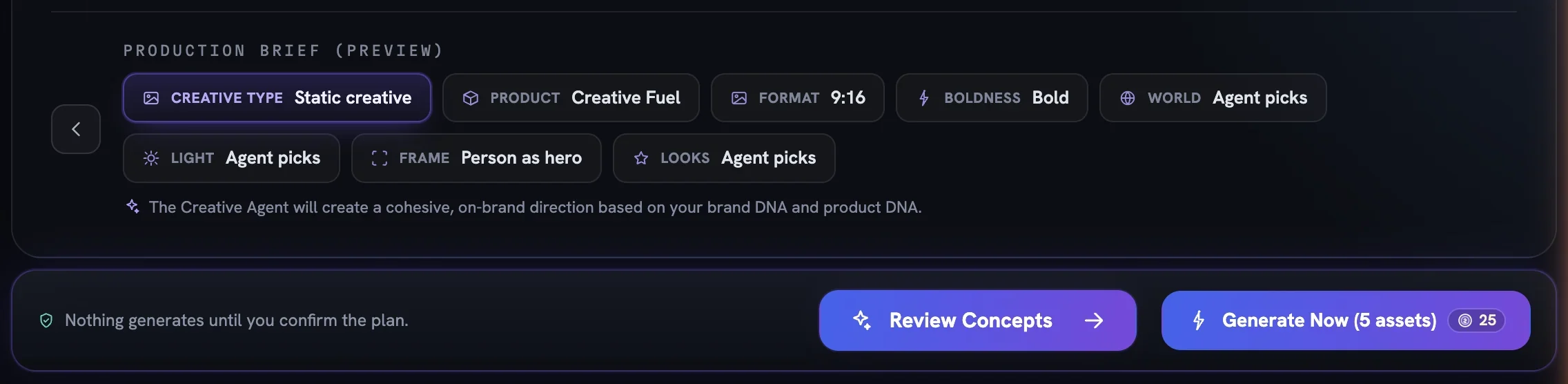
Check the Production Brief (Preview) chips, then press
Generate Now (N assets). Its badge shows the price of the whole batch, and every ad is generated straight away without a concept review. A notice confirms the run is working in the background and you can leave the page.Review the batch in the Creative Library
Finished ads arrive as cards in the Creative Library with an In Review pill. Approve the keepers with ✓, reject the rest with ✕ and a reason, and use
Downloadon anything you want to use. Each decision also teaches Fotyra your taste for the next round.
More in Quick starts
Next in quick starts.
Quick starts01
A UGC video in minutes
Pick UGC, choose a product, leave direction on Auto, direct the top concept and generate — the fastest path from brief to a creator-style film.
2 min readRead
Quick starts03
Bulk product shot variations
Lean on Soft Studio with a chosen backdrop paper, pin framing to Product only, and generate a set of clean catalogue-ready shots in one run.
2 min readRead
Quick starts04
Your first cinematic film
Choose Cinematic Ad, set duration and soundtrack, read the five concepts, approve the Cast and Location sheets and generate a story-driven brand film.
2 min readRead
Read enough. Make one.
Point Fotyra at your store and do exactly what this guide describes, on your own brand.