
Bulk product shot variations
Lean on Soft Studio with a chosen backdrop paper, pin framing to Product only, and generate a set of clean catalogue-ready shots in one run.
A catalogue needs the same product photographed cleanly, many times, on paper that matches the rest of the range. The Product shot type does exactly that: one product, one studio look, one backdrop, and as many outputs as you set. Two direction rows do the work — Visual Look & Feel for the paper and Frame & Product Interaction to keep people out of the frame.
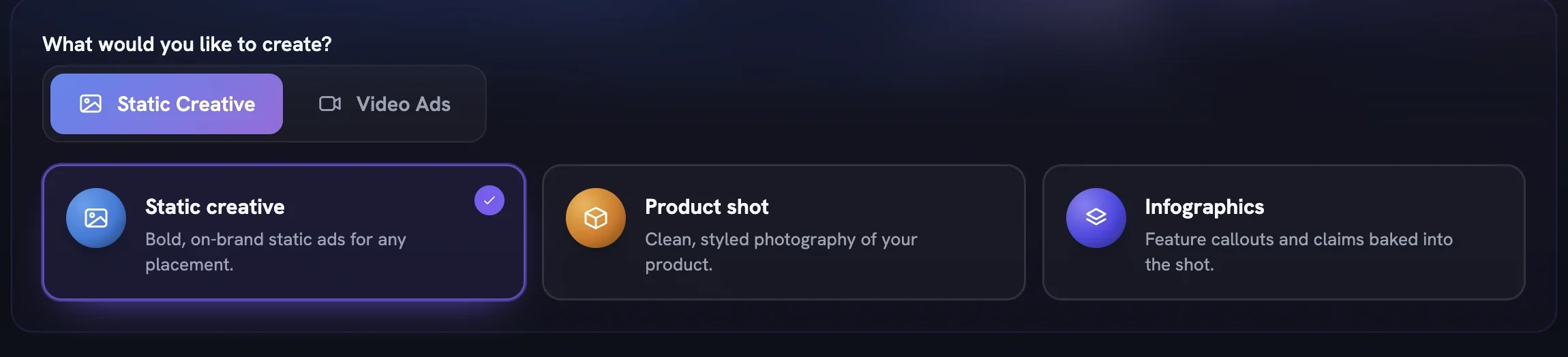
Pick Product shot on Setup
Open Generate from the Studio group in the sidebar. Under
Static Creative, choose theProduct shotcard. TheWhat are we making?box is optional — leave it empty and the Creative Director reads your Brand DNA and product brief instead.Set the Output Settings
Open
Canvas Sizeand pick the ratio your listings use, such as1:1 Squareor4:5 Portrait. RaiseOutputsto the number of shots you want; every image is billed, so the count is your budget.Brand Logois on by default — switch it off if these shots should carry no mark. LeaveSpokesmodeloff, then pressNext →.Select the product
On the Product step, select the one product this run anchors to. Its card shows the state of its reference sheet; a badge such as
Partial — missing left, right, topmeans those angles will not appear. PressNext →.Lean toward Soft Studio and choose the paper
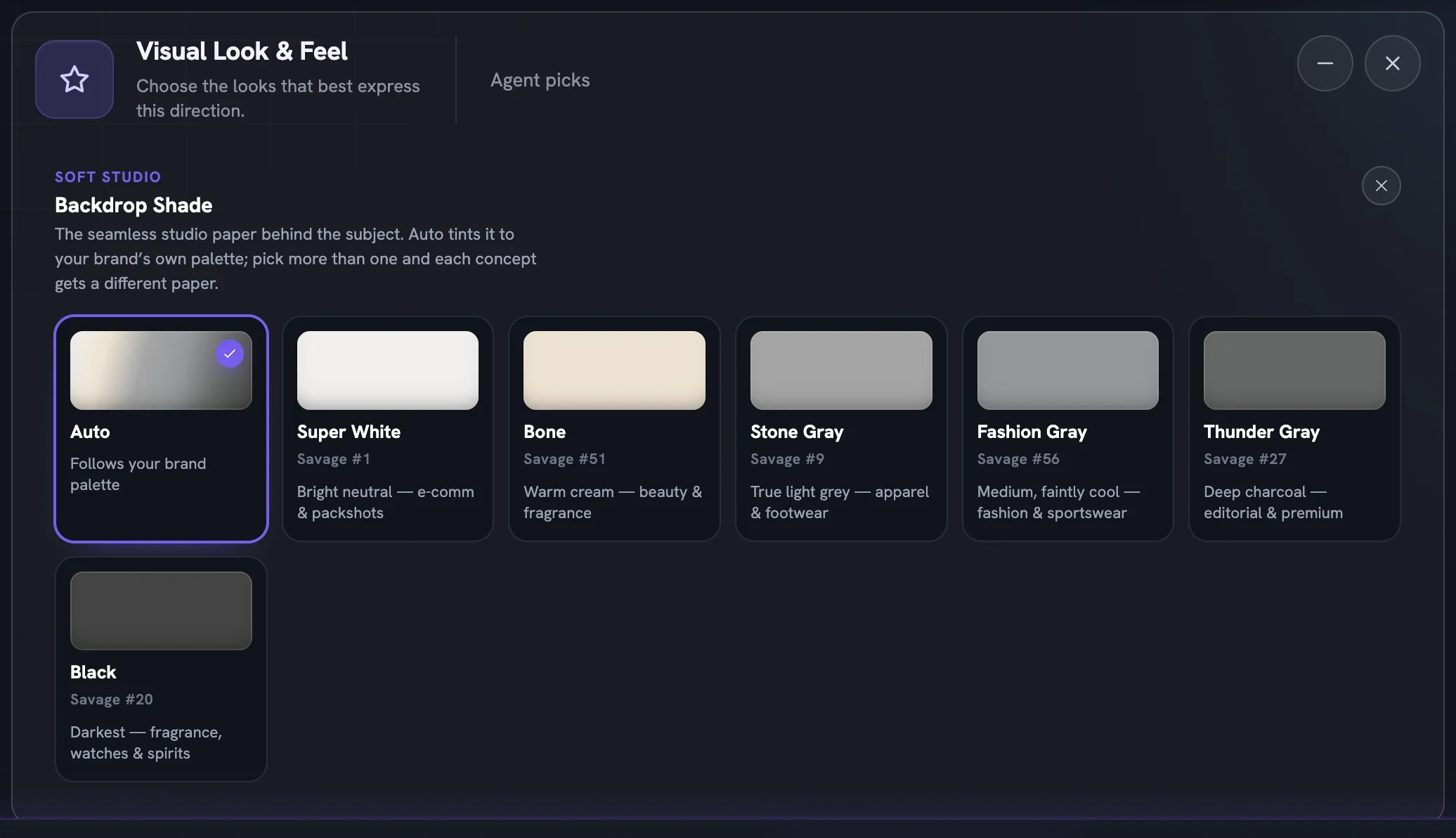
On Direction, set Boldness to
Safe(Soft Studio is available there). AddVisual Look & Feel, clickSoft Studioto lean toward it, then click the palette icon on the tile to open Backdrop Shade. Pick one paper for a uniform set, or several — each concept then gets a different paper. The close button returns you to the rail.Pin the frame to Product only
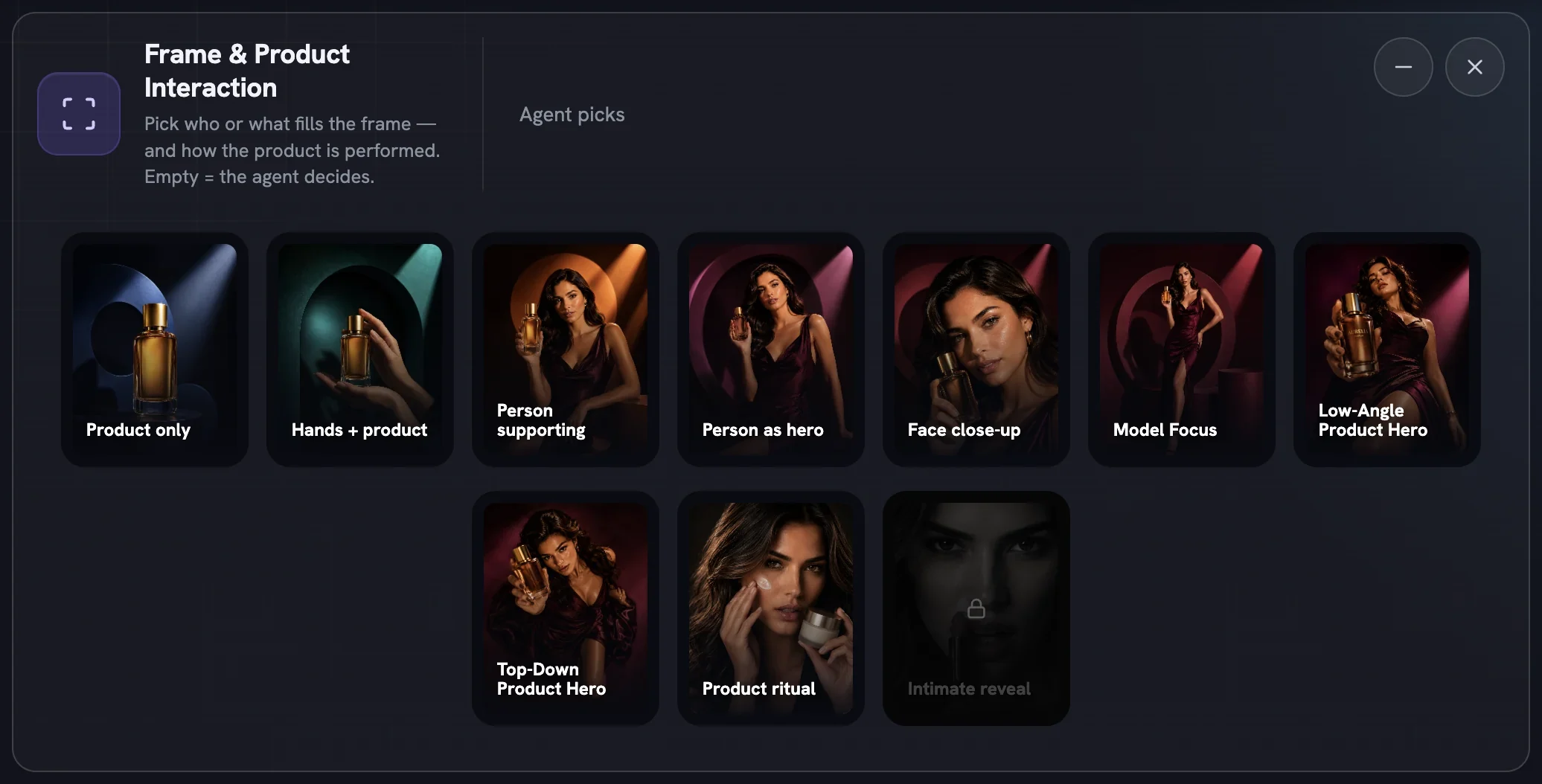
Add
Frame & Product Interactionand clickProduct only. Leave every other row onAgent picks; the Director handles world, light and composition within the look you chose.Start the run
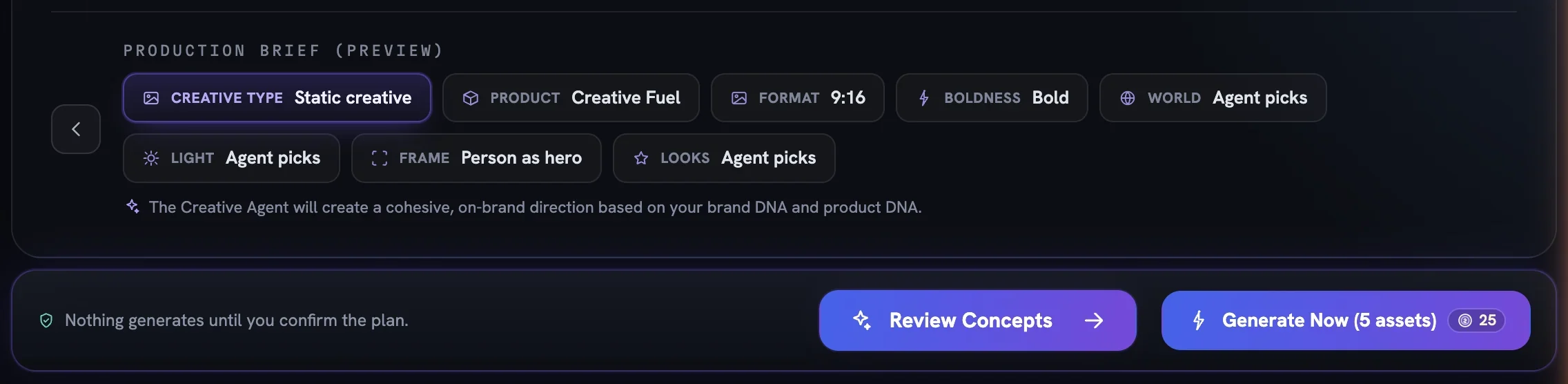
Check the
Production Brief (Preview)chips read Product shot, your product, your ratio andSoft Studio.Review Conceptsplans for free so you can read the concepts before anything renders;Generate Now (N assets)renders the whole batch at once and charges the total shown on its badge.Collect the set in the Creative Library
Finished shots land in the Creative Library. Approve the keepers, reject the rest with a reason, and use
Download ▾for PNG, JPG, WebP or PDF.Resizerecomposes a shot at another ratio.
More in Quick starts
Next in quick starts.
Quick starts01
A UGC video in minutes
Pick UGC, choose a product, leave direction on Auto, direct the top concept and generate — the fastest path from brief to a creator-style film.
2 min readRead
Quick starts02
Bulk static ad variations
Raise Outputs, pick several moods so each ad gets its own, and press Generate Now to land a whole batch of on-brand statics in the library at once.
3 min readRead
Quick starts04
Your first cinematic film
Choose Cinematic Ad, set duration and soundtrack, read the five concepts, approve the Cast and Location sheets and generate a story-driven brand film.
2 min readRead
Read enough. Make one.
Point Fotyra at your store and do exactly what this guide describes, on your own brand.