
Your first cinematic film
Choose Cinematic Ad, set duration and soundtrack, read the five concepts, approve the Cast and Location sheets and generate a story-driven brand film.
A cinematic film is the most ambitious thing the studio makes: one continuous story with a cast, a location, a score and your product landing at the right moment. It is also the most guarded — you read five free concepts, check the reference sheets and tune any beat before a credit is spent on rendering. This walk-through goes from the Create page to a finished film in the Creative Library, leaving the rest to the Director.
Pick Cinematic Ad on Setup
Open Generate from the sidebar. On the Setup step switch to the
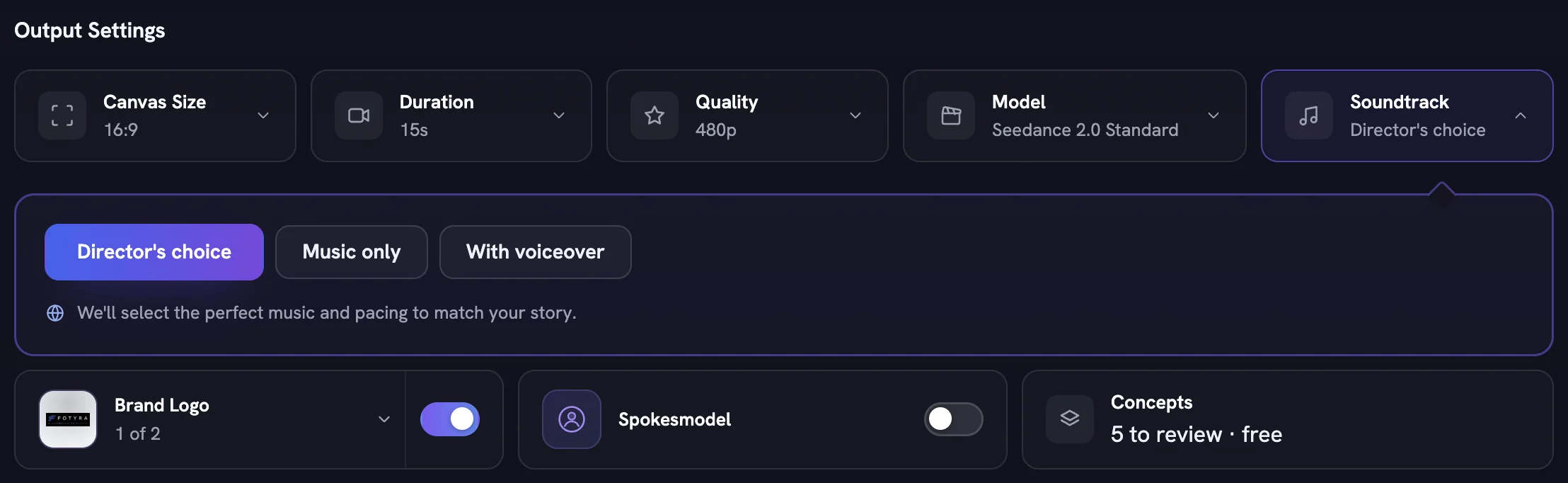
Video Adstab and choose theCinematic Adcard. The brief box is optional: type a scene or a feeling, or leave it and let the Director read your Brand DNA.Set the Output Settings
Canvas Sizemoves to 16:9 andDurationto 15s for a cinematic film; change either if you need a vertical cut or a shorter piece.Qualitydecides how sharp the render is;Soundtrackis the dial only this type has —Director's choice,Music onlyorWith voiceover. LeaveBrand Logoon andSpokesmodeloff unless you want a specific person on camera, then pressNext →.Select the product
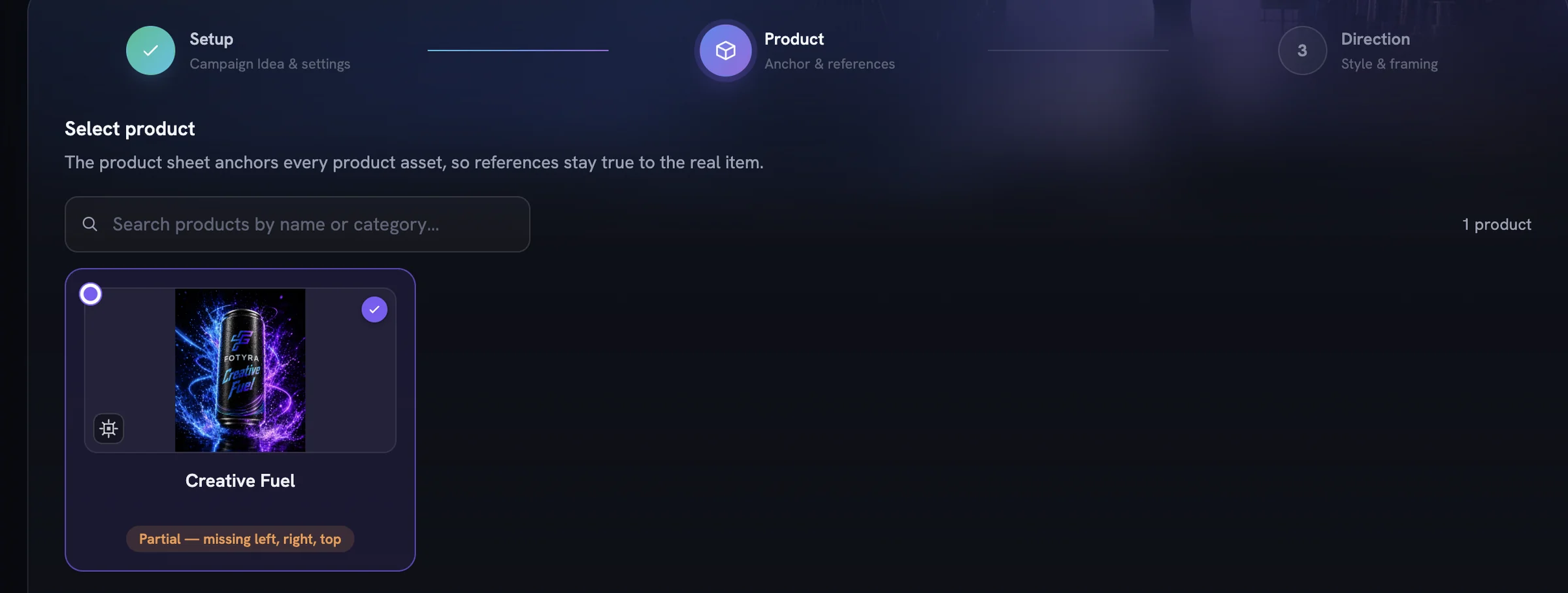
Every film anchors to exactly one product, so click its card. Reference images are optional.
Next →stays disabled until something is selected.Leave Direction on Auto
Keep
Signatureas the Boldness, pick a Mood & Energy tile if you have one in mind, and leave+ Add Director Controlsalone — every control readingAgent picksis tuned to your brand.Camera Language,PacingandProduct Timingwait there for when you want a firmer hand.Press Review Film Concepts
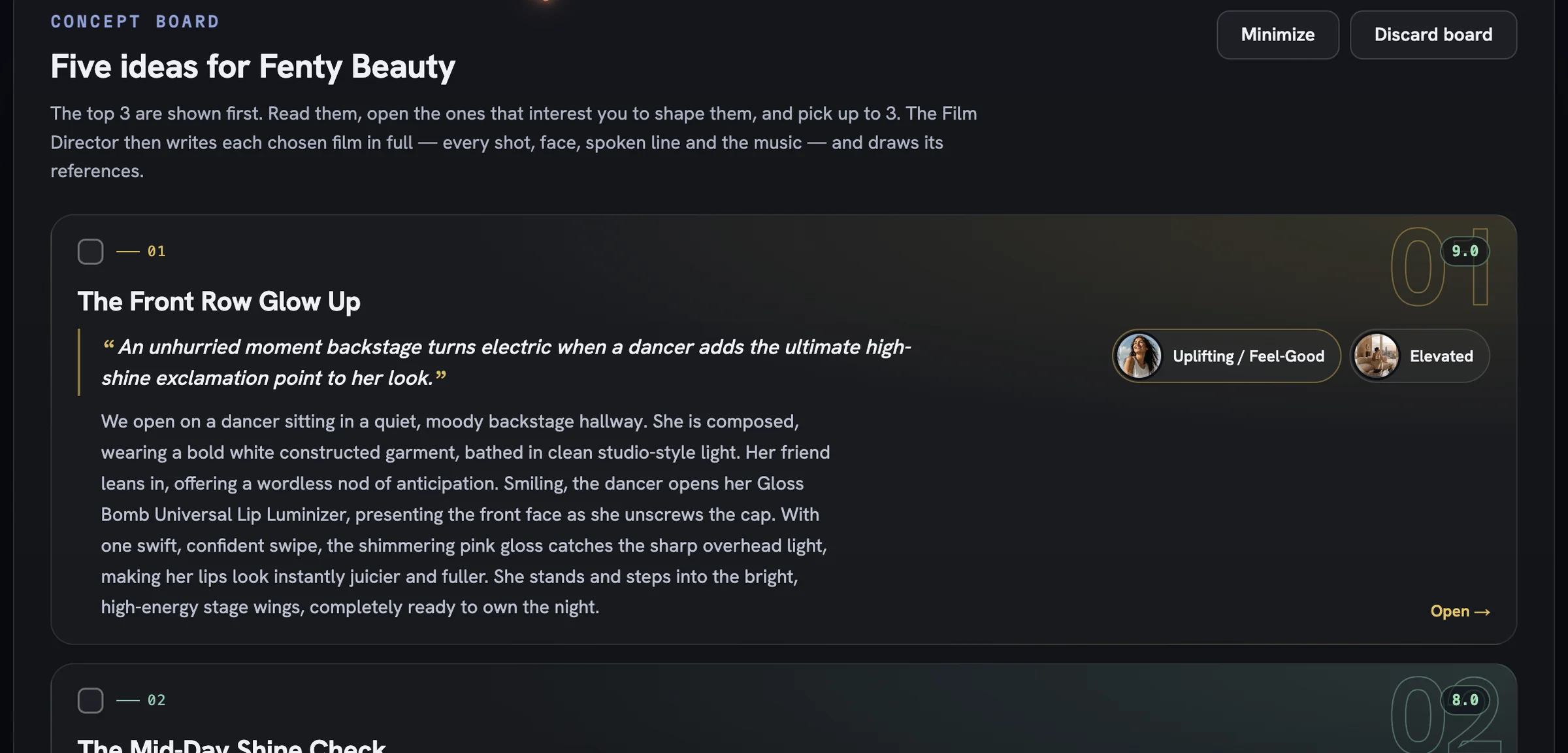
Planning is free. The Concept board writes five ideas and shows the top three; open any card to reshape its words and chips, tick the one you want and press
Direct 1 concept. The first film's references are free.Approve the sheets and generate
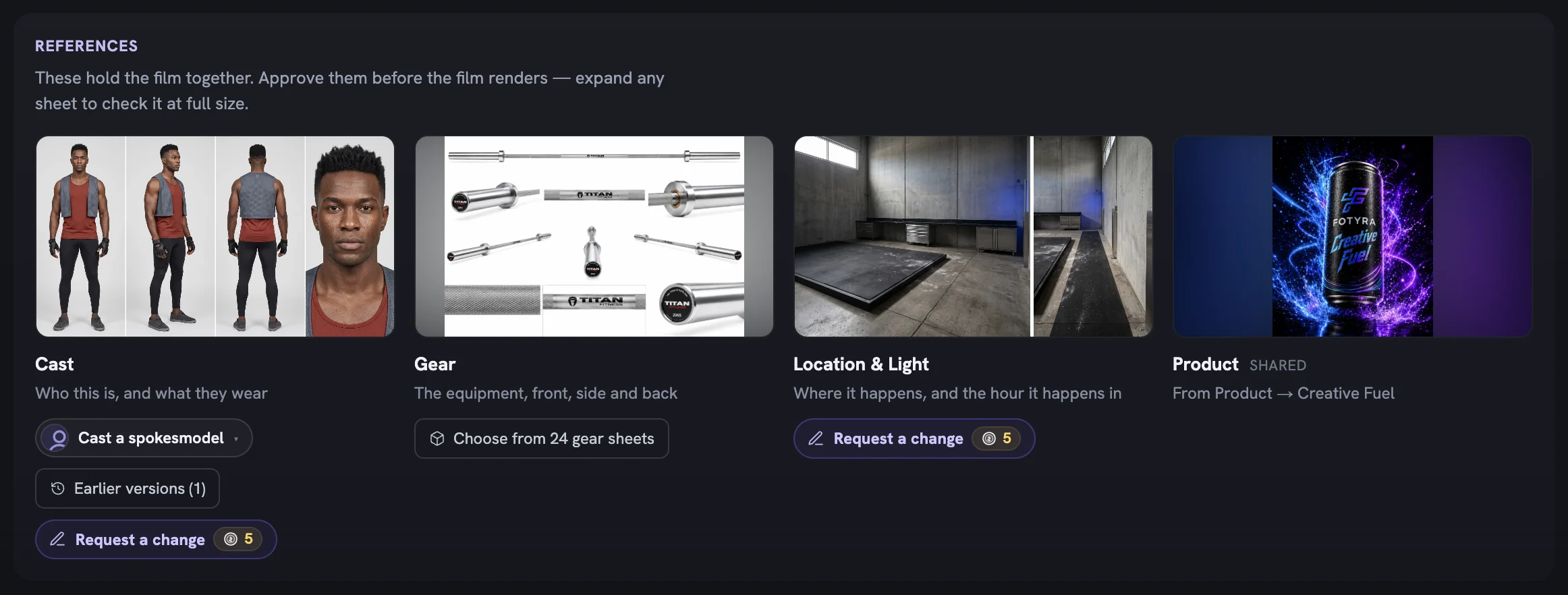
The review screen opens with the Cast, Gear, Location & Light and Product tiles — expand each to check it at full size, then read the scenes and fix any wording.
Generate videobills the film at the price on the button.Find it in the Creative Library
The finished film lands as a card with a
Fidelity reportchip. Approve or reject it there; if it misses, the card's menu offersReview Concept & Retryto reopen the same concept and render again.
More in Quick starts
Next in quick starts.
Quick starts01
A UGC video in minutes
Pick UGC, choose a product, leave direction on Auto, direct the top concept and generate — the fastest path from brief to a creator-style film.
2 min readRead
Quick starts02
Bulk static ad variations
Raise Outputs, pick several moods so each ad gets its own, and press Generate Now to land a whole batch of on-brand statics in the library at once.
3 min readRead
Quick starts03
Bulk product shot variations
Lean on Soft Studio with a chosen backdrop paper, pin framing to Product only, and generate a set of clean catalogue-ready shots in one run.
2 min readRead
Read enough. Make one.
Point Fotyra at your store and do exactly what this guide describes, on your own brand.