
Framing and the body
Who fills the frame, which part of the body owns it, how the person poses and how the product appears — four rows that unlock each other in order.
On this page5
Composition is the first call a creative director makes: a macro product hero, hands applying a serum, a person as the hero. On the Direction step of a static, the Framing & Composition group puts that call in your hands — and because each depends on the last, the order matters.
Four rows, one order
The group sits under + Add Director Controls for Static creatives and Product shots only; on films the Film Director frames every shot. Press + on a tile to open its row in the controls panel. A row left empty reads Agent picks. Every row is multi-select, with picks dealt one per concept.
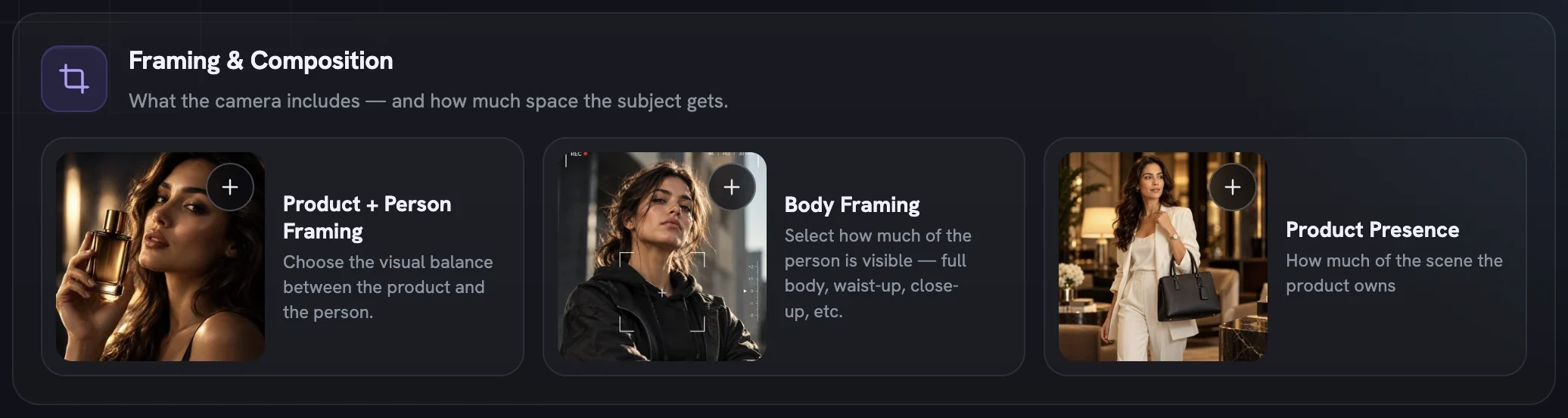
Pick a framing
Add
Product + Person Framing(its row is titled Frame & Product Interaction). Person framings such asPerson supporting,Person as heroandModel Focusunlock the body rows.Crop the body
Add
Body Framing: which part of the person owns the frame, fromFull BodytoDetail Crop.Set the pose
Add a
Body Posturesrow — Beauty & Fashion, Action, or Yoga & Flexibility.Decide how the product appears
Add
Product Presence: held, worn, in the scene, an inset, or left out.
Who fills the frame
Frame & Product Interaction is a rail of ten photo cells, each with a best-for line. For a product a person wears, the line changes — a lifestyle cell promises the worn piece leads, not a piece held in the hand.
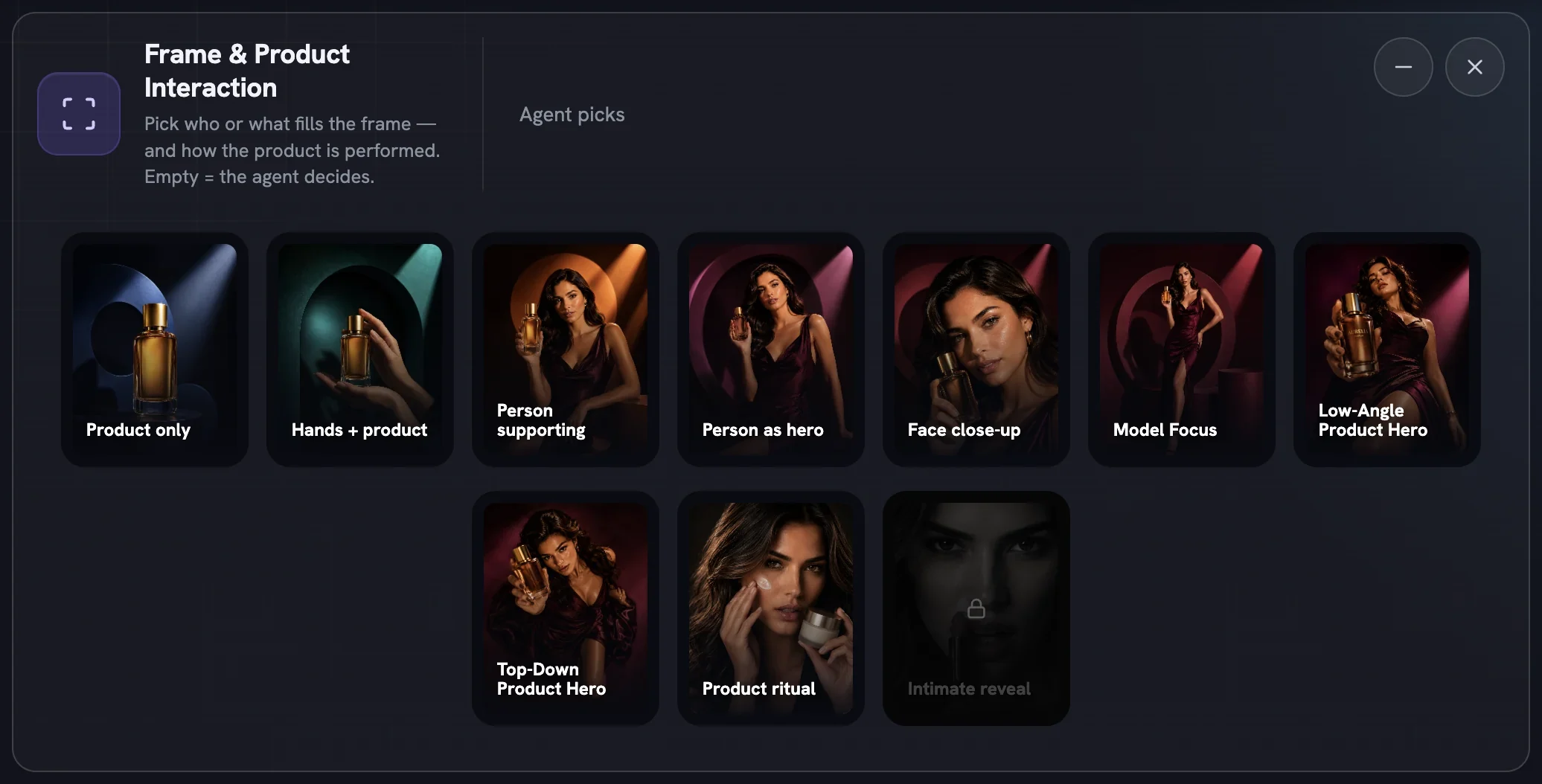
- Who is in frame:
Product only,Hands + product,Person supporting,Person as hero,Face close-upandModel Focus - Two camera perspectives:
Low-Angle Product Herolooks up at the product,Top-Down Product Herolooks down - Two ways to perform it:
Product ritualshows the product in use;Intimate revealplays on desire and needsBold
Cells that need a product lock until you pick one on the Product step; on Infographics and Product B-Roll the row is hidden and pinned to Product only. Remove the product or lower boldness later and any pick that becomes locked is quietly dropped.
Which part of the body owns it
Apparel and accessory brands sell details — a waistband, a racerback, a sneaker on foot. Body Framing tells the camera to crop there deliberately. Its nine cards stay padlocked until a compatible framing is selected; tap a locked card and Fotyra opens the framing row and blinks the cells that unlock it.
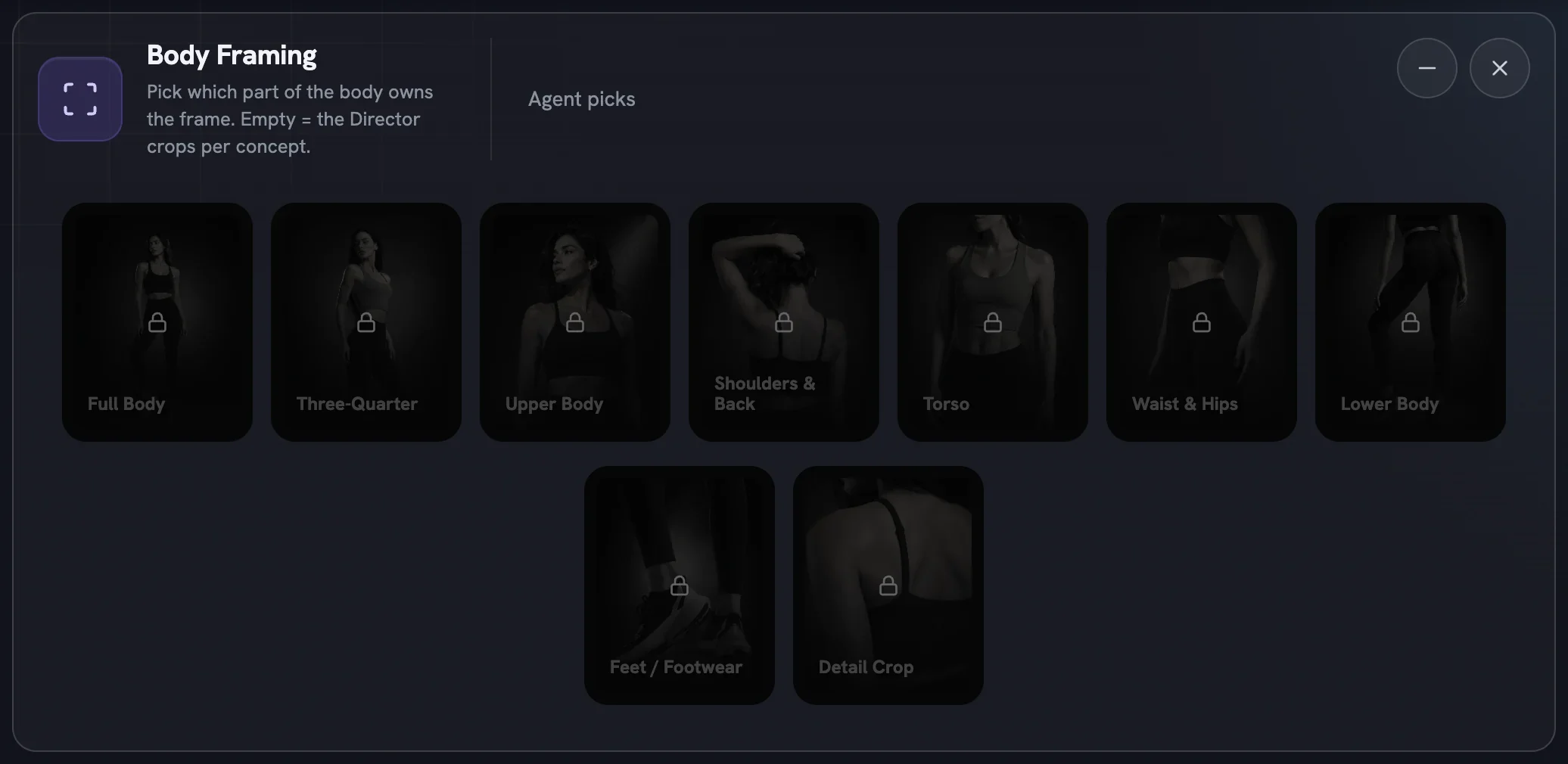
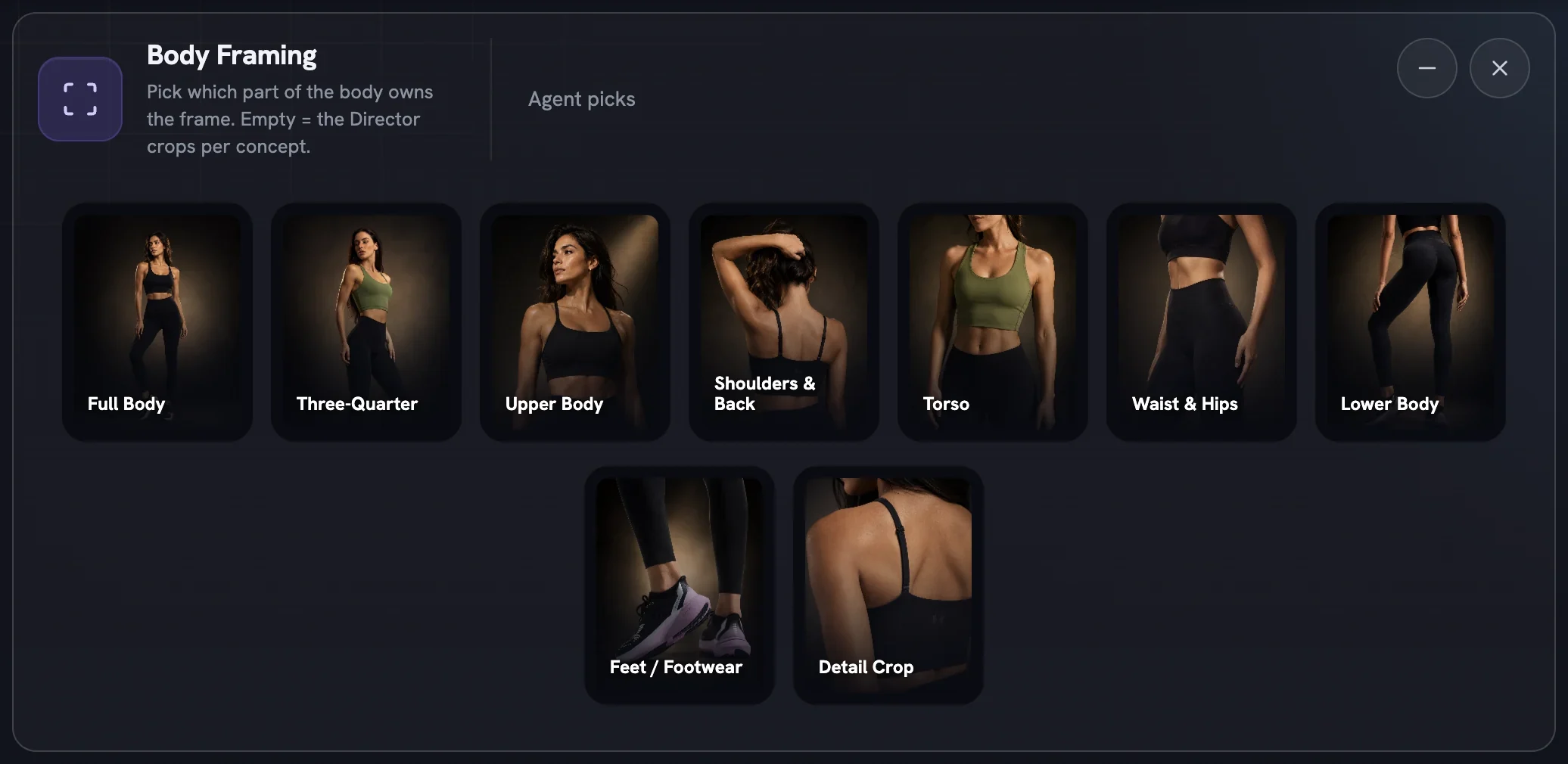
Full Body, Three-Quarter and Upper Body keep the face in frame and fit every person framing and both product heroes. The six tighter crops — Shoulders & Back, Torso, Waist & Hips, Lower Body, Feet / Footwear and Detail Crop — hide the face and read Not with this framing under the low-angle and top-down heroes.
An expression needs a face to read on. If every crop you choose is faceless, the Emotions & Expressions rows lock and say so. Add a face-bearing crop or clear Body Framing and they open again — the rest of the person rows are in faces, wardrobe and gear.
How the person poses
Poses come in three rows, one per category: Body Postures (Beauty & Fashion), Body Postures (Action) and Body Postures (Yoga & Flexibility). They open under a person framing and respect your boldness level. A pose also decides what the hands are free to do, so the last row reacts to it.
How the product appears
Product Presence is the difference between a demo, a lifestyle shot and a brand ad. In Hand is held, applied or used; Worn is on the body; In Scene rests nearby; Product Inset layers a clean pack-shot over the scene; Absent is a pure mood frame.
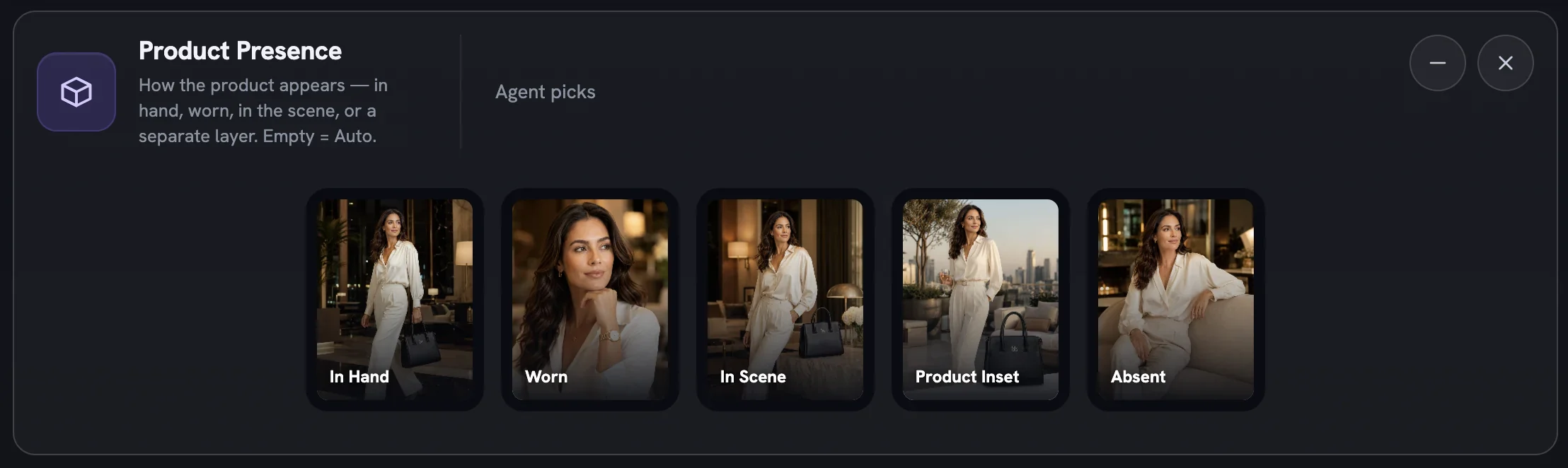
The locks follow the product and your other picks. A wearable can only be Worn or In Scene. In Hand closes when every chosen posture keeps the hands busy — pick a Recovery or Victory pose, or In Scene / Product Inset instead. With a machine from Action Sports & Vehicles in play, In Scene gives way to Product Inset so the apparatus owns the action.
More in Create
Next in create.
Create06
Action sports and machines
Build a scene around a bike, a board, a barbell or a horse — twenty-five machines and rigs, what unlocks them, and a recipe for fast, high-energy action ads.
4 min readRead
Create07
Wardrobe and makeup
Eight style families for what people wear and four rungs for how finished the face is — the two dials that tell a viewer who the ad is for before a word is read.
2 min readRead
Create08
Movie controls
The film-only dials — duration, quality, soundtrack, Camera Language, Pacing and Product Timing — that shape how long a film is, how it moves and when the product enters the story.
4 min readRead
Read enough. Make one.
Point Fotyra at your store and do exactly what this guide describes, on your own brand.