
Product B-roll in one pass
No cast, no wardrobe, product hero throughout — choose Product B-Roll, tick the interior and texture references, and generate cinematic product detail footage.
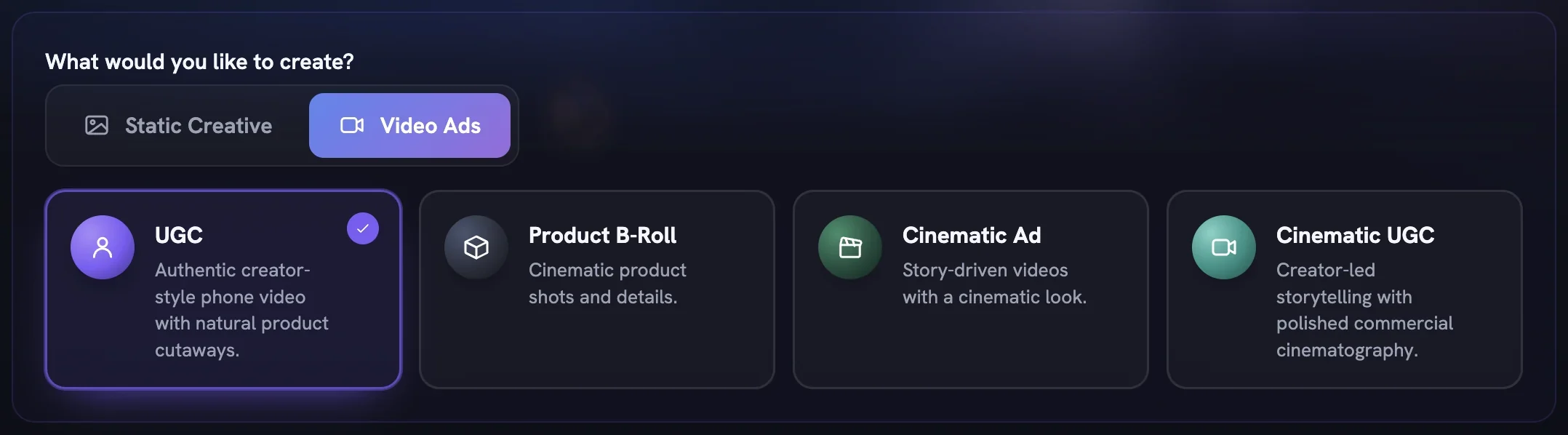
Product B-Roll is the film type for the product itself — the can, the bottle, the texture, the light on the surface — with nobody on camera. It is the fastest route to detail footage you can cut into other ads, because the person-shaped controls disappear and the Director works from your reference sheet alone.
Pick Product B-Roll
Open
Generatein the sidebar. On the Setup step, switch the tabs toVideo Adsand choose theProduct B-Rollcard (“Cinematic product shots and details.”). TheSpokesmodelpill leaves the page: this type never casts a person.Set the output
In Output Settings choose a
Canvas Size, then openDurationandQualityand pick a length and resolution — each option shows its credit cost as you go, andModelappears only when your platform offers a choice. LeaveBrand Logoon if you want the mark in the film. TheConceptspill is a promise, not a setting: five ideas to read, free. PressNext →, which carries the per-film price.Anchor it to one product
On the Product step select the product the film is about; every asset needs one. Under
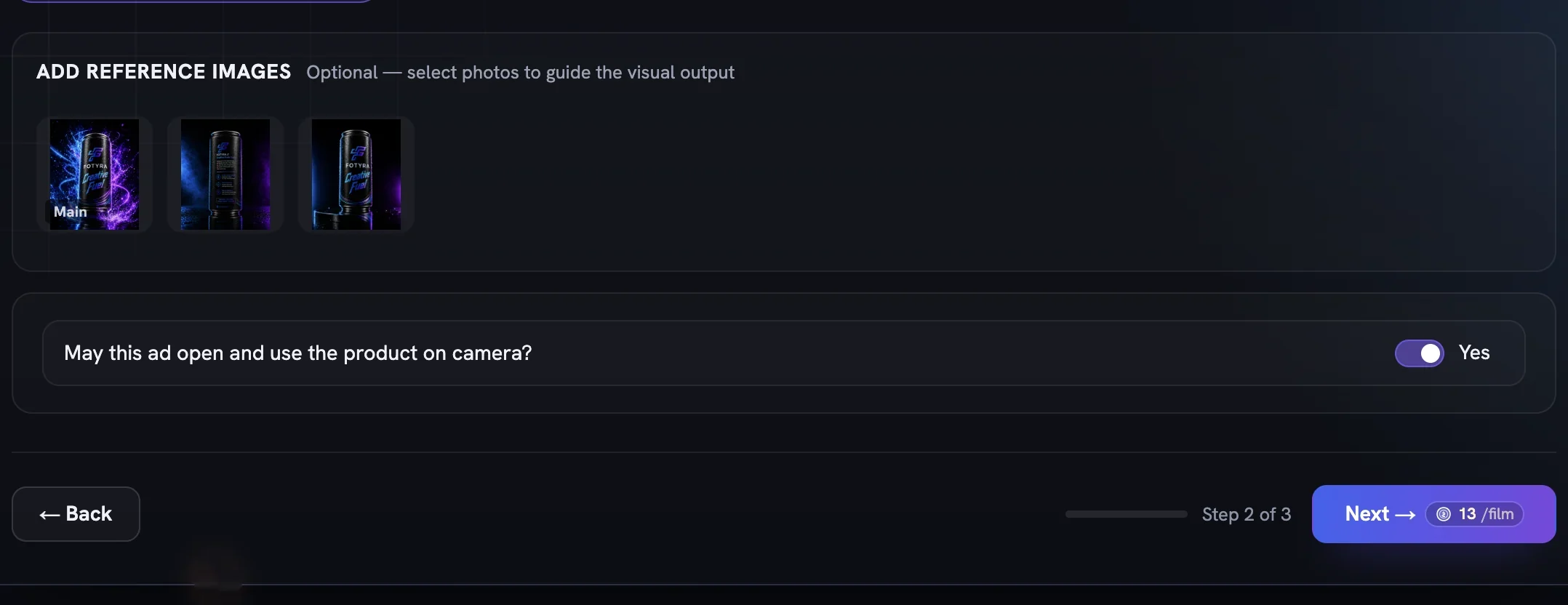
ADD REFERENCE IMAGES, tick the photos worth riding along — a shot of the contents or a texture swatch tells the Director what to get close to. PressNext →.Touch only the camera
On the Direction step, pick a Boldness card and, if you like, a Mood & Energy. Under
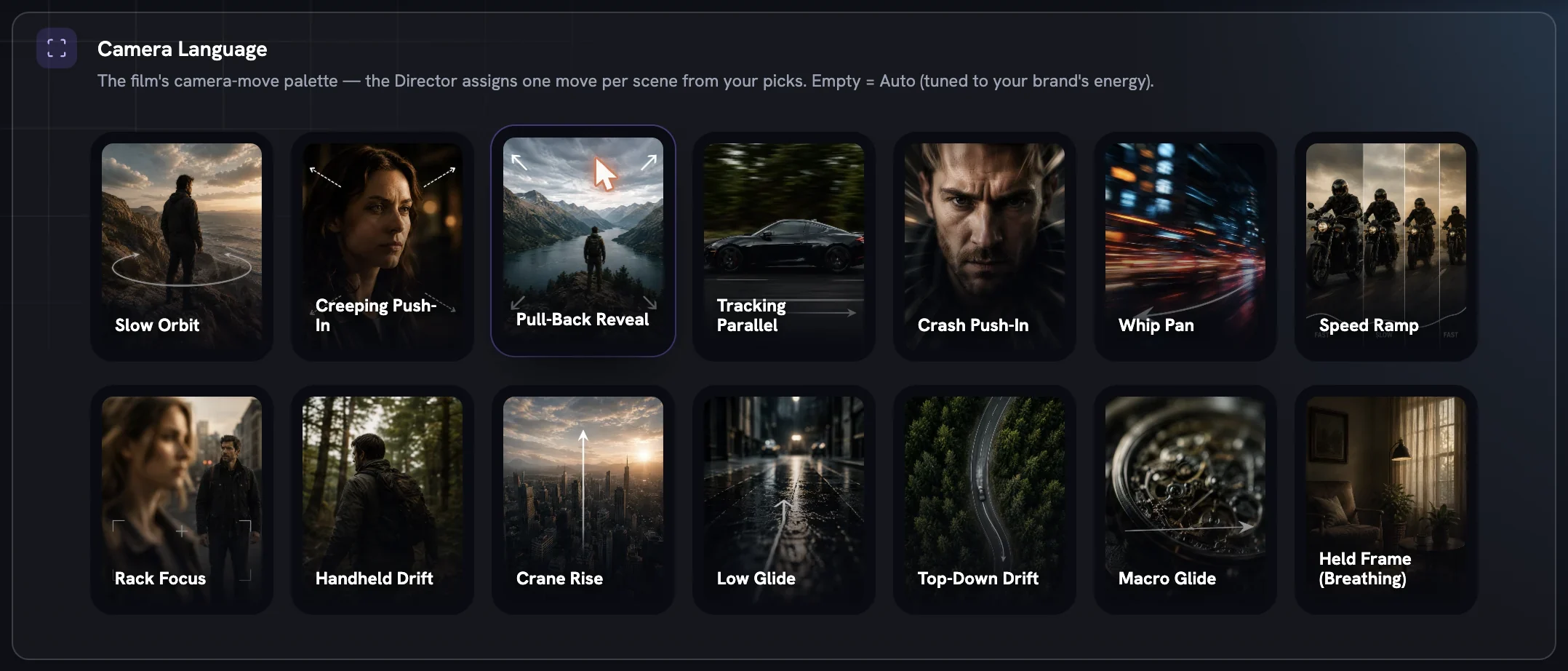
+ Add Director Controls, addCamera Languageand choose product-friendly moves such asMacro Glide,Slow OrbitorHeld Frame (Breathing); moves that need a moving person are locked here.Product Timingis pinned toHero throughout, and every row you leave empty readsAgent picks, which is a fine answer.Read the five ideas
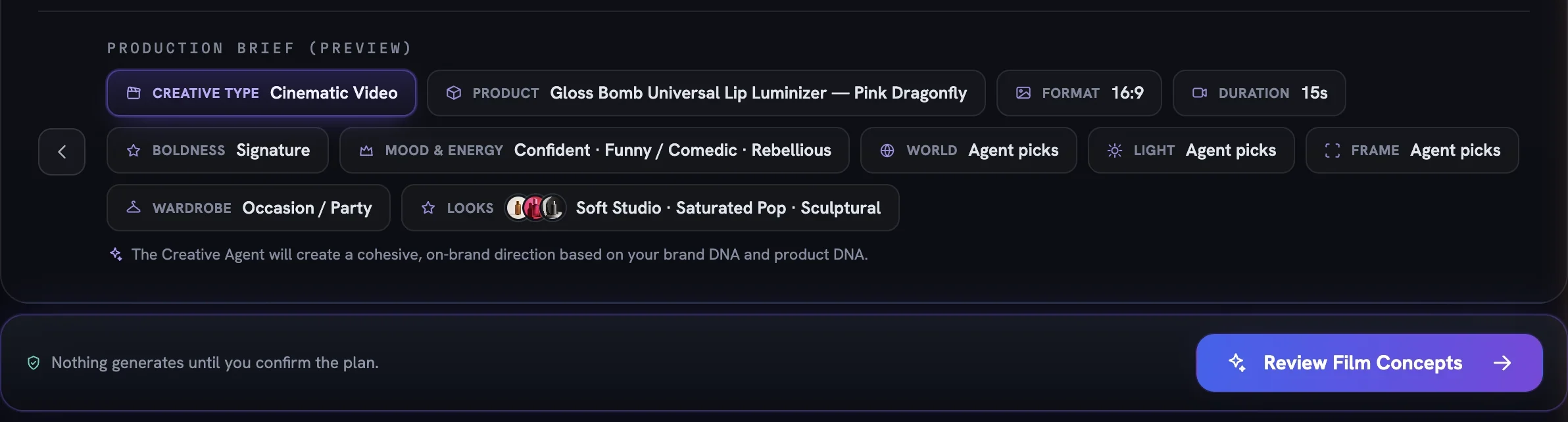
Press
Review Film Concepts. The Concept board opens with five cards; reading and editing them costs nothing. Tick the one or two you want and pressDirect N concepts.Check the film, then generate
The film review shows the Product and Location & Light references and every scene beat. Tune anything that jars, then press
Generate video. This is the moment the film is billed.Find it in the Creative Library
The finished film lands as a card with an
In Reviewpill. Open theFidelity reportchip to see how closely it matched your product, then approve with ✓, reject with ✕, orDownloadit.
More in Quick starts
Next in quick starts.
Quick starts01
A UGC video in minutes
Pick UGC, choose a product, leave direction on Auto, direct the top concept and generate — the fastest path from brief to a creator-style film.
2 min readRead
Quick starts02
Bulk static ad variations
Raise Outputs, pick several moods so each ad gets its own, and press Generate Now to land a whole batch of on-brand statics in the library at once.
3 min readRead
Quick starts03
Bulk product shot variations
Lean on Soft Studio with a chosen backdrop paper, pin framing to Product only, and generate a set of clean catalogue-ready shots in one run.
2 min readRead
Read enough. Make one.
Point Fotyra at your store and do exactly what this guide describes, on your own brand.