
Movie controls
The film-only dials — duration, quality, soundtrack, Camera Language, Pacing and Product Timing — that shape how long a film is, how it moves and when the product enters the story.
On this page5
Pick a video type on the Create page and the planner trades a few static controls for film ones: how long the piece runs, how sharp it renders, whether a narrator carries it, how the camera moves, how its energy is paced and when the product enters the story. Every one is optional. Leave a dial empty and the Director tunes it from your Brand DNA; touch it and it becomes a preference the Director must honour.
Setup trades a count for a running time
On the Setup step of the Create flow, Output Settings drops the Outputs stepper the moment you choose UGC, Cinematic UGC, Product B-Roll or Cinematic Ad. In its place sit Duration, Quality and Model, with Soundtrack joining the row on Cinematic Ad. Click a pill to open its picker underneath.
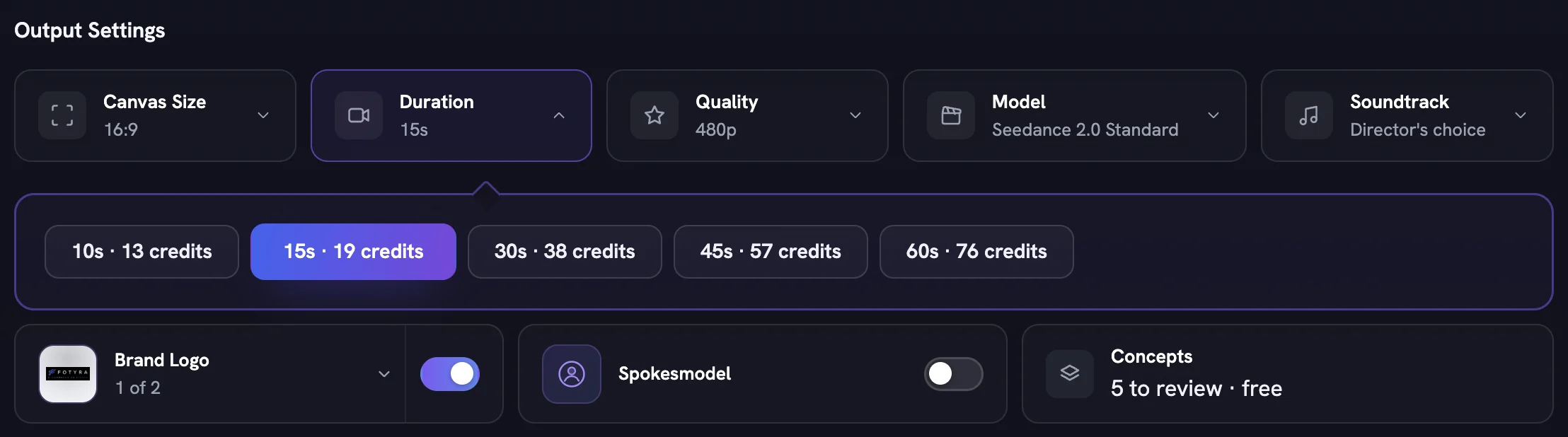
Duration lists the lengths available for that type, each priced on its pill. It starts at 10s; switching to Cinematic moves it to 15s unless you already chose a length. Films of 15 seconds or more also get a crafted ending settle. Quality lists only the resolutions the current engine supports. Model appears only when your plan offers more than one engine for that type; if you switch to one that cannot render your quality pick, the nearest lower tier is used and the review screen says so.
Soundtrack decides whether a score or a narrator carries the story: Director's choice, Music only or With voiceover. Every concept card can still override it per film.
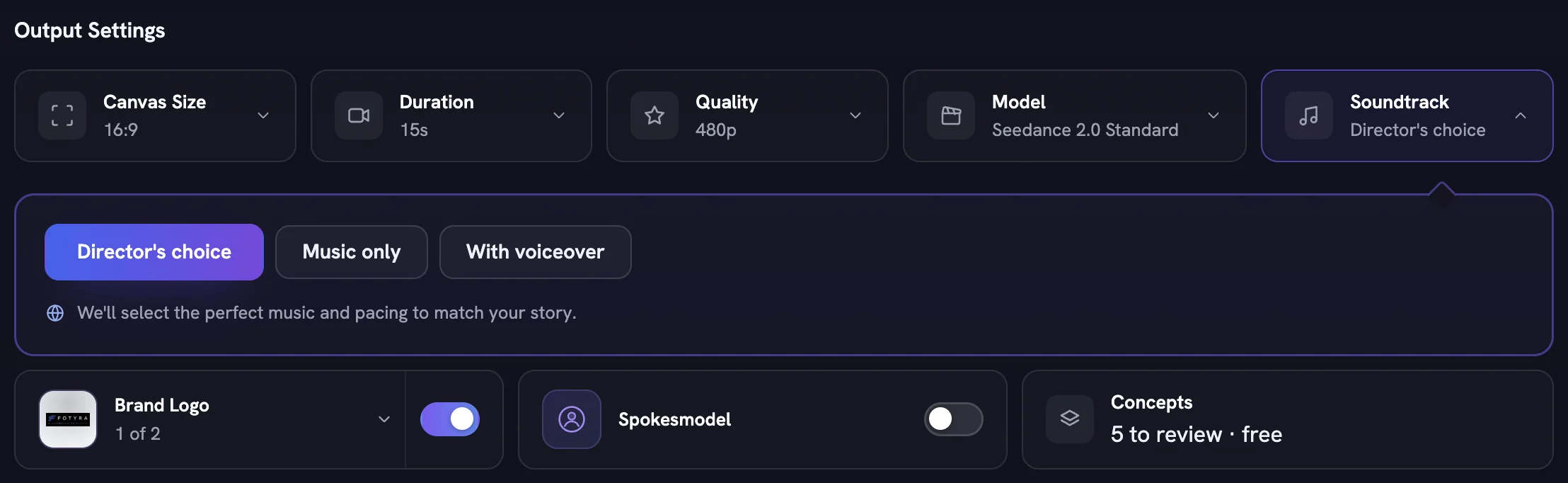
The Concepts pill is a statement, not a control: every film plan writes five concept cards to read, free. Next → quotes a per-film price, and nothing is billed until you generate.
Three director controls only films get
On the Direction step, + Add Director Controls lists every control as a pictured tile; press + on the ones you care about and each opens as a row in the controls panel. Pick a video type and the picker grows a Video Direction group — "control how the video is shot, how it flows and when the product appears" — with the three controls only films get: Camera Language, Pacing and Product Timing. Clear all returns every row to Agent picks, and the rest of the picker is covered in Creative Direction, as a whole.
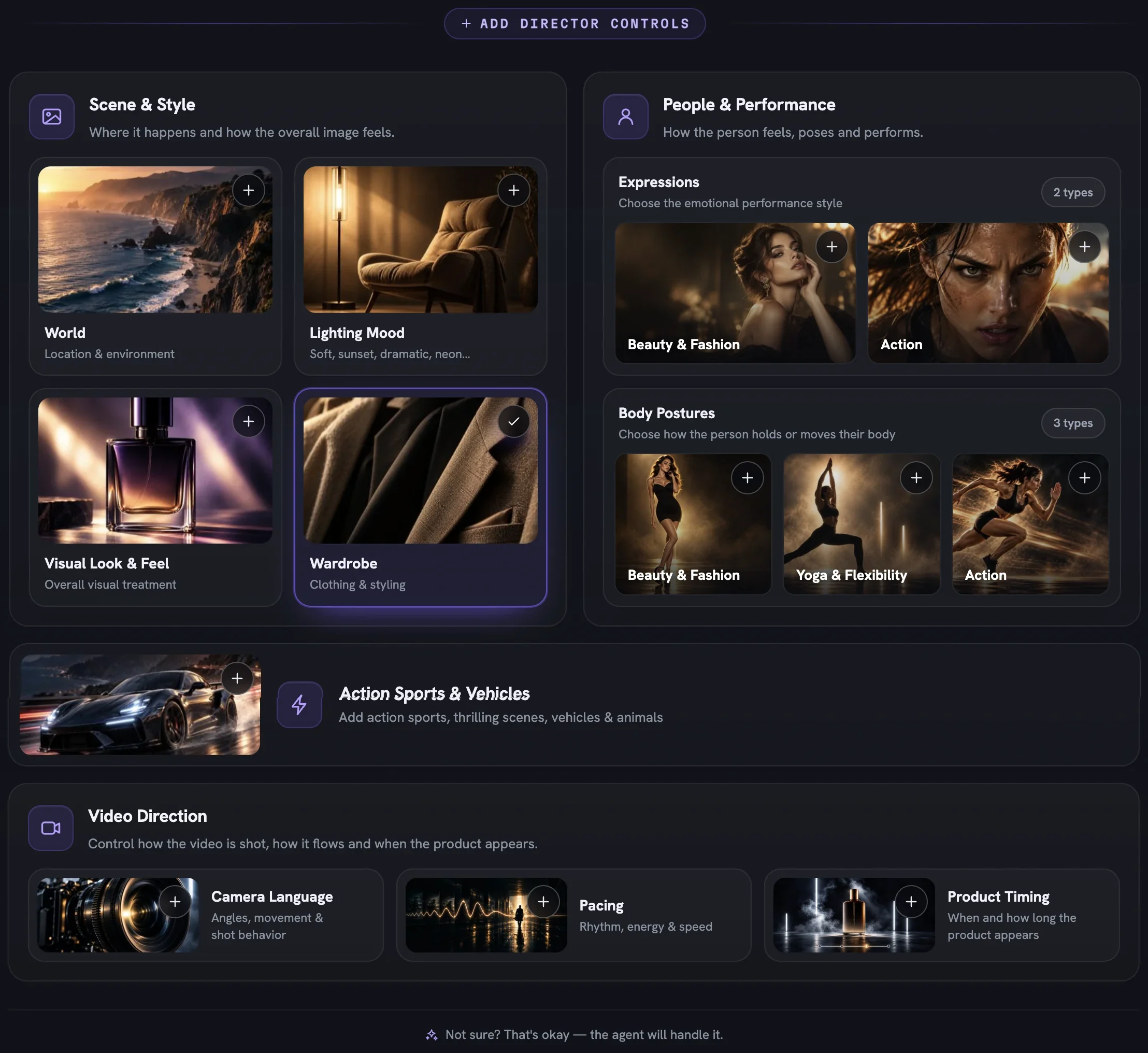
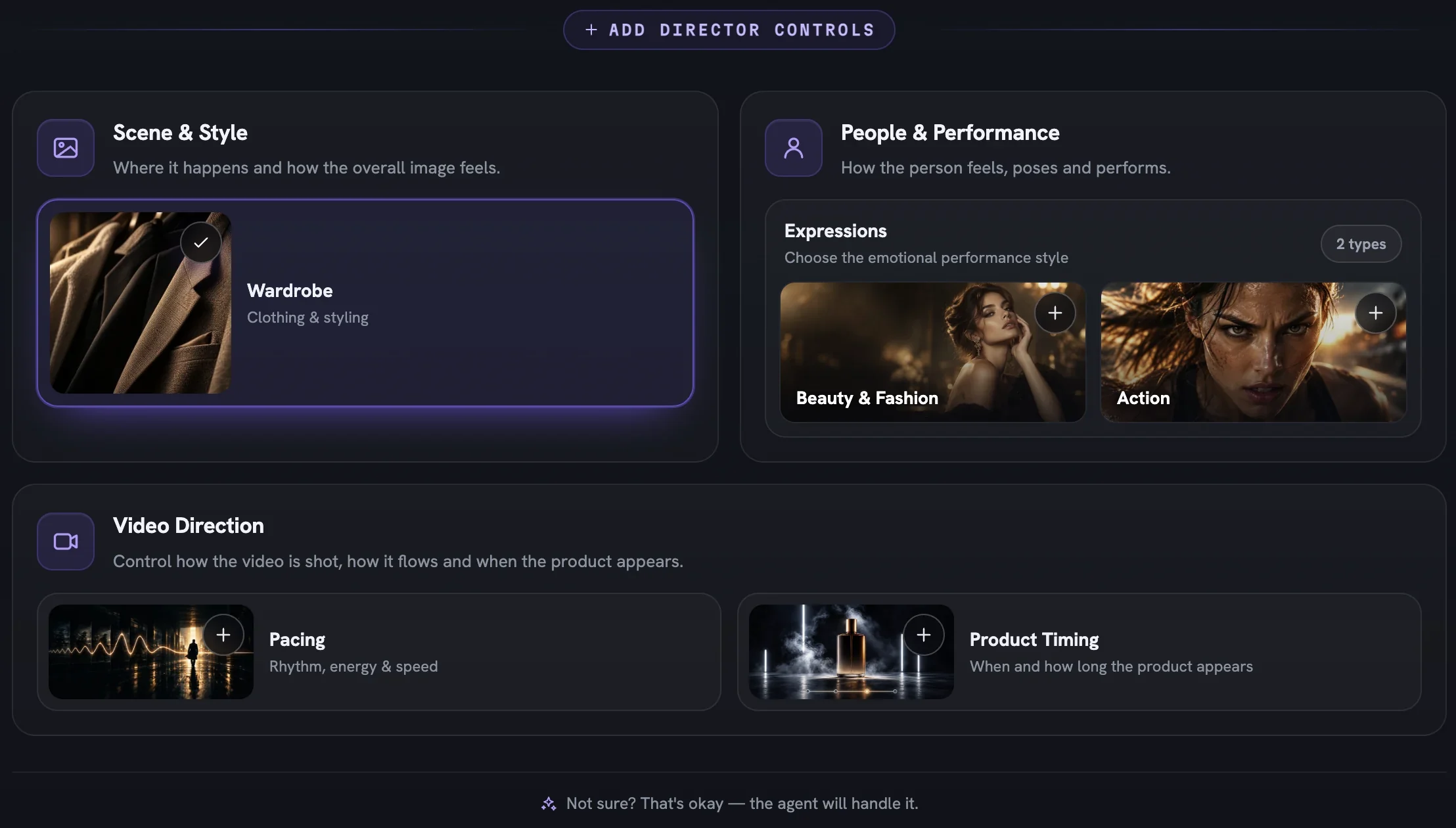
Pacing and Product Timing are offered on all four video types. Camera Language is offered on Product B-Roll, Cinematic UGC and Cinematic Ad, but not on UGC.
Camera Language sets a palette, not a move
Camera Language is multi-select. Pick as many of the fourteen moves as suit the brand — Slow Orbit, Creeping Push-In, Whip Pan, Held Frame (Breathing) and so on — and the Director assigns one move per scene from your picks. Left empty, the palette is tuned to your brand's energy.
A small palette keeps every scene in one register: a calm skincare brand might hold Creeping Push-In and Slow Orbit, while an energy drink can afford a Crash Push-In.
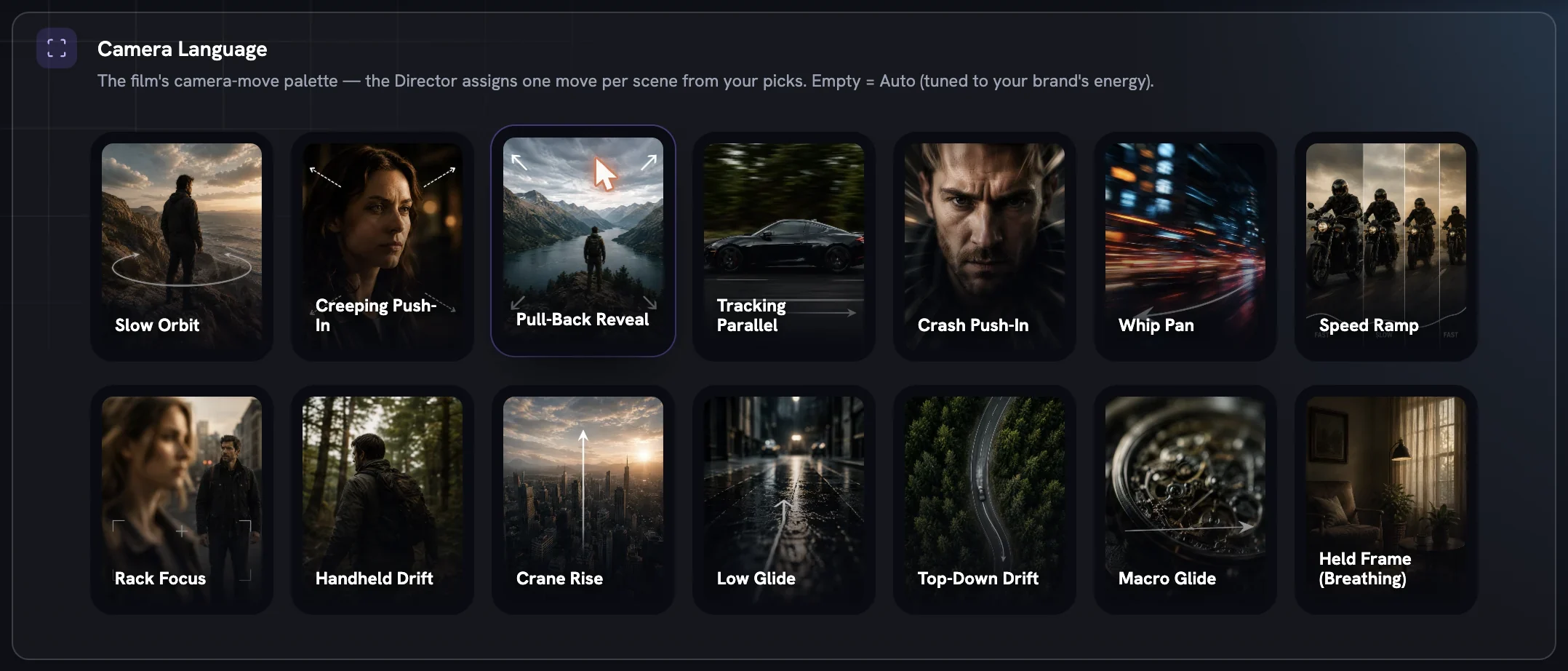
On Product B-Roll nobody is on camera, so moves that need a moving person are locked, and the tile says why.
Pacing holds one curve for the whole film
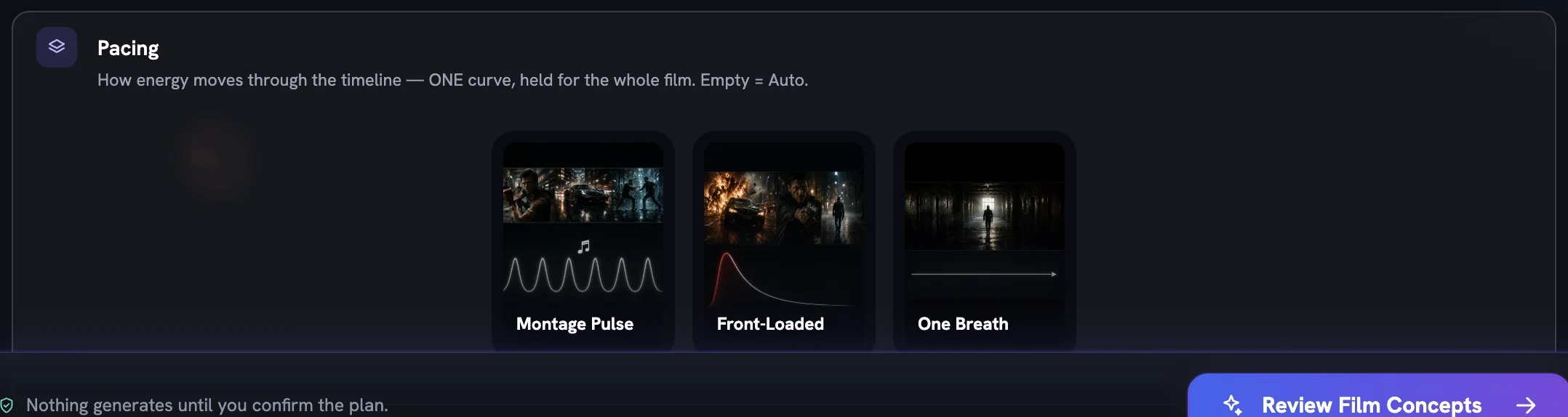
Pacing is single-select. One curve decides where the energy peaks and where the cuts land. Picking a curve replaces the previous pick; clicking the active one clears back to Auto.
- Slow Burn — long unbroken beats, one earned release near the end
- Hold-Hold-Hit — held tension twice, then the hit (Cinematic only)
- Montage Pulse — steady rhythmic cuts on the beat
- Front-Loaded — maximum energy in the first second
- One Breath — one continuous shot, no cuts at all
Only the curves that fit the chosen type are shown, so a UGC film sees three of the five.
Product Timing changes the story itself
Every other row shapes how the film looks. Product Timing picks the story arc the Director works from, so it changes what happens in each shot. Single-select, three shapes.
| Shape | What the film does |
|---|---|
| Hero throughout | The product is in the film from the first beat — driven, worn, used throughout |
| Mid & end | The film opens on the world, then the product joins it and carries the ending |
| Earned end reveal | The film builds without the product; it arrives once, at the end, and lands |
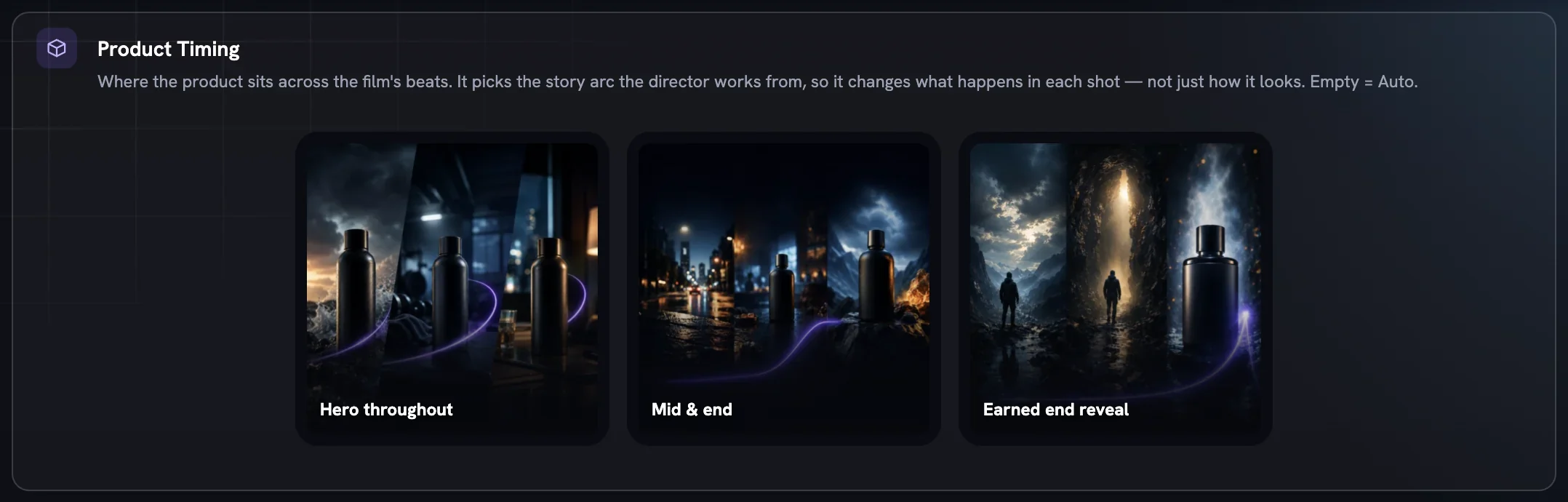
A shape with no story arc at this type and length is shown disabled rather than hidden. Product B-Roll is pinned to Hero throughout. Your choice travels with the plan as a Product timing chip on every card of the concept board and on the film review, where Request a change can still move it.
More in Create
Next in create.
Create03
World, light and look
How real the scene is, which colour temperature it is lit in, and which of eight named looks (plus a studio backdrop paper) the agent leans toward or rules out.
4 min readRead
Create04
Framing and the body
Who fills the frame, which part of the body owns it, how the person poses and how the product appears — four rows that unlock each other in order.
4 min readRead
Create05
Expressions and body postures
Twenty-one expression registers and forty-four postures the Creative Director can play within — how to pick a feeling, when a row locks, and why Boldness decides what is on the table.
3 min readRead
Read enough. Make one.
Point Fotyra at your store and do exactly what this guide describes, on your own brand.