
Review your film
The pre-render review shows every beat, camera move, spoken line, score cue and reference sheet — edit them in place for free, then generate at the quoted per-film price.
On this page5
A film is the most expensive thing the studio makes, so nothing renders until you have read it. After you direct concepts from the concept board, the Film Director writes the whole film out as text — every beat, camera move, line and score cue — and draws the references it will be shot from. You read all of it, change what you like for free, and pay only when you press `Generate video`.
What you are looking at
With more than one concept, tabs across the top name each film; Viewing marks the open one and Select this film toggles whether it renders. The concept card carries the title, hook and synopsis, and What this film is built on unfolds the thinking behind it.
Under the synopsis sits a strip of facts: Gear, Mood & Energy, World and Product Timing. A checks pill reads Checks clear, N advisories or N must fix; click it to jump to the beats in question. Advisories never block a render; a must fix does. Beside it, Sheets checked is the verdict on the drawn references — hover it to see what was checked.
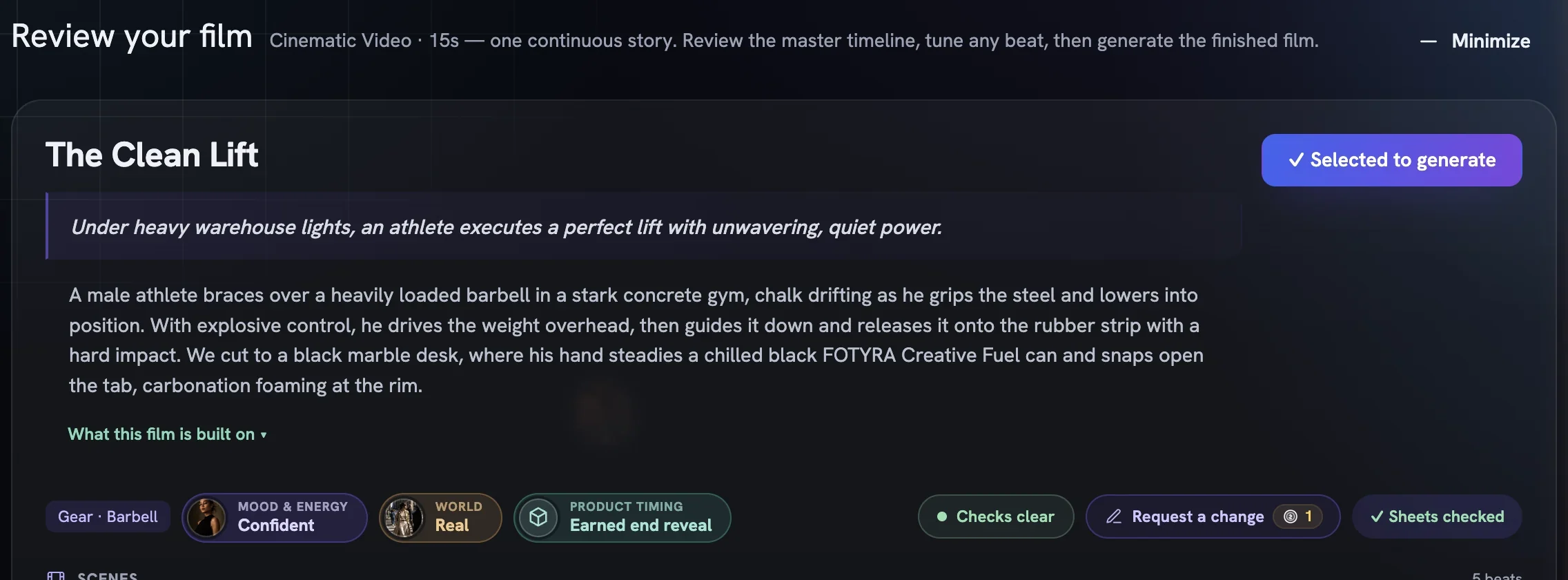
The references that hold the film together
References shows exactly what the video model will be handed: Cast (who this is, and what they wear), Gear (the equipment, front, side and back), Location & Light (where it happens, and the hour it happens in) and Product, shared from your product's reference sheet and read-only here. Expand any tile to check it at full size.
Cast a spokesmodelswaps who plays the film; recasting redraws the Cast sheet at the price on the pill.Choose from N gear sheetspicks a gear sheet you already own. Free.Earlier versions (N)restores a previous drawing of that sheet. Also free.Request a changeredraws a tile from a note; a sheet the check flagged redraws free once. See request a change.
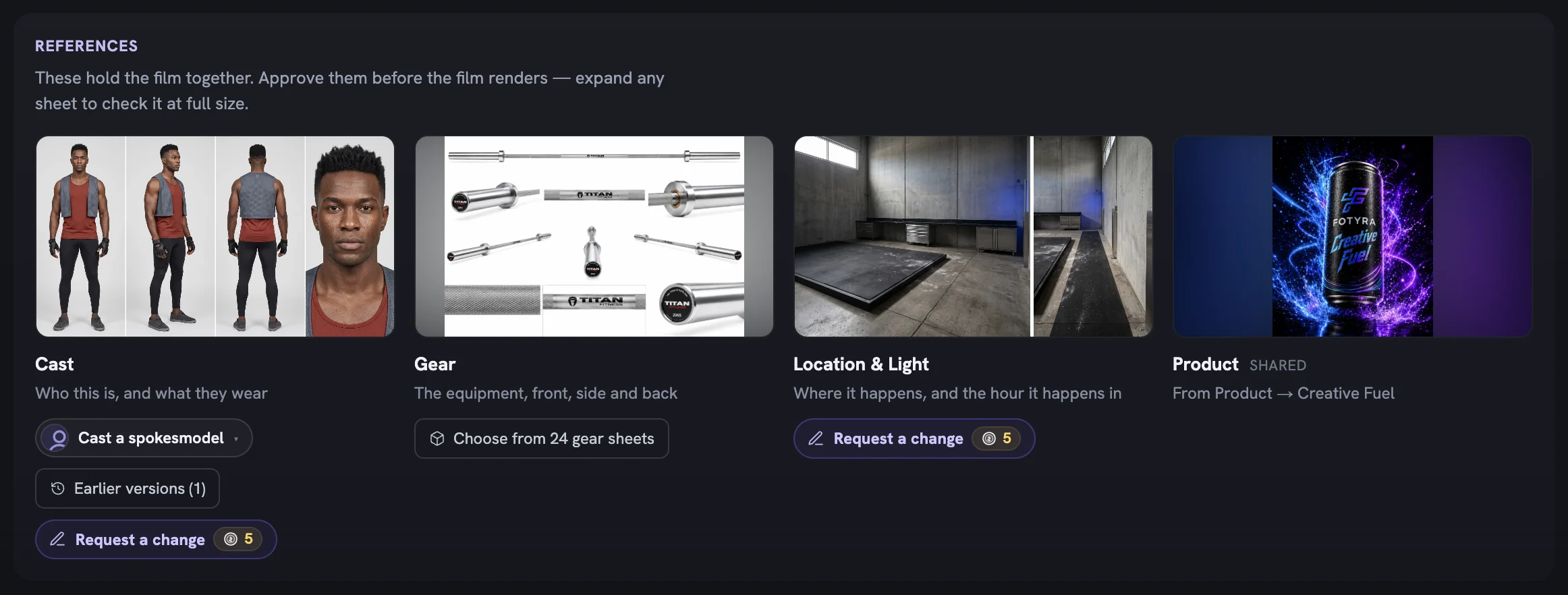
Read the timeline beat by beat
Scenes is the master timeline. Beats sit under chapter headers with time ranges; each card shows the full action text and its spoken line with the speaker — or a Wordless chip — plus chips for posture, the spot in the location and a Score cue where the music turns.
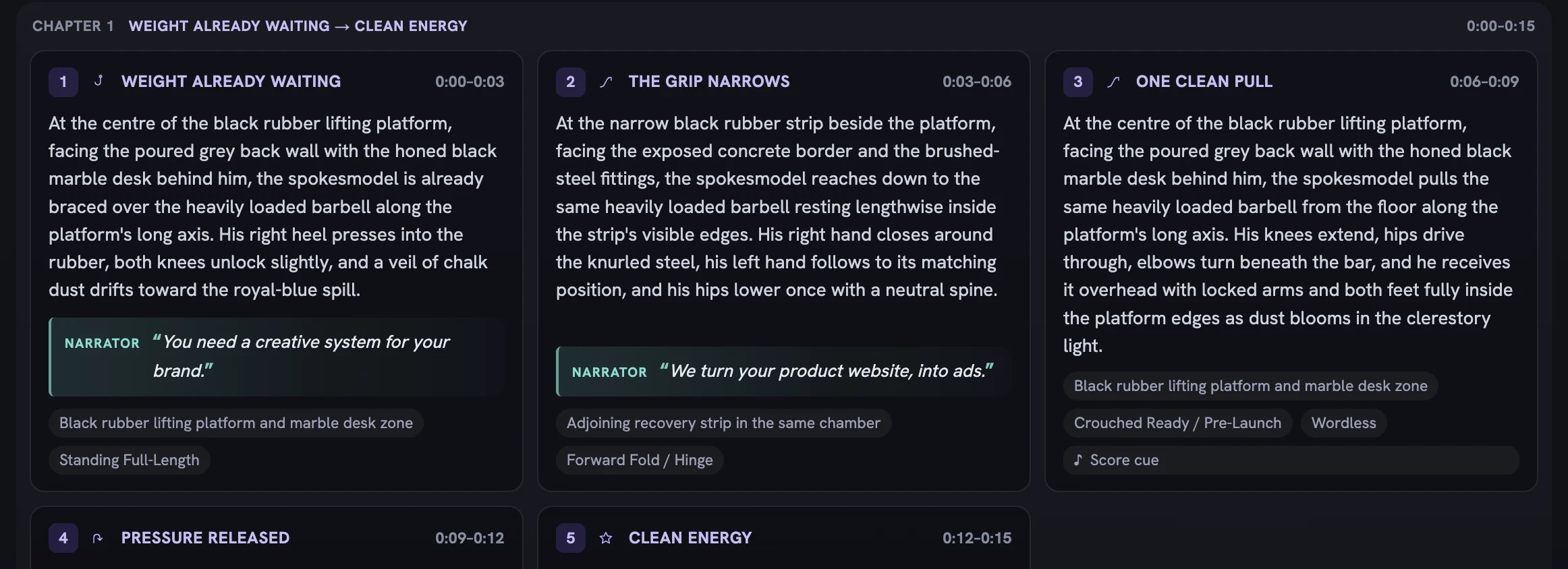
Tune a scene
Click a card and the scene opens in place of the grid. Whatever is in a box is what the film is directed with.
Rewrite the direction
The Direction block is marked
Editable: Action, Motion and Performance. Rewrite the Performance line to change the acting — Posture and Expression under Acting register are read-only.Choose the camera
Director's pickin theMovepicker keeps the Director's own sentence; choosing a move replaces it with that move's definition. You can edit the sentence either way.Decide who speaks
Pick
Spokesmodel,NarratororNo lineand edit the words. A line you touch is markededited by youand ships exactly as written. Narrator is offered on Cinematic Video only.Go back
← Back to All Scenesreturns you to the grid. Edits save themselves; there is nothing to submit.
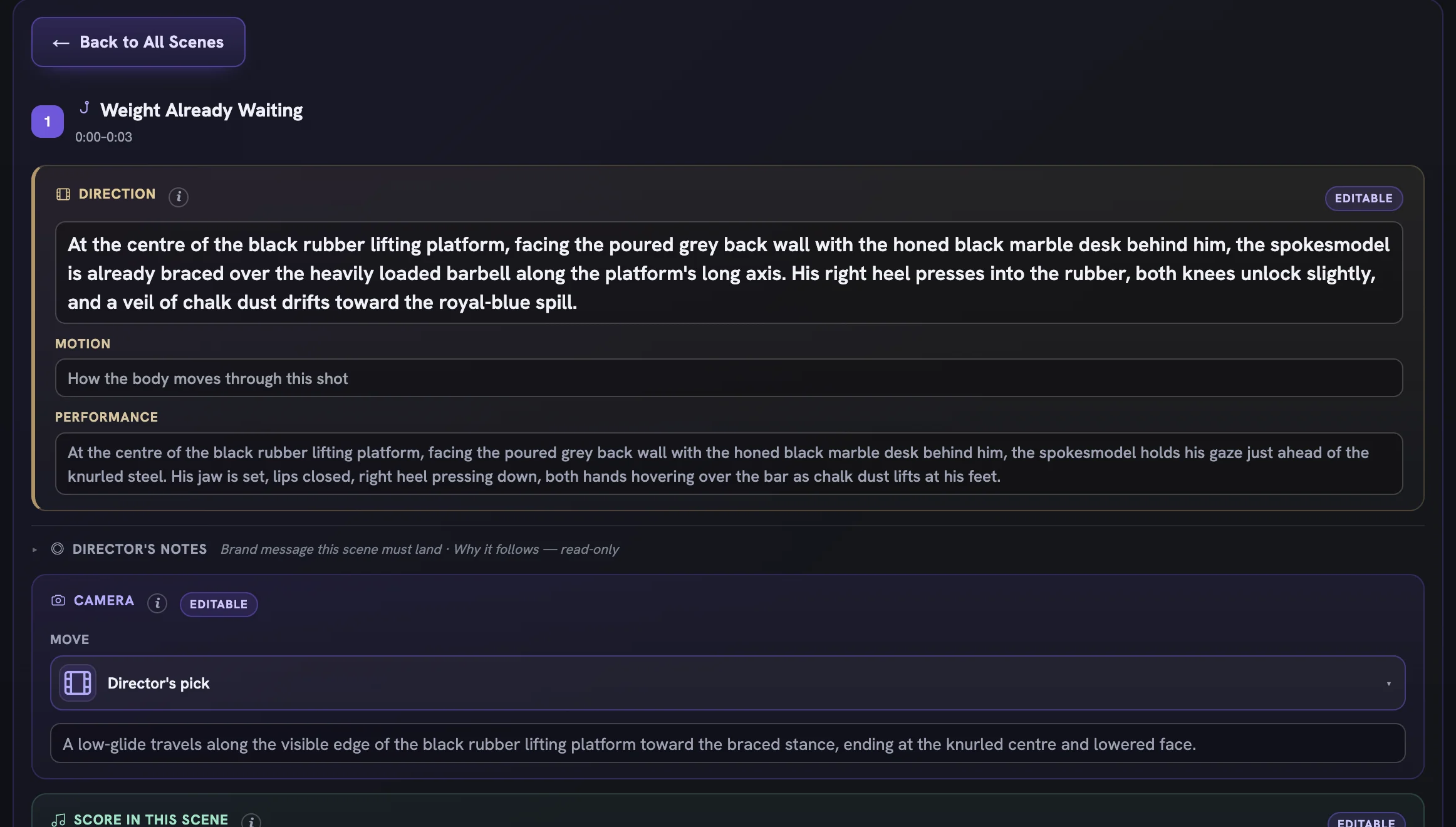
Generate, minimize or cancel
The action bar at the bottom names how many films are selected, with Cancel and Generate video carrying its credit badge. The Creative Production Brief beneath it lists what the film renders at. Where the review shows Canvas, Quality and Model pickers, you can change the shape, sharpness and engine here; a sharper film costs more.
Generate video stays disabled while a selected film is still being written or drawn, carries a must fix, or was recast without its Cast sheet redrawn. The button's tooltip names the reason.
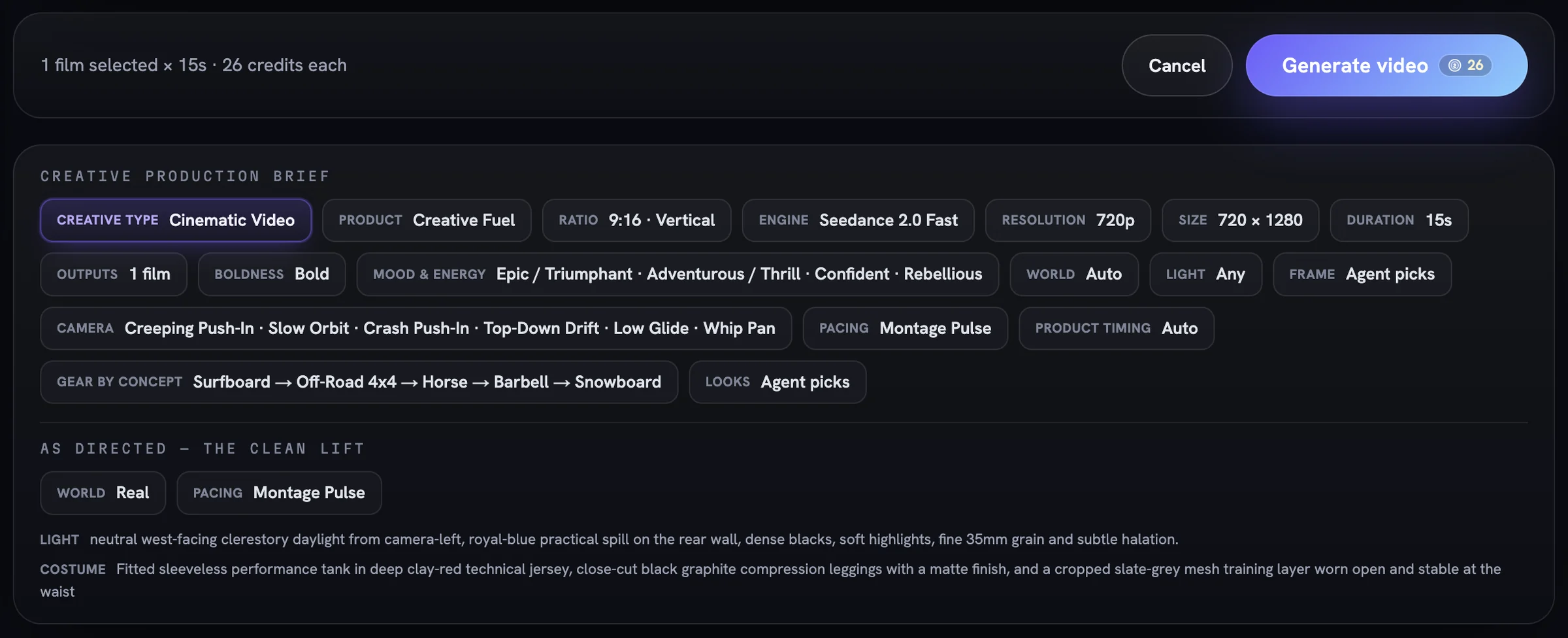
Minimize at the top right parks the review in the Generations dock with everything intact. Cancel is different.
After the render
The finished film lands in your Creative Library with a Fidelity report chip grading how closely it matched its references — advisory only, never a block. If it disappoints, the card's menu offers Review Concept & Retry, which reopens this same review with sheets, scenes and cast intact. See retry, repair and upscale a film for the options from there.
More in Films
Read enough. Make one.
Point Fotyra at your store and do exactly what this guide describes, on your own brand.