
Request a change
One quiet button in four places — the whole film, the Cast sheet, the Location & Light sheet, and the music — each stating exactly what it will change and what it costs before you confirm.
On this page5
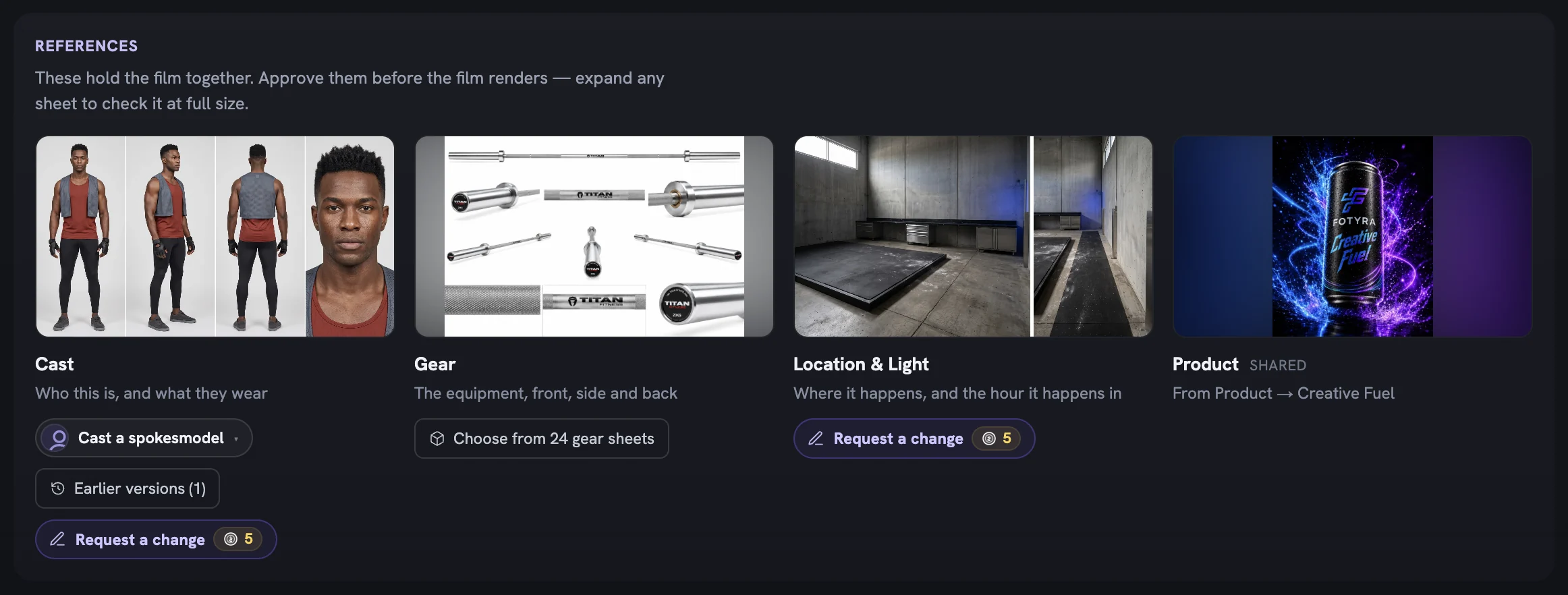
A reviewer rarely wants a whole new film — just the product earlier, a warmer room, a different outfit, or less vocal in the score. On the film review each of those is the same small Request a change button, sitting on the thing it changes, opening a panel that says what will move, what will stay, and what it costs.
Where the button lives
Scope is decided by where you press. A note on the Location tile cannot quietly redraw the Cast sheet, and a music note cannot move the scenes.
- The strip under the concept — opens
Re-direct the film, where the Film Director rewrites the scenes from your note. - The Cast tile in References — opens
Change the Cast sheetand redraws that one sheet. - The Location & Light tile — opens
Change the Location sheetand redraws only the set. - The Music section — opens
Change the musicand rewrites the film-wide music brief.

Sheet requests exist only for Cast and Location & Light, once drawn. The Gear tile has a free picker instead; the Product tile is edited on the Product page. To change who the person is, use Cast a spokesmodel on the Cast tile.
Re-direct the whole film
This is the request for “the story is wrong, not the pictures”. The cast, the world, the canvas and the duration never change here.
Pick a Product timing shape, or leave it
Hero throughout,Mid & endandEarned end revealsit at the top, the current one markedCurrent. A new shape is a request on its own, so the note can stay empty.Say what should change
Type a note or tap an example:
show the product earlier,make the ending land harder,less talking, more doing,open somewhere unexpected.Decide whether the sheets may move
The
May also changepills forCast sheetandLocation sheetopen off. Release one and the Director may change it; the redraw is offered afterwards, never done for you.Protect or release your own edits
Scenes you rewrote yourself are kept word for word unless you tick
Also re-direct the scenes I edited myself— offered only once you have edited a scene and your account has concept editing on.Read the effect line, then press Re-direct
The line above the buttons is written for this exact request, with the price beside it.
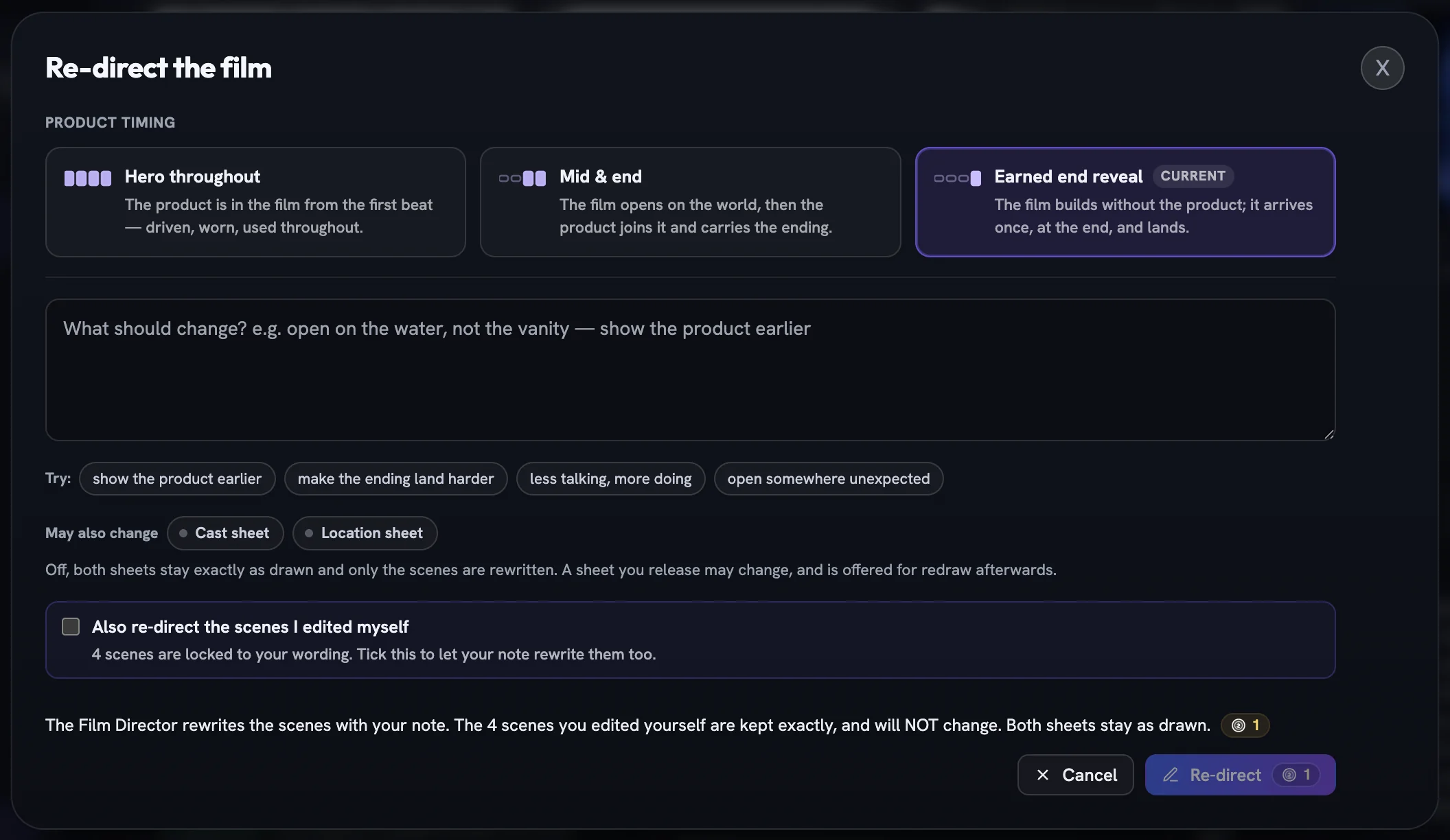
After you confirm, the ribbon reads Re-directing…, the beats update in place, and a Film re-directed receipt summarises what moved. If a released sheet is now out of date, Apply the change to the reference sheets appears, priced per stale sheet.
Redraw the Cast or Location sheet
A sheet request is about the picture, not the plot: the outfit, the hair, the hour, the light, the clutter. The panel previews the sheet beside the note box, and its example chips come from this film's own set and wardrobe.
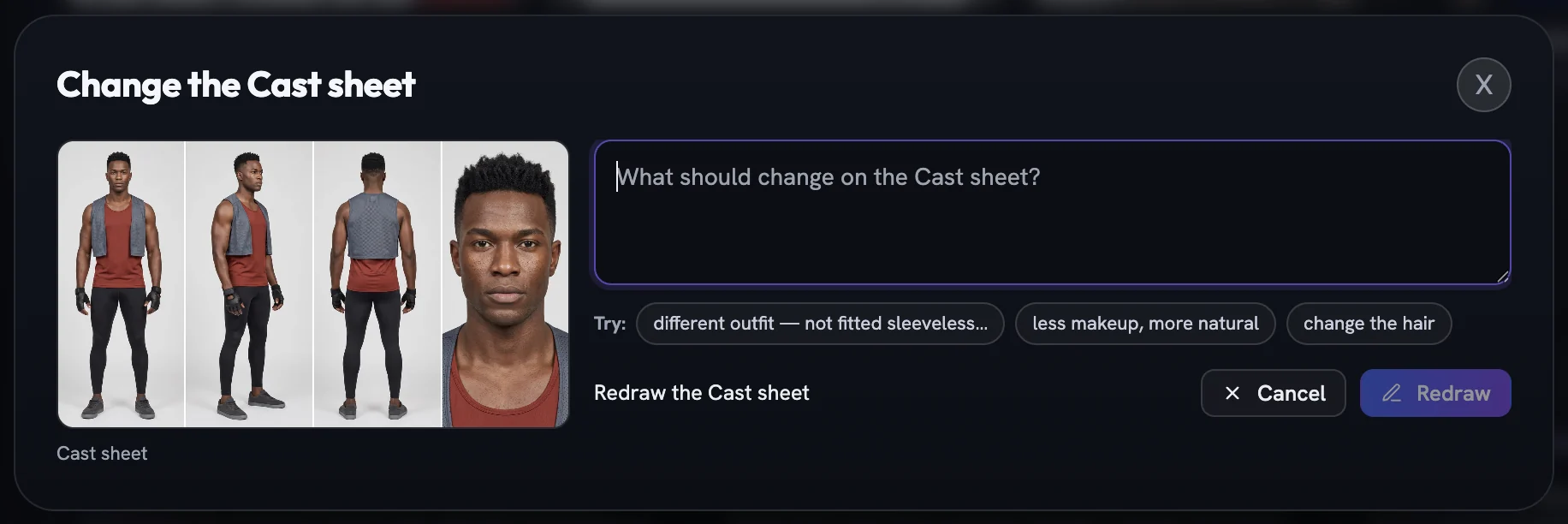
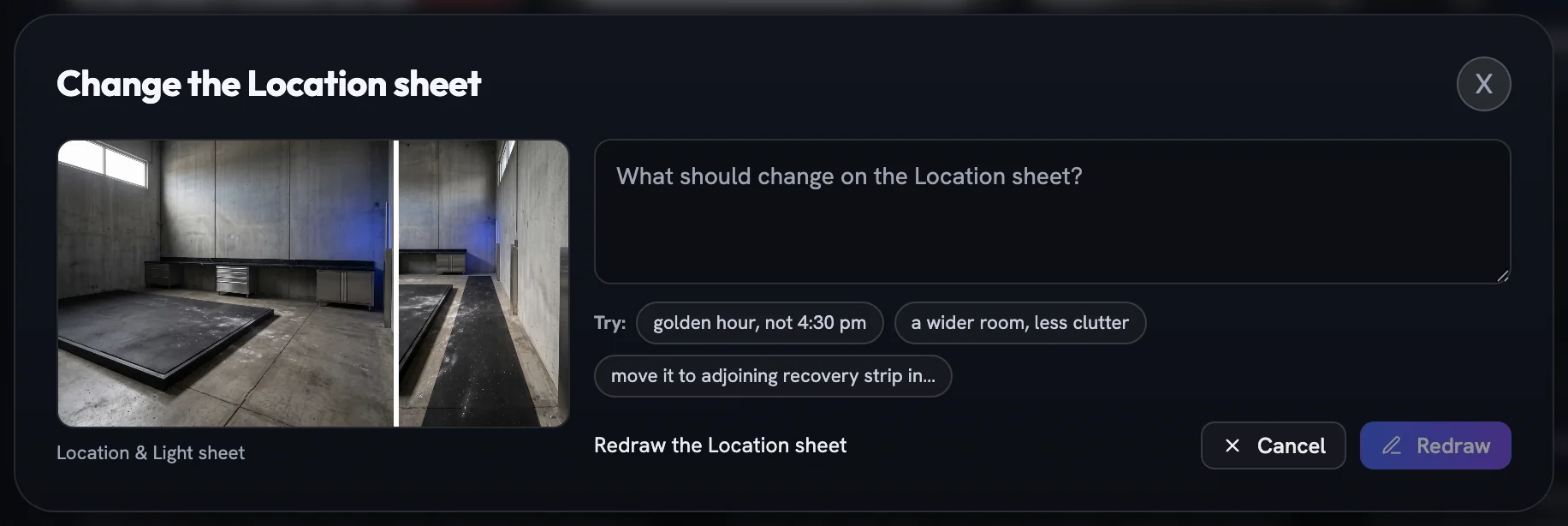
Redraw confirms at the per-sheet price on the tile's button. The tile shimmers Redrawing…, the new picture replaces the old, and earlier ones stay under Earlier versions. The scenes and the other sheet are untouched.
Change the sound, not where it lands
The Music section holds a written brief that becomes the film's audio direction. Request a change here rewrites that brief and nothing else: Rewrites the music brief. Scenes, score cues and sheets are unchanged. Where the score swells or drops out is a cue inside each scene — edit those in the open scene.
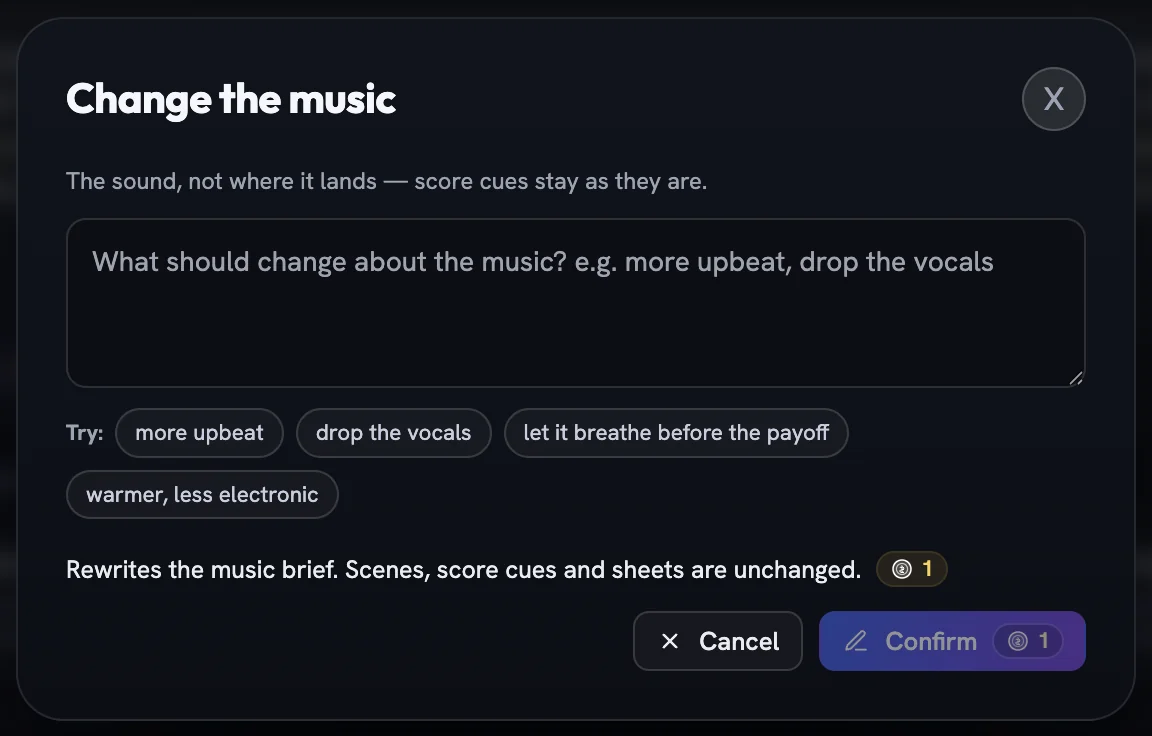
drop the vocals or warmer, less electronic; the effect line promises the cues stay putConfirm rewrites the brief, and a Music changed receipt carries the writer's one-line note on what shifted.
What every panel has in common
- The note box has focus on open; Cmd/Ctrl+Enter confirms,
Canceldiscards. - Confirm is disabled on an empty box, except for a staged Product timing shape.
- A failed request reopens the panel with your note kept and the error shown.
- While any sheet is drawing, every request button reads
Available once these references have finished drawing.
Changing a film after the render is a different set of tools — see retry, repair and upscale.
More in Films
Read enough. Make one.
Point Fotyra at your store and do exactly what this guide describes, on your own brand.