
Text and layers
Rewrite the headline, drag it into clear space, change the font, colour or tracking, put a plate behind the CTA, and keep every layer in its place.
On this page5
Every piece of copy on a static — the hook, the supporting line, the call to action — is a text layer of its own. Select one in the static ad editor and the panel on the right becomes a small type studio: the words, the face, the size, the colour, and a plate to sit it all on. Fonts come from your Brand DNA first, so a rewrite stays on-brand without any picking.
Selecting and rewriting
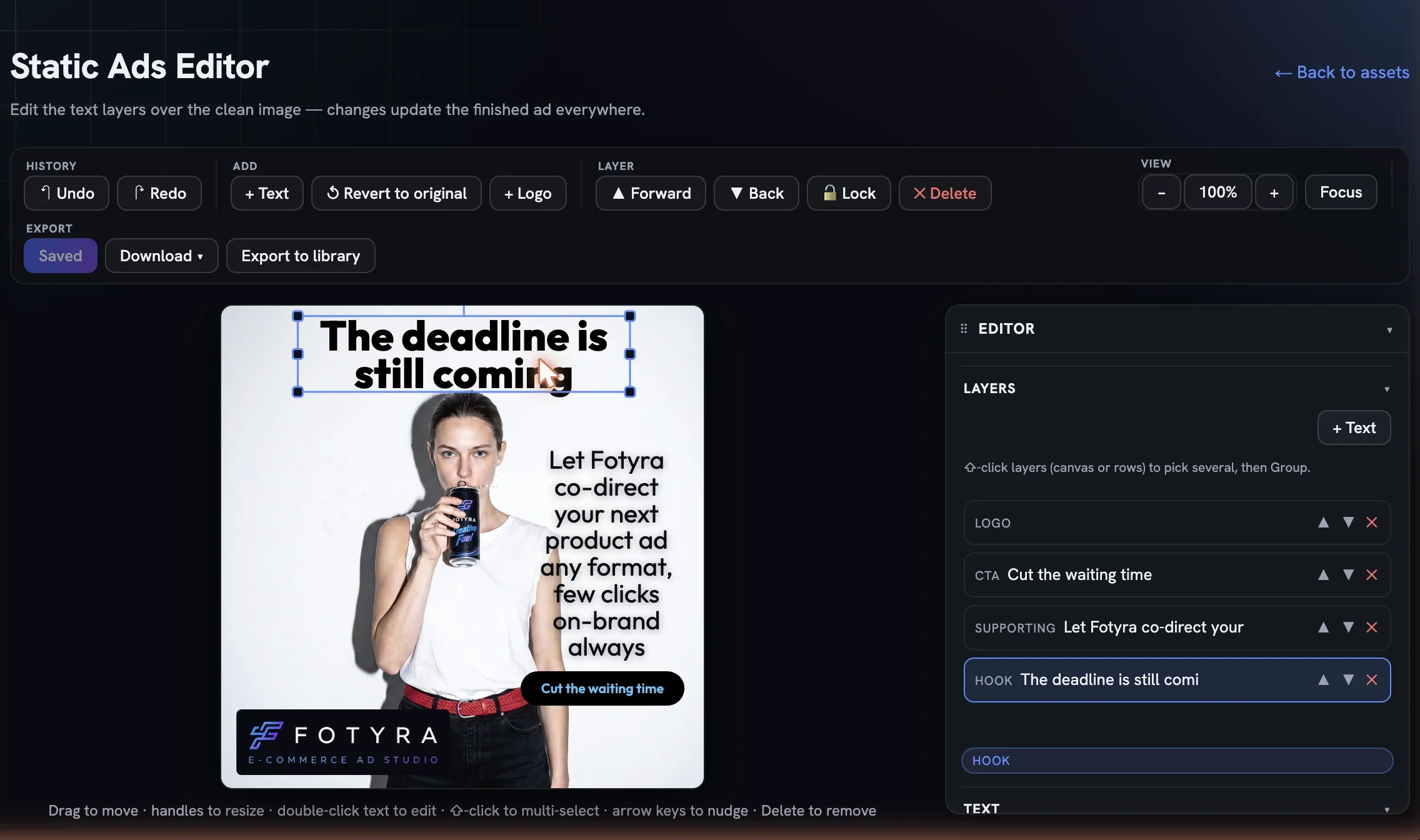
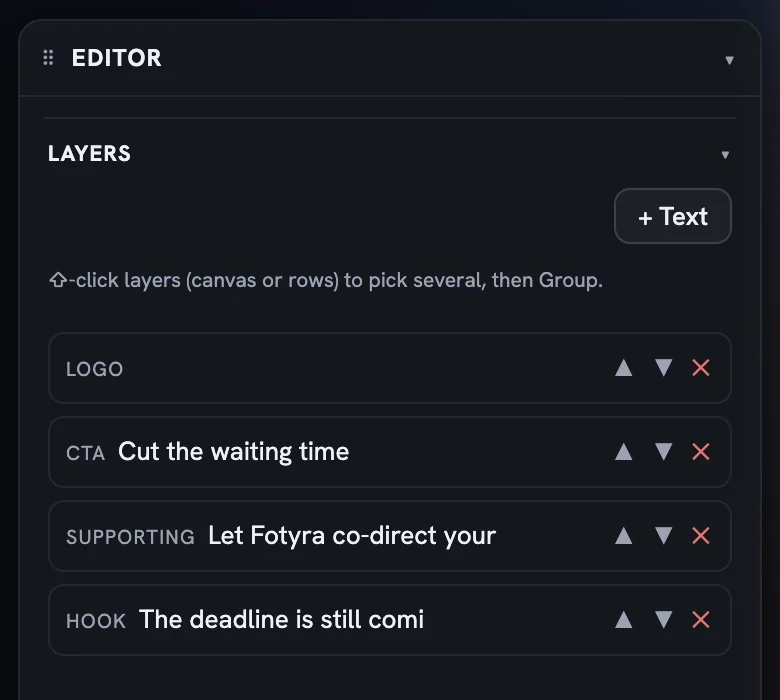
Click the text on the canvas or its row in the Layers list. Rows are labelled by role — hook, supporting, cta — with the first words of the copy, and each carries ▲ ▼ ✕ for stacking and removal. Double-click the text on the canvas to rewrite it in place, or type into the Text box in the panel. + Text adds a new layer, centred and white, in your first brand font.
Moving text around
Once a layer is selected, the canvas is a drag surface. Drag the headline anywhere on the picture; guides snap to the thirds and the centre lines so a line lands where a designer would put it, and the arrow keys nudge it a pixel at a time (ten with Shift). Pull a corner handle to scale it, use the rotation handle to tilt it, and drag a text row above another in the Layers list to change what sits in front.
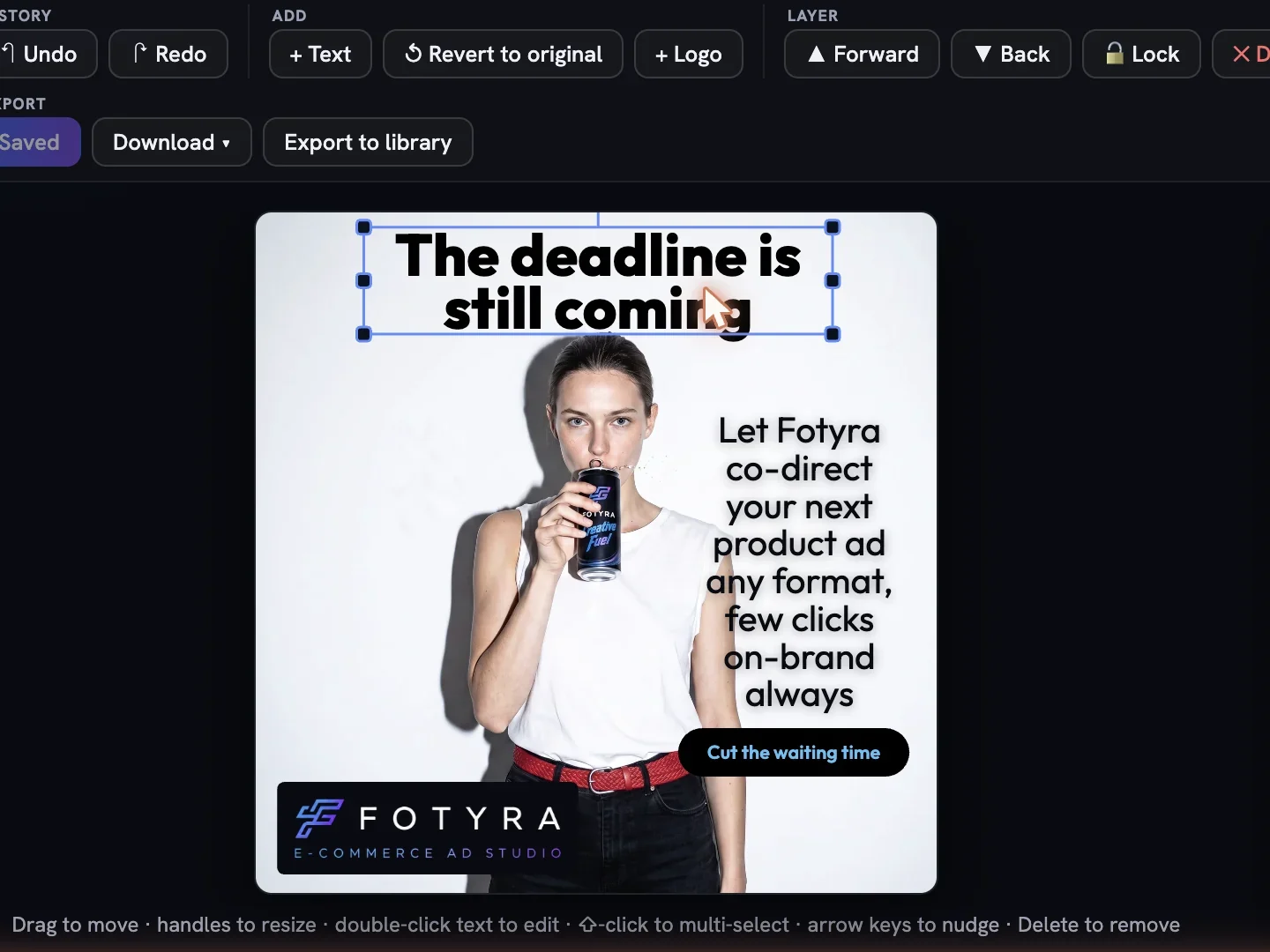
Two habits keep a re-layout clean. Move the headline into the emptiest part of the photograph — the director placed it over clear space for legibility, and the contrast badge in the Text section tells you when a new spot goes dark. And keep the CTA the last thing the eye meets: bottom right on a landscape, low centre on a portrait. Nothing is written until you press Save, so drag freely and ↶ Undo any move you regret.
The Text section
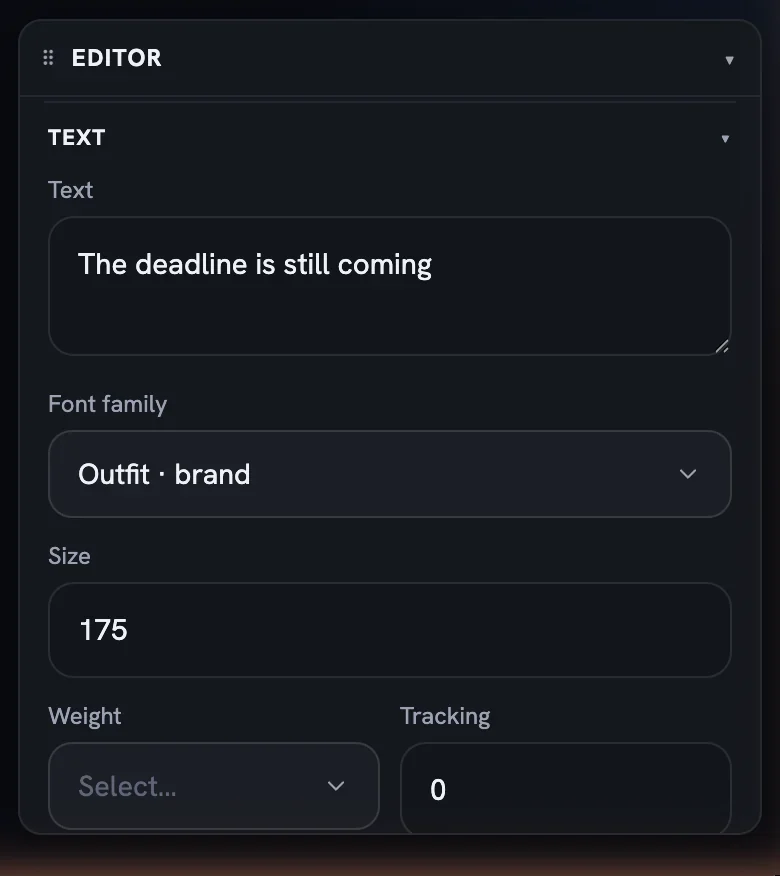
- Font family — your uploaded font files first, marked
· uploaded, then the fonts from your Brand DNA, marked· brand, thenBrand defaultand the web-safe fallbacks. - Size in pixels, Weight from Regular to Extrabold, and Tracking as letter-spacing in pixels, negative if you want it tight.
- Color — a brand swatch or the rainbow circle for a custom pick. A badge underneath reports the contrast against the picture behind the text and whether it passes the AA reading standard. It is advisory: red does not stop you saving.
- Alignment — left, centre, right.
Resizing a text layer from a corner scales the type and its plate padding together, which keeps the plate proportional. Type a new Size when you want only the letters to change.
A plate behind the words
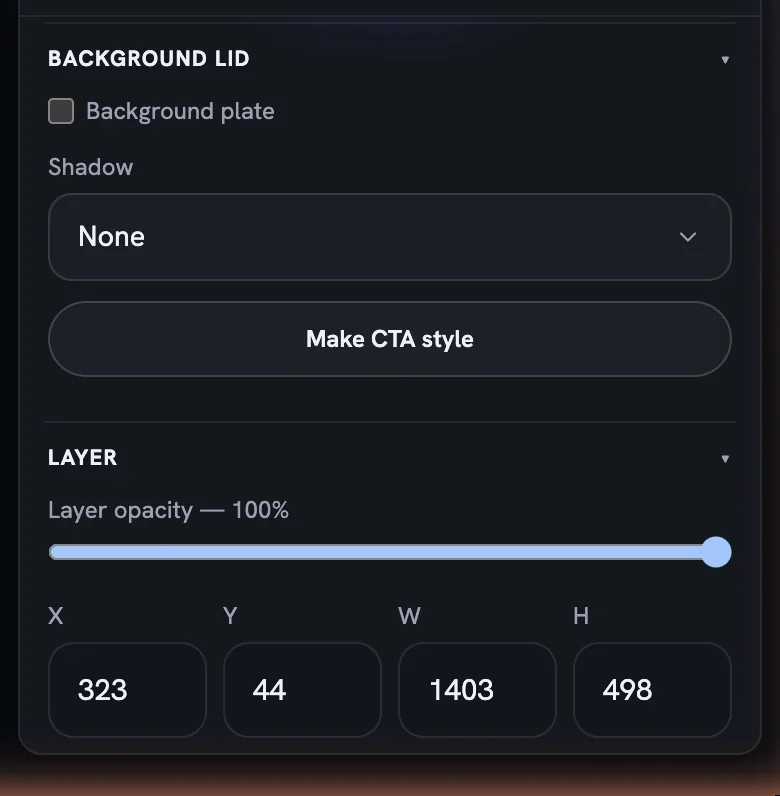
Background lid puts a rounded plate behind a text layer so it reads on any photograph. Tick Background plate, then set the plate colour, Radius, Padding, Fill opacity and a Border; a Shadow dropdown lifts the text off the picture. Make CTA style is the one-press version: it restyles the layer as a button in your first brand colour, with the plate and padding to match.
The Layer section
Below the type controls, Layer applies to anything selected: Layer opacity, exact X, Y, W and H fields for pixel-perfect placement, and Lock layer or Delete layer. Locking keeps a finished headline from drifting while you work on the CTA. The list is the stacking order — ▲ and ▼ on a row do the same as Forward and Back in the toolbar.
Press Save when the copy reads right. Every ad keeps its clean base image underneath, so a rewrite never degrades the picture, and Export to library files the new design as a creative of its own.
More in Creative Library
Next in creative library.
Creative Library01
Your creative library
Every ad, shot and film your project has made, on one grid — how to read a card, filter the wall, download in the right format and keep drafts from piling up.
3 min readRead
Creative Library02
What every card knows about itself
The Fidelity report grades how closely a render matched your product and spokesmodel (advisory, never a gate); Creative Direction traces the recipe behind it and holds your tags.
4 min readRead
Creative Library03
Approve, reject, and what Fotyra learns
Every ✓ and ✕ in the library is a lesson. Here is what approval means, why a rejection asks for a reason, and how those reasons turn into a taste profile that steers the next round.
2 min readRead
Read enough. Make one.
Point Fotyra at your store and do exactly what this guide describes, on your own brand.