
Action sports and machines
Build a scene around a bike, a board, a barbell or a horse — twenty-five machines and rigs, what unlocks them, and a recipe for fast, high-energy action ads.
Some brands do not sell a still life. A running shoe wants a starting block, a helmet wants a motocross bike, an energy drink wants a rider mid-air. The Action Sports & Vehicles row on the Direction step lets you name the machine the scene is built around and hands the rest — the move, the shot, the safety gear — to the Creative Director.

Twenty-five rigs in six tabs
The control has a banner of its own under + Add Director Controls, between the People & Performance and Framing & Composition groups. Press + and a category-tabbed grid opens in the controls panel. All shows every card; the tabs narrow it to Vehicles & Wheels (Bicycle, Motorcycle, Motocross, ATV / UTV, Car, Off-Road 4x4), Boards, Snow & Water (Skateboard, Snowboard, Skis, Snowmobiling, Surfboard, Kitesurfing, Jet Ski, White-Water Kayaking), Air (Skydiving), Strength, Climb & Track (Barbell, Climbing Wall, Starting Blocks), Sports Equipment (Boxing Gloves, Basketball, Soccer, American Football, Baseball) and Animal (Horse, Dog).
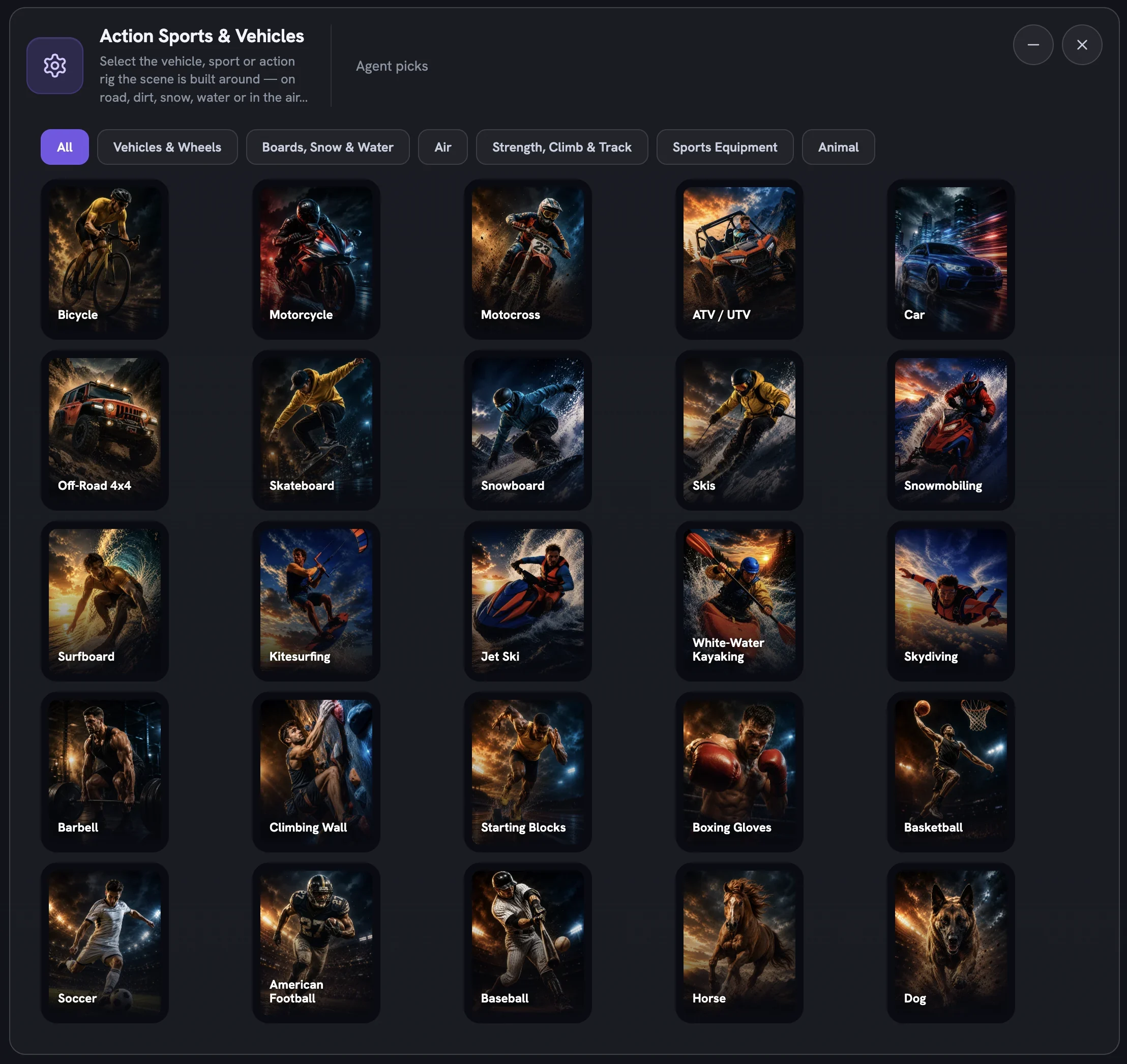
Click a card to add it. On statics the row is multi-select and the machines are dealt across your outputs; on a Cinematic Ad the pool is capped at five, one machine per concept, and a sixth tap is refused with a note. A machine is a held subject — an explicit pick locks it into the concept, while an empty row lets the director decide whether the story needs one at all.
What unlocks a machine
Two things gate the row. The first is Boldness: nothing here is rated for Safe, so the grid arrives fully padlocked until you move up. Signature opens the calmer rigs and Bold opens the rest; tap any padlocked card and the page jumps to the Boldness card that would open it.
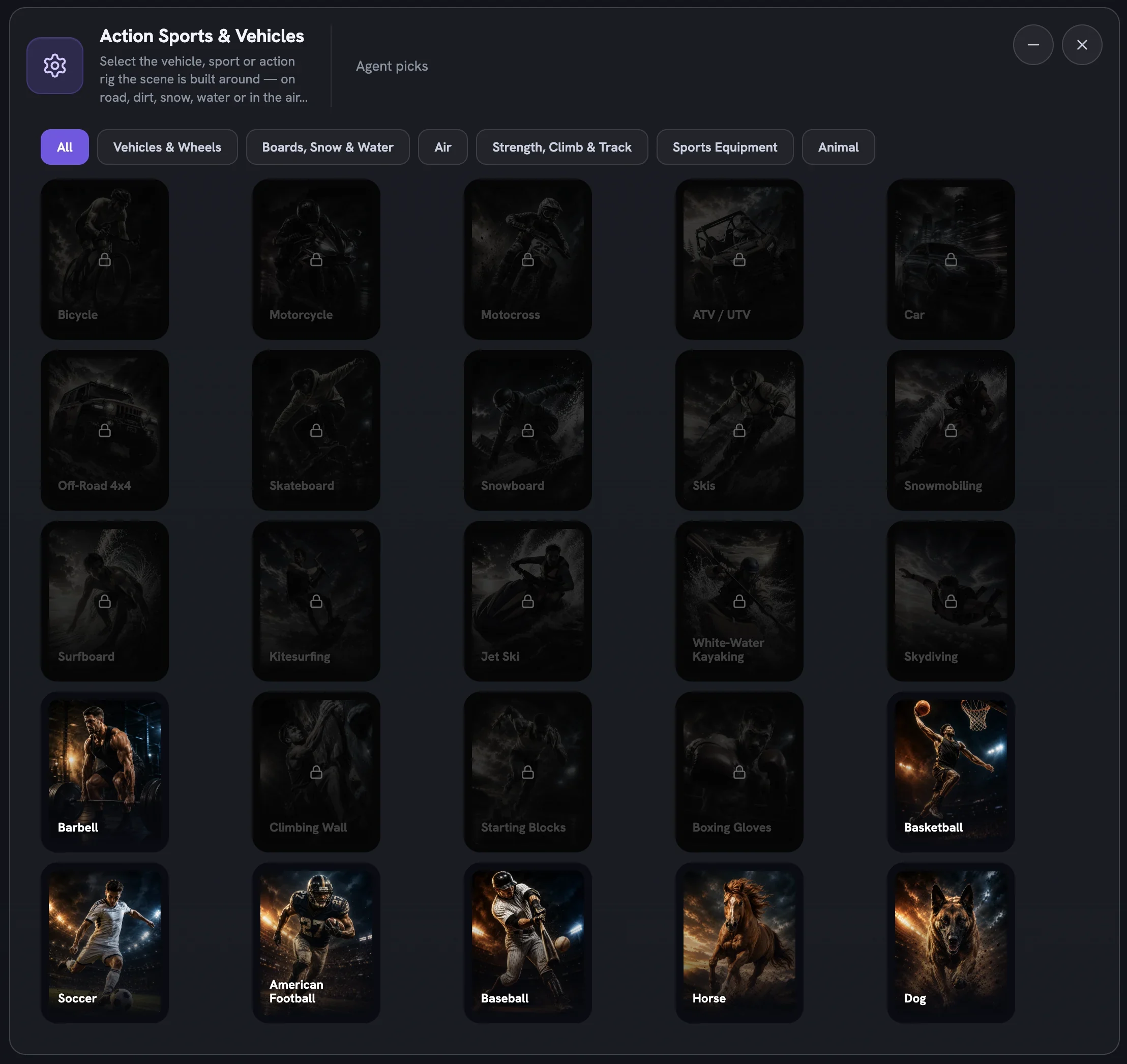
The second gate is a rider. A machine needs a person in the frame, so if you have narrowed Frame & Product Interaction to product-only cells the cards read A machine needs a person in the frame and name the framings that fix it — Person as hero, Model Focus or Person supporting. Leaving framing on Auto is fine; the director frames the rider itself.
A recipe for a rapid action ad
Start from a sport-ready product
Shoes, apparel, helmets, drinks and supplements all work. A product with worn or in-use photos on its reference sheet gives the director more to hold onto mid-motion.
Choose Static creative or Cinematic Ad
The row is not offered on UGC, Cinematic UGC, Infographics or Product B-Roll. For a film,
Cinematic Adat 15 seconds is the sweet spot for one clean stunt.Set Boldness to Bold
The energy comes from the top of the step. Bold opens every rig and every action posture at once.
Pick one machine per idea
Add
Action Sports & Vehiclesand choose one card for a static, or up to five for a film so each concept gets its own rig.Match the face and the body
Add the
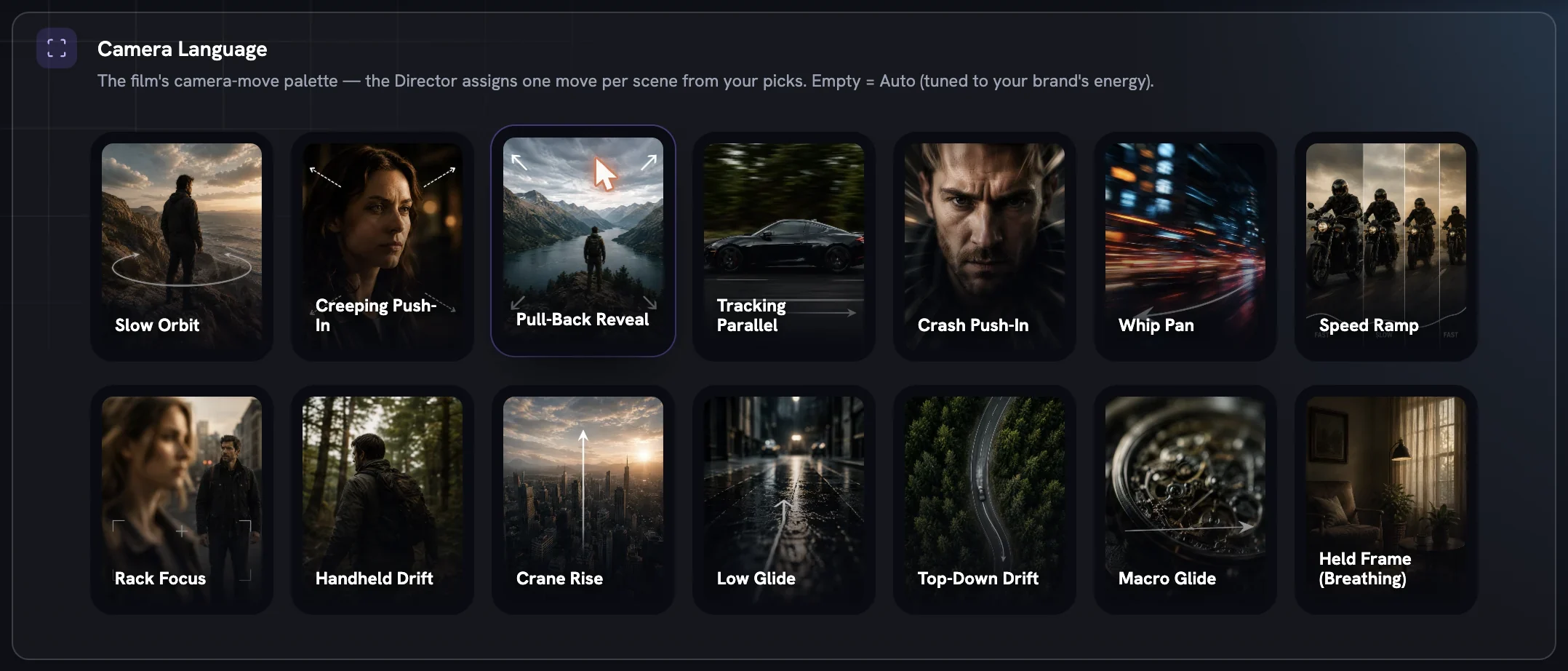
Emotions & Expressions (Action)row and pickEffortorExhilarated; addBody Postures (Action)and pickJump / AirborneorSprint / Acceleration. LeaveWardrobeon Auto — the director dresses the rider in the gear the sport demands.For a film, push the pacing
Under Movie controls choose
Front-Loadedpacing andWhip PanorCrash Push-Inin Camera Language.Hero throughoutkeeps the product in frame from the first beat.Review, then generate
Press
Review ConceptsorReview Film Concepts. Read the plan, check the rider, the rig and the product all appear, then generate the piece you want.
Terrain follows the machine. The director places a motocross bike on dirt and a snowboard on a slope, and if a chosen world argues with the rig, the plan notes it rather than forcing the two together. If the finished ad shows the wrong terrain, Fix & regenerate with the note is the quickest correction.
More in Create
Next in create.
Create01
From brief to generate
Choose a type, write (or reuse) a brief, set canvas, outputs, logo and spokesmodel, pick the one product the piece anchors to, then review concepts or generate straight away.
4 min readRead
Create02
Creative Direction, as a whole
One step, one idea: add only the controls you care about and the Fotyra Director picks the rest from your Brand DNA. No templates, and never all-or-nothing — here is every director control, what it decides, and why it exists.
6 min readRead
Create03
World, light and look
How real the scene is, which colour temperature it is lit in, and which of eight named looks (plus a studio backdrop paper) the agent leans toward or rules out.
4 min readRead
Read enough. Make one.
Point Fotyra at your store and do exactly what this guide describes, on your own brand.