
Add motion graphics to a finished film
Your film is done. It looks good and it sounds good. Motion graphics is the last pass that makes it feel like a finished ad: the words, the camera moves and the ending, all in your brand's look.
Think of the ads you actually remember. There's a line that lands right on the beat. The camera leans in just as the key word is said. The product's name appears while you're looking at it. And the last seconds tell you exactly where to go.
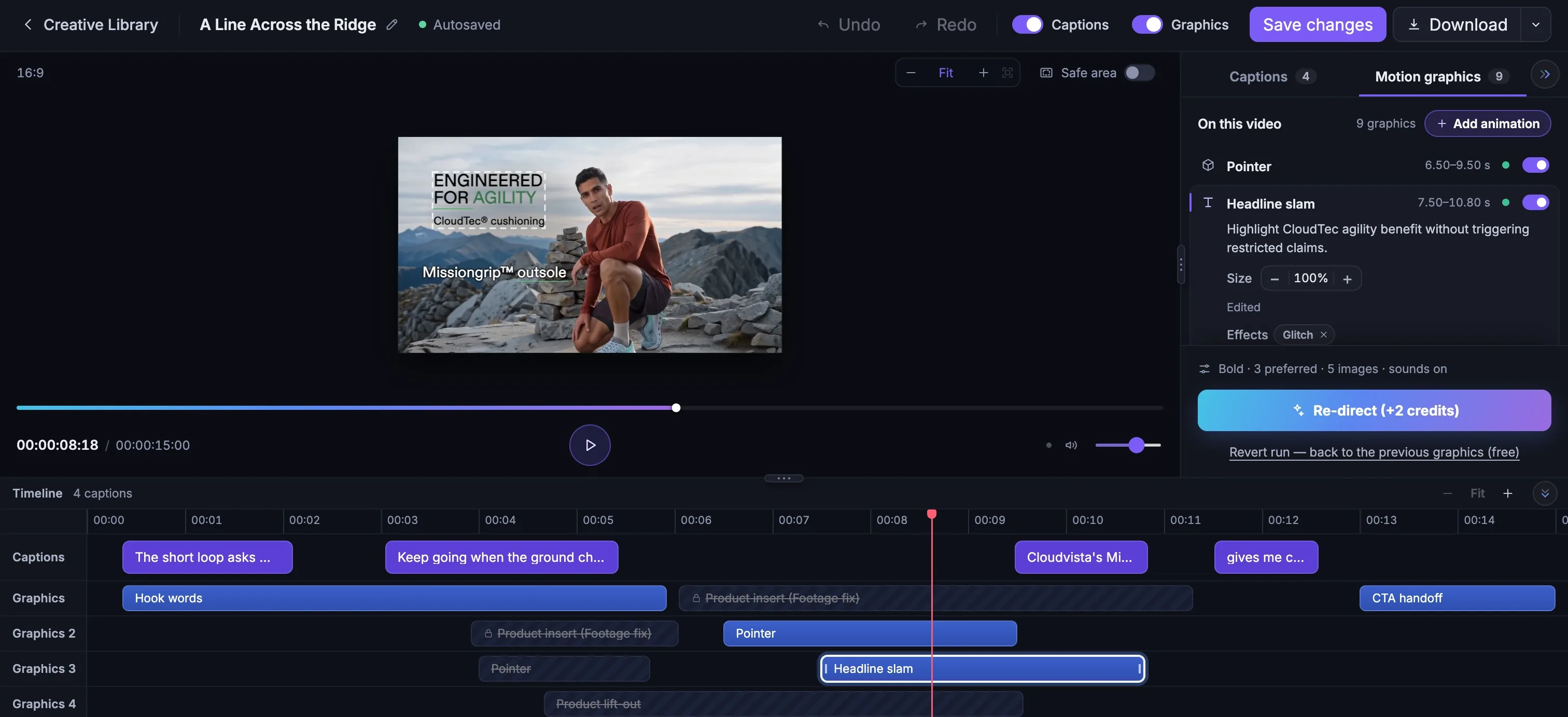
That second layer is what motion graphics adds. The studio designs it from your brand, your product page and the film itself. Then it hands it to you, and you can change every piece.
Where to start
Look in the sidebar. Motion Graphics Editor sits under Studio, just below Generate Creatives, and opens a picker of your films. You can also go straight from the Creative Library: every video card has a Motion Graphics Editor button.
Have footage that wasn't made in Fotyra? Choose Bring in a video in the picker and upload a file or paste a link. It lands in your Creative Library first, ready to edit. Films up to 60 seconds can take motion graphics.
Already happy with an edit but curious about another look? Start a new edit works on a named copy, so the version you like stays safe.
The first run
The first time you open a film, the studio asks a few short questions. None of them is hard, and every answer can change later.
Captions, or the whole layer?
Captions onlyputs the film's own words on screen, and it's free.Captions + Motion Graphicsadds everything else: the opening line, the callouts, the camera moves and the ending.How bold should it be?
Safe keeps it to the strongest moments. Signature adds a graphic wherever the film has something worth saying. Bold does all of that, with a few extra beats in between.
What should it lead with?
Tick
Key benefits,Specs & numbers,OfferorSocial proof, and type an offer in your own words if you have one. You can add one line of direction too. Or leave it blank, and let the director decide.Press Add
The button shows the price before you press it. The film keeps playing while the studio watches it, plans the graphics, checks its own work and renders. If anything goes wrong, your credits come back.
The promises it keeps
It never invents a claim. Every word on screen comes from your product page, the film's own speech or your note, and anything your brand avoids saying is refused. It uses your fonts and colours, and checks that text is easy to read. Your logo is never recoloured, and never sits on a face. It shows up mid-film once at most, besides the ending.
Text stays on screen long enough to read on a phone. And if a moment in the footage has a visible glitch, the studio can quietly cover it with a designed product card.
What you get back
The same film, in the same place in your Creative Library, now marked Motion graphics added. Download gives you the finished video. Download original gives you the film without any captions or graphics, so you never lose the clean version. As with everything else, it waits for your approval before it counts as finished.
Want to see it on real films first? The Motion Graphics case study follows six finished films for On, Gymshark and Scout through one late night in the editor.
More in Motion graphics
Read enough. Make one.
Point Fotyra at your store and do exactly what this guide describes, on your own brand.