
Captions
Your film's own words on screen, timed to the moment each one is spoken. Pick from ten styles, calm to punchy, and change your mind as often as you like. Captions are free.
Captions do two jobs. Scroll past with the sound off and the film still makes sense. Watch with the sound on, and the right style adds rhythm: the spoken word lights up in your colour, or the key words land with a little bump. Either way, they cost nothing.
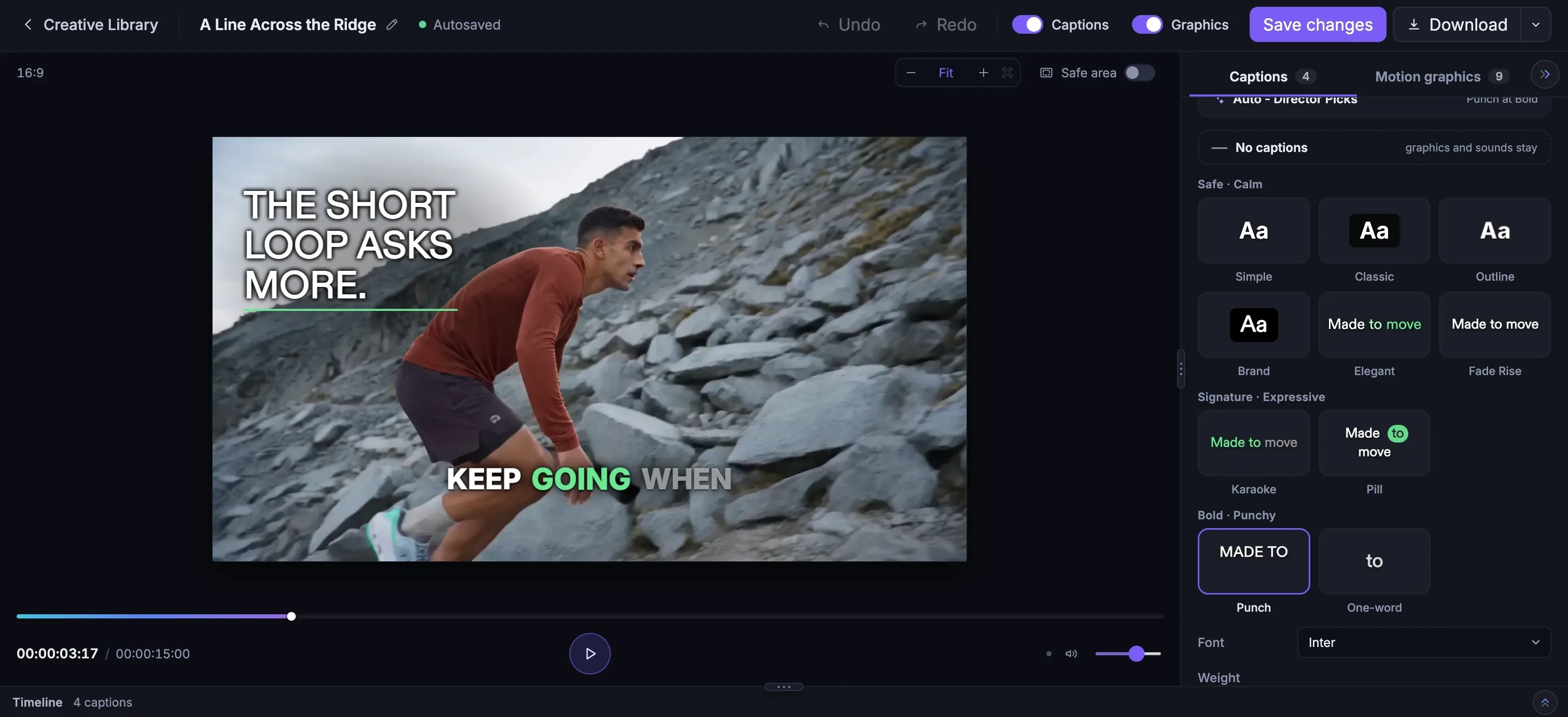
Getting them on your film
Open a film in the motion graphics editor and choose the Captions tab. The studio has already listened to the film and worked out its language. If it guessed wrong, Change fixes it. Regenerate writes the captions again, .srt downloads a subtitle file for anywhere else you post, and Remove takes them off.
Ten styles, three moods
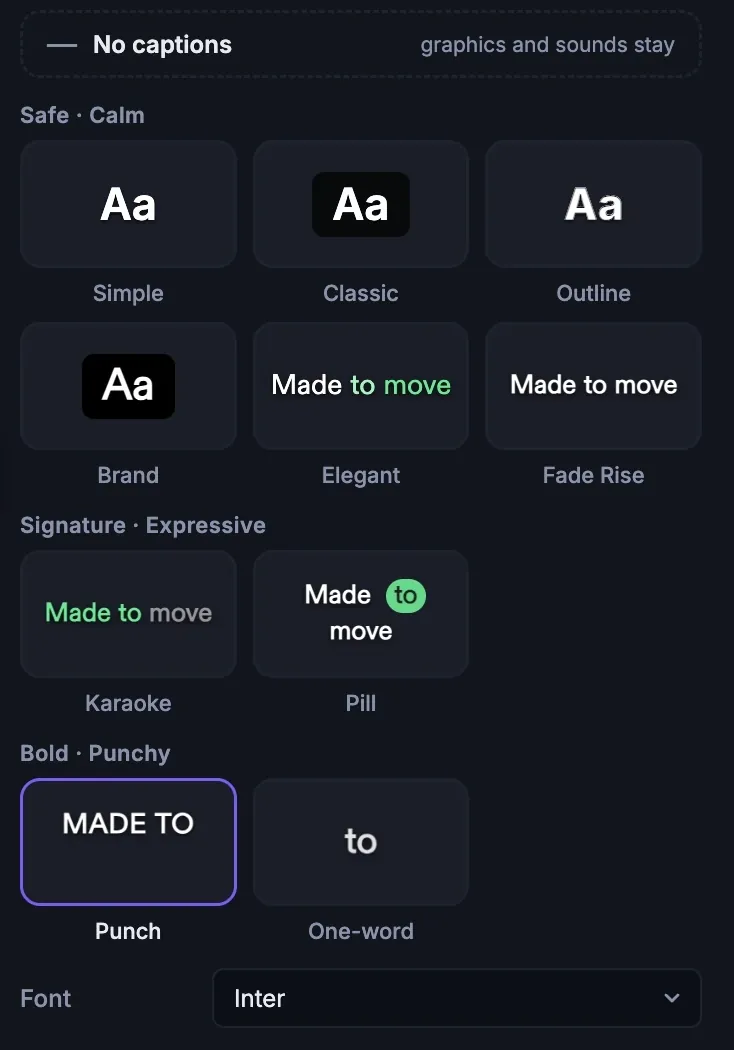
The calm styles stay out of the way. The expressive ones follow the voice. The punchy ones give a fast film even more pace.
| Mood | Style | What it does |
|---|---|---|
| Safe · Calm | Simple | Plain white words with a soft shadow |
| Safe · Calm | Classic | White on a translucent dark band |
| Safe · Calm | Outline | Heavy text with a dark outline |
| Safe · Calm | Brand | Your primary colour and typeface |
| Safe · Calm | Elegant | Short phrases rise in, the spoken word takes your colour, no box |
| Safe · Calm | Fade Rise | Whole lines fade and rise in |
| Signature · Expressive | Karaoke | Each word fills with your colour as it's spoken |
| Signature · Expressive | Pill | A highlight pill slides behind the spoken word |
| Bold · Punchy | Punch | Bold one-to-three word bursts, key words bump |
| Bold · Punchy | One-word | One big word at a time |
Not sure which to pick? Auto - Director Picks chooses one to match your Boldness: Elegant at Safe, Karaoke at Signature (or Elegant if your brand uses a serif), and Punch at Bold. And if you'd rather have none, No captions turns them off and leaves your graphics and sounds exactly as they are.
Making them yours
Every style can be tuned. Change the font, weight, size and case. Pick a text colour, and an accent colour for the word being spoken. Choose how each caption arrives and leaves, how the spoken word moves, and how the stressed words bump. Then decide where they sit: top, middle, bottom or anywhere you like, with a safe margin from the edges.
Changes apply to all the captions at once, unless you narrow them to the one you've selected. Spotted a word that's wrong? Click that caption on the timeline or on the film and fix it.
More in Motion graphics
Read enough. Make one.
Point Fotyra at your store and do exactly what this guide describes, on your own brand.