
Credits, billing and history
Fotyra runs on credits: reserved when you start, charged only when the work succeeds, released when it does not. Here is how the pool works, what the plans change, and where every charge is explained.
Every AI action in the studio — a static, a product shot, a film, a spokesmodel portrait, a reference sheet — has a credit price, and it is always printed on the button before you press it. Your plan refills a pool of credits each period, top-up packs add to it, and the History page keeps the ledger. There are no surprises by design: the number on the button is the number that leaves the pool.
How a credit is spent
Reserved when you start
Press a priced button and its cost is held from your spendable balance. The hold is what stops two people spending the same credit twice.
Charged when the work lands
When the generation succeeds the hold becomes a charge at the actual cost, and any difference comes back.
Released when it doesn't
If the job fails or you cancel it, the whole hold is returned. A failed tile in the library says so: No charge — credits were released.
Credits spend in order: plan credits first, because they expire at the end of the period; then any setup allowance; then top-ups, which never expire while you are subscribed. Plan credits do not roll over, so a quiet month is a month to use them. When the pool runs dry, generation pauses with a banner offering a top-up or an upgrade — nothing already made is affected.
Plans and who pays
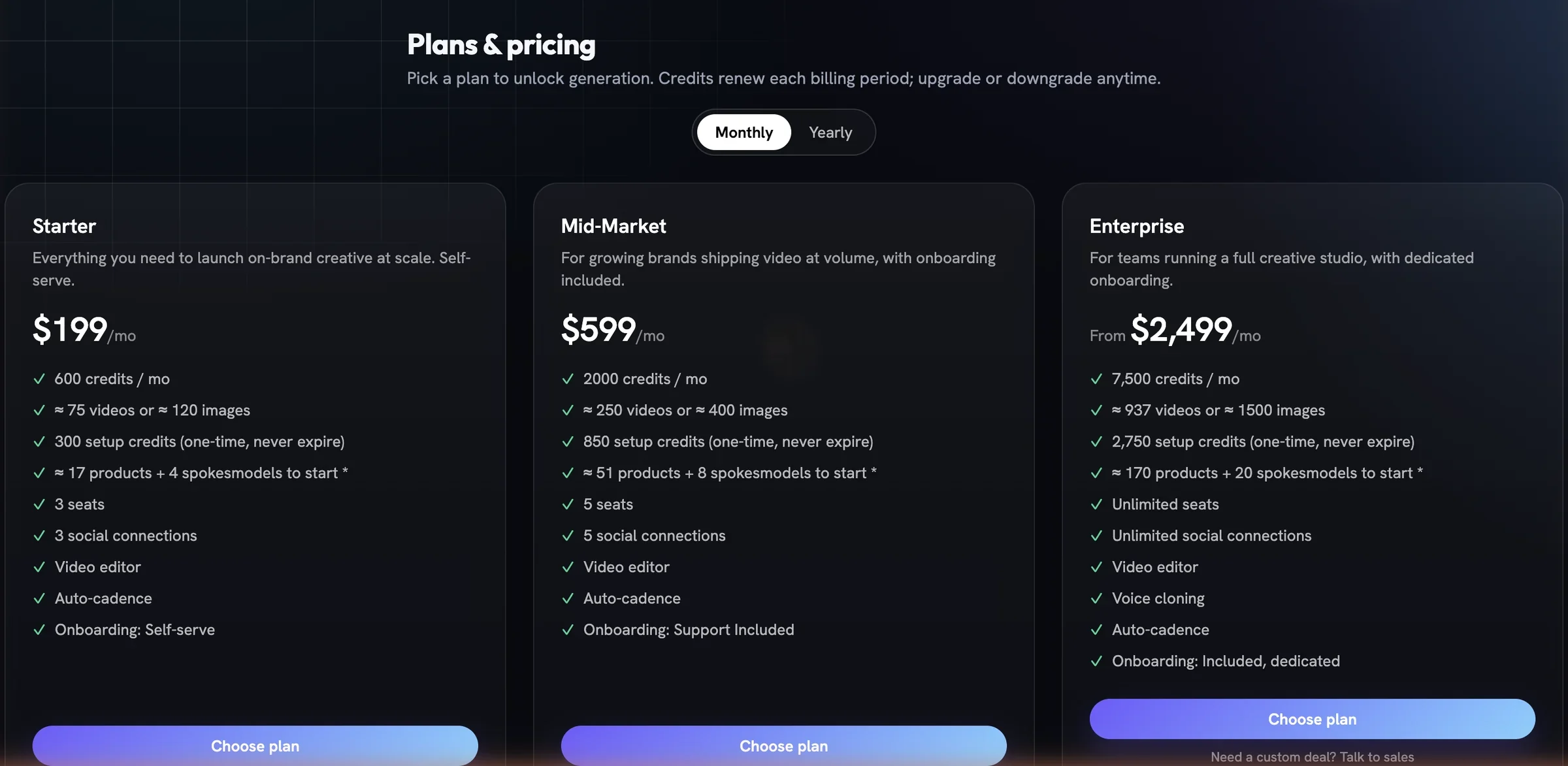
Billing belongs to a person, not a project. One subscription and one credit pool are shared across every project that person owns, and every teammate they invite spends from that pool. Only the Owner opens Billing, changes plans, buys credits or reads invoices; everyone else sees the plan name and balance in the sidebar card. An upgrade charges the difference straight away and adds the matching credits now; a downgrade waits for the end of the period.
History is the ledger
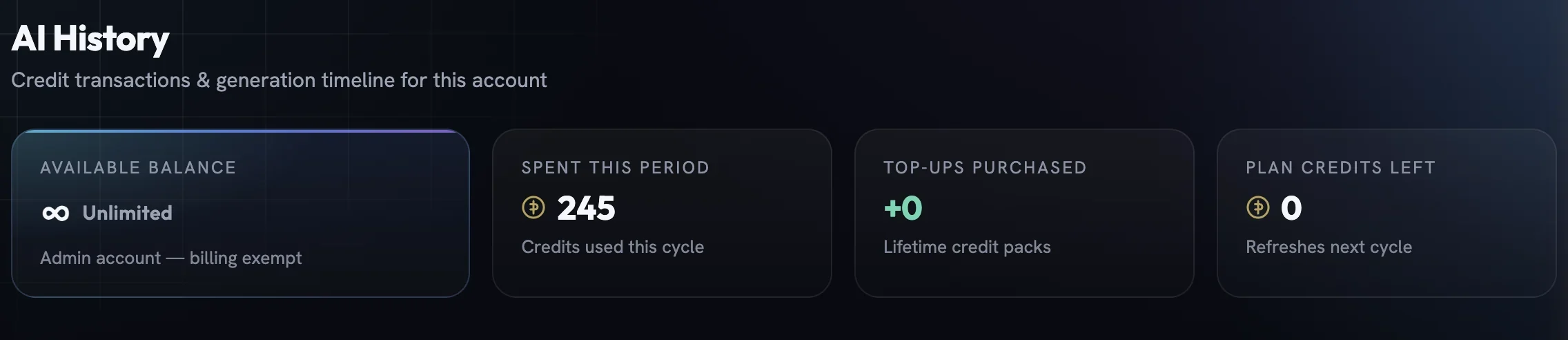
Open History under Brand Intelligence. The strip at the top shows the available balance, what was spent this period, top-ups purchased and plan credits left; beneath it, Transaction History lists every credit movement with the balance after it — each generation with its thumbnail and status, every top-up, every release from a failed job. Rows update live while a job runs, so a film that is still rendering shows its hold, not a charge.

Teammates see the same history without the money columns, which is enough to find a past brief and run it again. If a number ever looks wrong, the row's status and the fidelity report on the creative together explain it: a retry the studio made on your behalf is never charged twice.
More in Team & billing
Read enough. Make one.
Point Fotyra at your store and do exactly what this guide describes, on your own brand.