
Bring in your team
Invite the people who make, review and approve creative, give each one the right role, and keep billing in one place — teammates never need a subscription of their own.
A project is rarely one person. Someone builds the products, someone directs, someone signs off. The Team page, under Manage in the sidebar, is where the owner brings those people in and decides what each of them can do. Everything they create is billed to the owner, so nobody else needs a plan.
Five roles, plainly
| Role | What they can do |
|---|---|
| Owner | Full control, including billing, the team and deleting the project. One per project. |
| Partner | Everything except the team and billing. Can delete assets and edit project resources. |
| Creator | Creates and edits content and runs AI generations. |
| Reviewer | Reviews and approves content. Cannot generate. |
| Viewer | Read-only access to the library. |
The roles decide what the sidebar shows. A Viewer or Reviewer sees the Creative Library and the team roster only. A Creator and above see the whole Brand Intelligence section — Brand DNA, Products, Spokesmodels, What Fotyra learned, History — and can generate. Only the Owner sees Billing and Settings.
Inviting someone
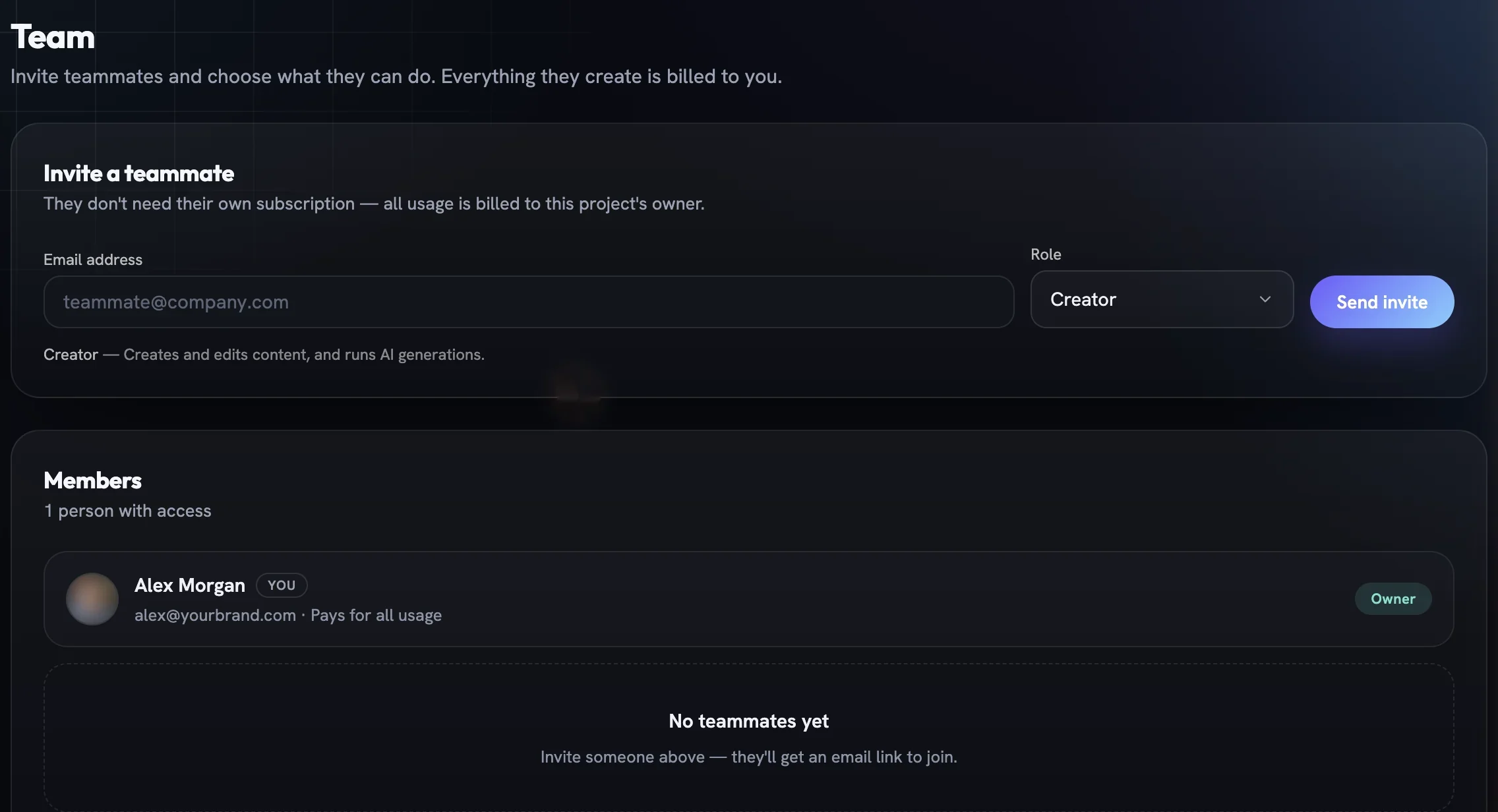
Type their email address
In
Invite a teammate, enter the address the invite should go to. The link can only be accepted by that address, so forwarding it will not work.Choose a role
Creator is the default. Pick Reviewer for someone who only signs off, Viewer for someone who only needs to see and download.
Send the invite
Press
Send invite. The person receives an email link that expires after a week;Resendissues a fresh one andCancelwithdraws it.Adjust later
From the Members list you can change a member's role or remove them. Removal is immediate — they can always be invited again.
Ownership and settings
Ownership is not a role you can assign — the owner cannot be removed or demoted, and Owner never appears in the role picker. Team and billing are the owner's alone; a Partner does everything else.
The same Settings page holds the project name and website URL. Renaming the project changes nothing about the brand it has learned; it is only the label you see in the project switcher.
More in Team & billing
Read enough. Make one.
Point Fotyra at your store and do exactly what this guide describes, on your own brand.