Quick answer: To make product videos with AI, upload a clean product photo to a product photo to video AI tool, write a prompt that names one camera move and one lighting setup, generate a short clip, check the product for distortion, then edit it into an ad with a hook, captions, sound and a call to action. The AI creates the footage. You still build the ad.
Key Takeaways
- Learning to make product videos with AI means learning two things: generating the footage and turning it into an ad. Most people only learn the first.
- Product photo-to-video AI works by adding motion, camera movement, and scene context to a still image you already own.
- Product accuracy matters more than visual polish. If the label, logo, or shape changes, the clip is unusable.
- One product photo can produce three ad types: product B-roll, a UGC-style clip, and a cinematic brand shot.
- 91% of businesses use video as a marketing tool in 2026, and 63% of marketers use AI in video creation
- Most AI product videos fail as ads because they have no hook in the first two seconds, not because the AI is weak.
Most ecommerce brands already own more product photography than they will ever use. What they lack is video, and the gap widens every time a platform rewards motion over stills.
Learning how to make product videos with AI closes that gap without a shoot. A single product photo can be converted into usable ad footage in minutes using product photo-to-video AI tools. The generation step is the easy part. The harder part is producing footage that keeps the product accurate, holds attention in the first two seconds, and meets platform specs, which is where most AI product video attempts fall apart.
This guide covers the full workflow: choosing the right source photo, writing a prompt that holds product detail, checking output for distortion, and assembling the clip into a finished advertisement video.
What Are AI Product Videos?
AI product videos are short videos created by generating motion around an existing product image or product description, instead of filming the product with a camera.
The technique most brands use is product photo-to-video AI, also called image-to-video generation. You give the model one still photo. The model creates new frames around it: a slow push-in, a rotating angle, liquid pouring, fabric moving, light shifting.
That output is footage. Footage is not an ad.
An ad has a job. It stops the scroll, shows the product, gives a reason to care, and asks for a click. We covered that gap in why AI clips are not finished ads, because it’s the main reason brands quit after one try.
What Kinds of Videos Can You Make From One Product Photo?
You are not limited to one output.
| Video type | What it looks like | Best placement | Length |
|---|---|---|---|
| Product B-roll | Slow motion, close-up, product only, no talking | Meta feed, retargeting, product page | 5–10s |
| UGC-style clip | A person holding or using the product, casual tone | TikTok, Reels, Shorts | 15–30s |
| Cinematic brand shot | Dramatic lighting, movement, music, no dialogue | Awareness, YouTube | 10–20s |
For example, one photo of a matte lipstick becomes a macro B-roll of the bullet turning in light, a UGC clip of a hand swatching it, and a cinematic shot on a coloured backdrop. Three ads, one source image. The UGC route is broken down further in our guide to AI UGC video generators.
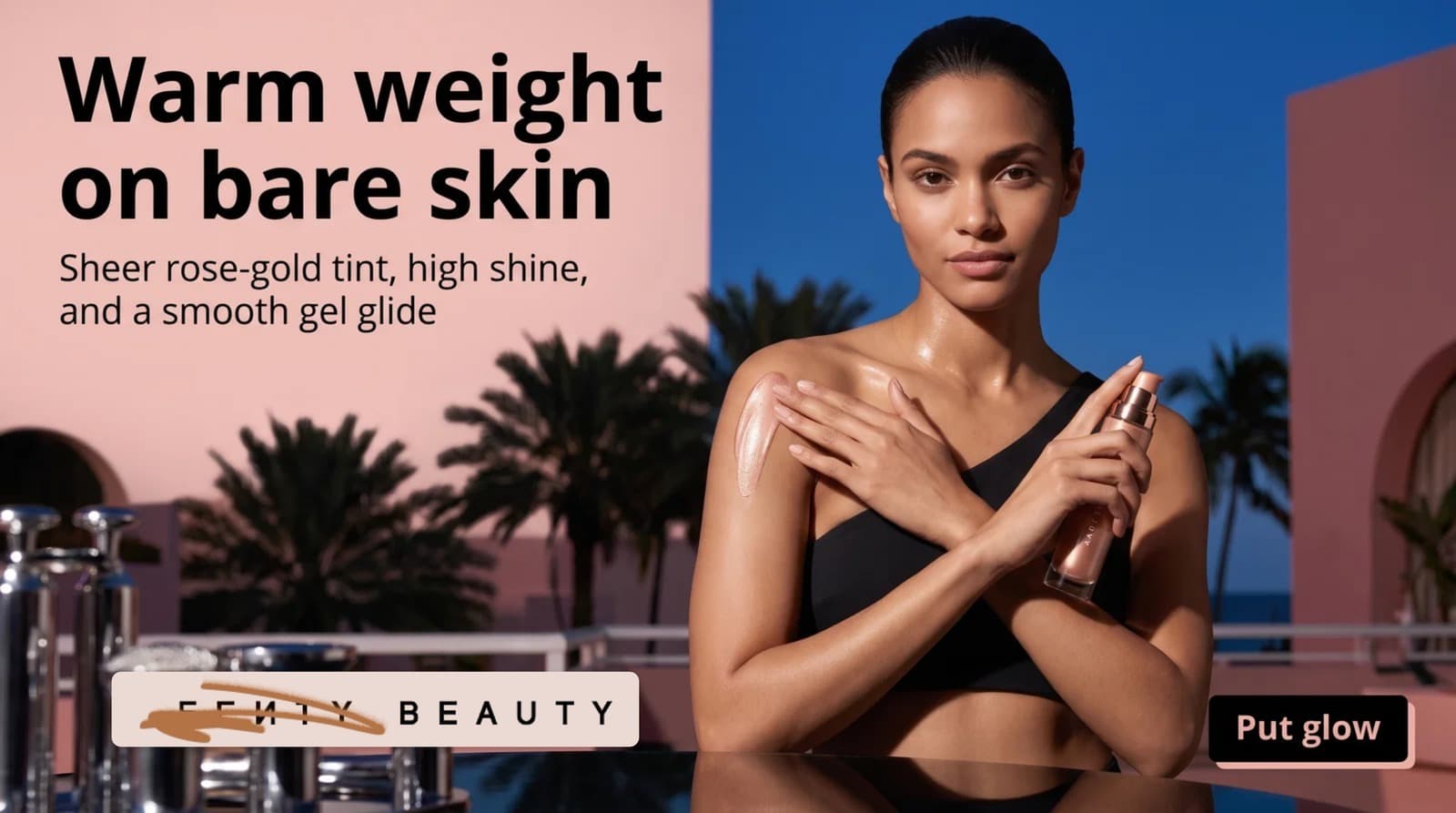
Here is what the product B-roll format looks like in practice, generated from a single still, with one camera move and no talking.
Why Make Product Videos With AI Instead of Hiring a Videographer?
Brands make product videos with AI because demand for new creative has grown faster than the budget for shoots.
Here’s the honest math. A videographer, studio time, a model, and editing are a project. It takes weeks. It produces a handful of assets. Then the platform eats them in ten days and asks for more.
Meanwhile, 91% of businesses use video as a marketing tool in 2026, and 82% of video marketers report a good return on it. The same report found 63% of marketers now use AI somewhere in video creation. If you’re figuring out how to make AI video for advertising right now, you’re not early. You’re on time.
| Traditional shoot | Product photo to video AI | |
|---|---|---|
| Time to first asset | 2–6 weeks | Same day |
| Cost per variation | High — often a reshoot | Low — new prompt |
| Number of variations | Limited by budget | Limited by review time |
| Best for | Hero campaigns, real texture | Volume, testing, seasonal refresh |
| Weak spot | Slow, expensive | Product accuracy, needs review |
Read the last row carefully. AI is not better. It is faster and cheaper at one specific job. For a flagship campaign film, hire the crew. For fifteen ad variations to test hooks this month, use AI. That trade-off is detailed in how AI cuts ecommerce content production time by 80%.
How Do You Make Product Videos With AI From a Product Photo?
You make product videos with AI in seven steps: choose the right photo, define the ad’s job, write the hook, pick one motion type, write a specific prompt, check product accuracy, then assemble the ad.
Skip step six, and you will publish something embarrassing. I have.
Step 1: Start With the Right Product Photo
Pick the cleanest, highest-resolution photo you own. The product must be sharp, fully visible, le and not heavily cropped.
Avoid busy backgrounds, heavy shadow across the label, or three products crowded together. The AI invents detail wherever your photo is vague. Vague inputs create weird outputs.
If your source images are weak, fix that first. Our guide to the best AI product photography tools for ecommerce covers how to create a clean base image before you animate anything.
Step 2: Decide the Job of the Ad
Write one sentence before you generate: this ad exists to ___.
Cold traffic ads need a hook and a reason to care. Retargeting ads need proof and a nudge. Product page videos need clarity, not drama.
For example, a cold ad for a protein powder should open on the problem, not the tub. A retargeting ad can open on the tub, because they’ve already seen it.
Step 3: Write the Hook First, Not Last
The first two seconds decide whether the ad gets watched. Write that line before you touch a tool.
A hook can be visual, spoken, or on-screen text. “This is why your foundation goes patchy by noon” works. “Introducing our new foundation” does not.
Most teams generate footage, then bolt a hook on top. Reverse it. The hook decides what footage you need.
Step 4: Choose One Motion Type
Pick a single movement. One. Clips that try four things look synthetic.
| Product type | Motion that works |
|---|---|
| Skincare, serums | Slow push-in, droplet, light shift |
| Apparel | Fabric movement, slow turn, walking |
| Jewellery, watches | Rotation, sparkle, macro tilt |
| Food, drinks | Pour, steam, condensation |
| Tech, hardware | Orbit, slow reveal, hand interaction |
For example, a leather bag looks premium with a slow 15-degree turn and a light sweep. The same bag looks fake if you also add rain, a moving model, and a zoom.
Step 5: Generate, Then Review Before You Export
Run the clip. Watch it three times before you decide anything. Then move to the accuracy check below — not to the editor.
What Is a Good AI Product Video Prompt?
A good AI product video prompt names five things: the product, the camera move, the lighting, the environment, and what must not change.
Vague prompts create generic clips. Structure yours like this:
- Product: “a matte black ceramic coffee mug, exactly as shown”
- Camera: “slow dolly-in, eye level”
- Lighting: “soft morning window light from the left”
- Environment: “warm wooden counter, shallow depth of field”
- Constraint: “keep product shape, colour and label unchanged; no text changes; no added objects”
That last line matters most. Always tell the model what not to change. In our testing,g it noticeably reduces label warping and shape drift.
For example, the same mug photo with the prompt “cinematic coffee ad” produced a mug with a different handle. With the five-part prompt above, the handle held.
How Do You Check an AI Product Video for Accuracy?
Check an AI product video by pausing it at the start, middle, and end, then verifying the logo, label text, colour, shape, hands, shadows,ows and packaging against the real product.
This is the step everyone skips. Run all seven:
- Does the logo still read correctly?
- Is the label text identical, not just similar?
- Has the product colour shifted?
- Is the shape the same, or has it warped mid-clip?
- Do hands have five fingers and natural movement?
- Do reflections and shadows match the light source?
- Does the packaging match what actually ships?
If any answer is no, regenerate. Do not fix it in the edit. A misleading product visual becomes a return, a chargeback, and a trust problem a point we make in the hidden cost of weak product visuals.
What Makes AI Product Videos Look Cheap?
AI product videos look cheap when the motion is exaggerated, the pacing is flat, the product changes shape, or the clip has no hook.
Five patterns cause most of it:
- Too much movement. Real product films are calm. Slow beats fast.
- No cut. A single eight-second clip is a screensaver. Two or three cuts create rhythm.
- Silence. No sound design reads as unfinished.
- Warped product. Covered above. Non-negotiable.
- A generic script. “Elevate your routine” says nothing. Name the problem instead.
For example, we tested two versions of the same beauty clip: one opening on a straight product shot, one opening on a close-up of a hand struggling with a stiff pump. The second held attention longer. Nearly identical footage. Different framing. More examples sit in our beauty product ads guide.
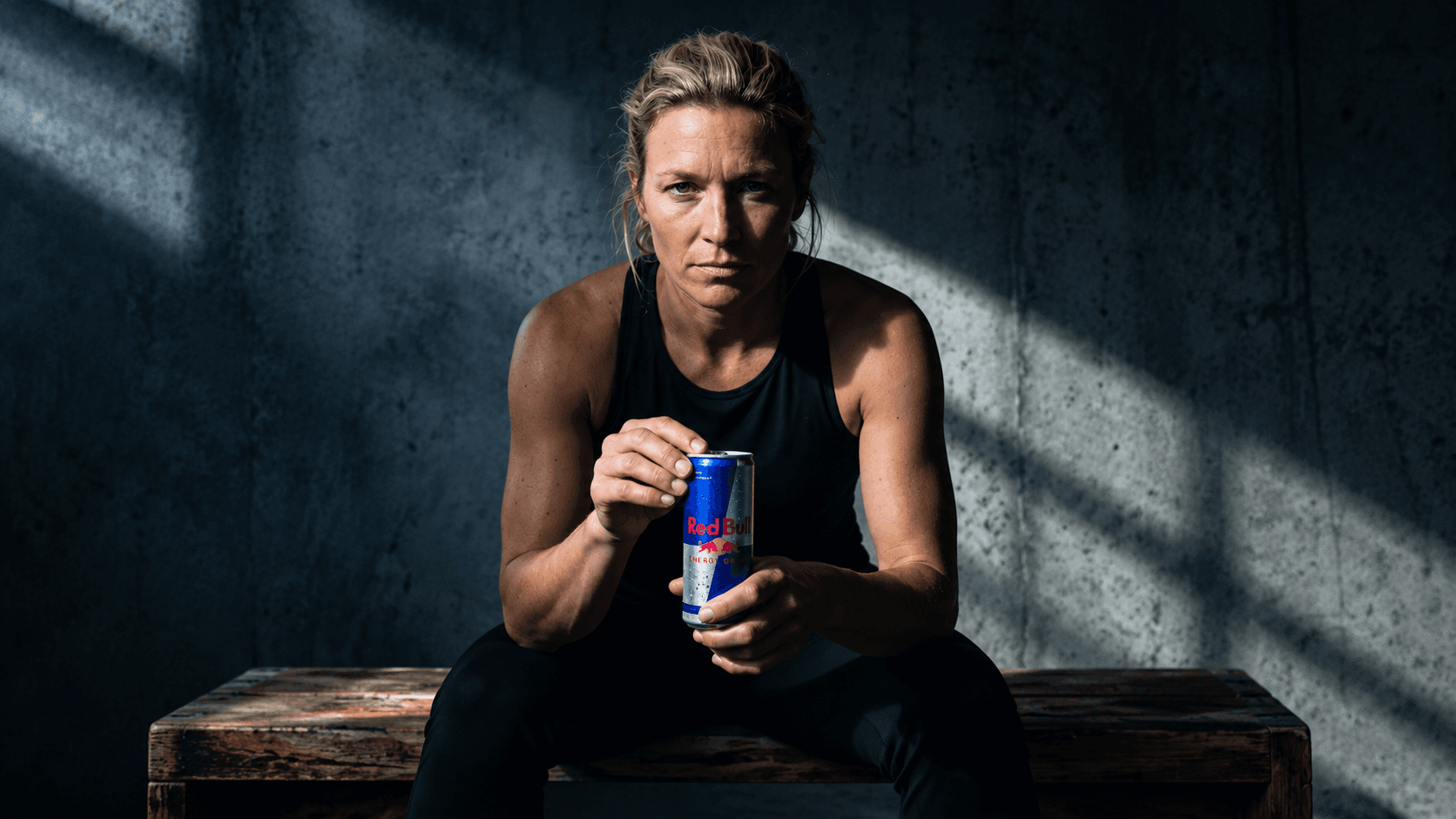
Cinematic product ad spec by Fotyra Studio.
Which Tools Let You Make Product Videos With AI?
Tools that let you make product videos with AI fall into three groups: free image-to-video generators, template ad makers, and full creative production studios.
Free image-to-video generators animate a single photo. Useful for testing an idea. You get one clip, not a campaign.
Template ad makers layer captions and music over your clip. Fast, but everyone’s output starts to look the same.
Creative production studios handle the whole chain: brand context, scripting, generation, accuracy review, ad assembly.
That last category is where Fotyra sits. Fotyra is a self-serve AI e-commerce ad studio, not an agency. You sign up, connect your store or upload product photos, and the studio builds your Brand DNA and Product DNA before generating anything. From there, you get video ads, UGC-style ads, and static ads sized for Meta, TikTok, YouTube, and Google, with product consistency built into the workflow.
See real output on the Fotyra Studio YouTube channel and in our case studies. For a wider comparison of the category, read AI product videos for ecommerce.
AI UGC-style product ad with this product static image by Fotyra Studio.

Can You Create Advertisement Videos Using AI for Free?
Yes, you can create advertisement videos using AI for free on limited plans, but free tiers usually cap length, lower resolution, add a watermark, or restrict commercial use.
Three things to check before you rely on a free plan for paid ads:
- Watermarks. A watermark disqualifies the clip from Meta or TikTok ads.
- Commercial licence. Some free tiers do not permit advertising use.
- Resolution. Below 1080p, the ad looks worse than your product page.
To answer a common question directly: ChatGPT does not generate video from a photo on its own. It can write scripts, hooks, and AI product video prompts, but the video itself needs a dedicated image-to-video tool.
Free is fine for testing whether the idea works. It is rarely fine for what you scale.
How Do You Turn an AI Product Video Into a Finished Product Advertisement Video?
You turn an AI product video into a product advertisement video by adding captions, sound design, a call to action, and exporting to the correct platform specs.
Most feed video is watched on mute, so captions are not optional. Add a track or sound design. Put the call to action in the last three seconds. Trim hard; cut the first half-second if nothing happens in it.
Then export. Platform specs change, so confirm against each platform’s current ad guide. As a working baseline:
| Placement | Ratio | Common size | Typical ad length |
|---|---|---|---|
| Reels, Stories, TikTok, Shorts | 9:16 | 1080 × 1920 | 15–30s |
| Meta feed | 4:5 | 1080 × 1350 | 15–30s |
| Squarefeed/marketplacee | 1:1 | 1080 × 1080 | 15s |
| YouTube in-stream | 16:9 | 1920 × 1080 | 15–30s |
If you run on Reddit, requirements differ again; our Reddit Ads creative specs guide has the full breakdown.
What Should You Do Next?
Start with one product and one week. Do not rebuild your whole creative process at once.
- Pick your best-selling product and its cleanest photo.
- Write three hooks.
- Make three 10-second product videos with AI, one motion type each.
- Run the accuracy check on all three.
- Ship them as one ad set and let the data pick the winner.
- Rebuild next month’s creative around the winning hook.
That loop is the whole thing. Most brands lose to creative fatigue not because their ads are bad, but because they can’t produce fast enough to replace them. Better visuals lift the rest of the funnel too; see how better product images increase ecommerce conversion rates.
Conclusion
You don’t need a videographer to make product videos with AI. You need a clean photo, a clear hook, one motion type, a strict accuracy check, and a proper edit.
AI removes the shoot. It does not remove the thinking. The brands winning here treat AI output as raw footage and themselves as the director.
Start with one product this week. Start free in Fotyra Studio and turn a photo you already own into your next ad, or book a 30-minute call and we’ll build one on your store while you watch.
Frequently Asked Questions
How do you make product videos with AI?
Upload a clean product photo to an image-to-video tool, write a prompt naming the camera move and lighting, generate a short clip, verify the product hasn’t changed, then edit it into an ad with a hook, captions, and a CTA.
How can I turn a product photo into a video?
Use a product photo-to-video AI tool. Give it one high-resolution image, describe a single movement, and generate a 5–10 second clip.
How do I create product videos using AI without a videographer?
Replace the shoot with AI generation, and keep the direction yourself: hook, motion type, accuracy check, edit. The production is automated. The judgement is not.
Can ChatGPT turn a photo into a video?
No. ChatGPT can help you write AI product video prompts, hooks, and scripts, but generating video from a still image requires a dedicated video model or tool.
Can AI make videos from photos for free?
Yes, several tools offer free tiers. Check for watermarks, commercial licensing, and resolution caps before using free output in paid ads.
How do I make my product photos look professional first?
Shoot or generate on a clean background, keep the label sharp and readable, use even lighting, and export at high resolution. Weak source images produce weak AI video.
How long should an AI product advertisement video be?
Most ecommerce social ads perform in the 15–30 second range, with the key message delivered in the first five seconds.
Is AI-generated product video allowed in ads?
Yes, but the product must be represented accurately, and some platforms require AI-generated content to be disclosed or to retain AI metadata. Check current platform policy before publishing.